Pick your AI model, track usage by project
Last updated: October 2, 2026
This week we opened up AI model choice in Parley and rebuilt the usage dashboard so you can see how your team works across matters.
Pick the AI model that best fits your work
Parley Auto intelligently routes each task to the right model for the job. Now you can also pick a specific frontier model for any conversation.
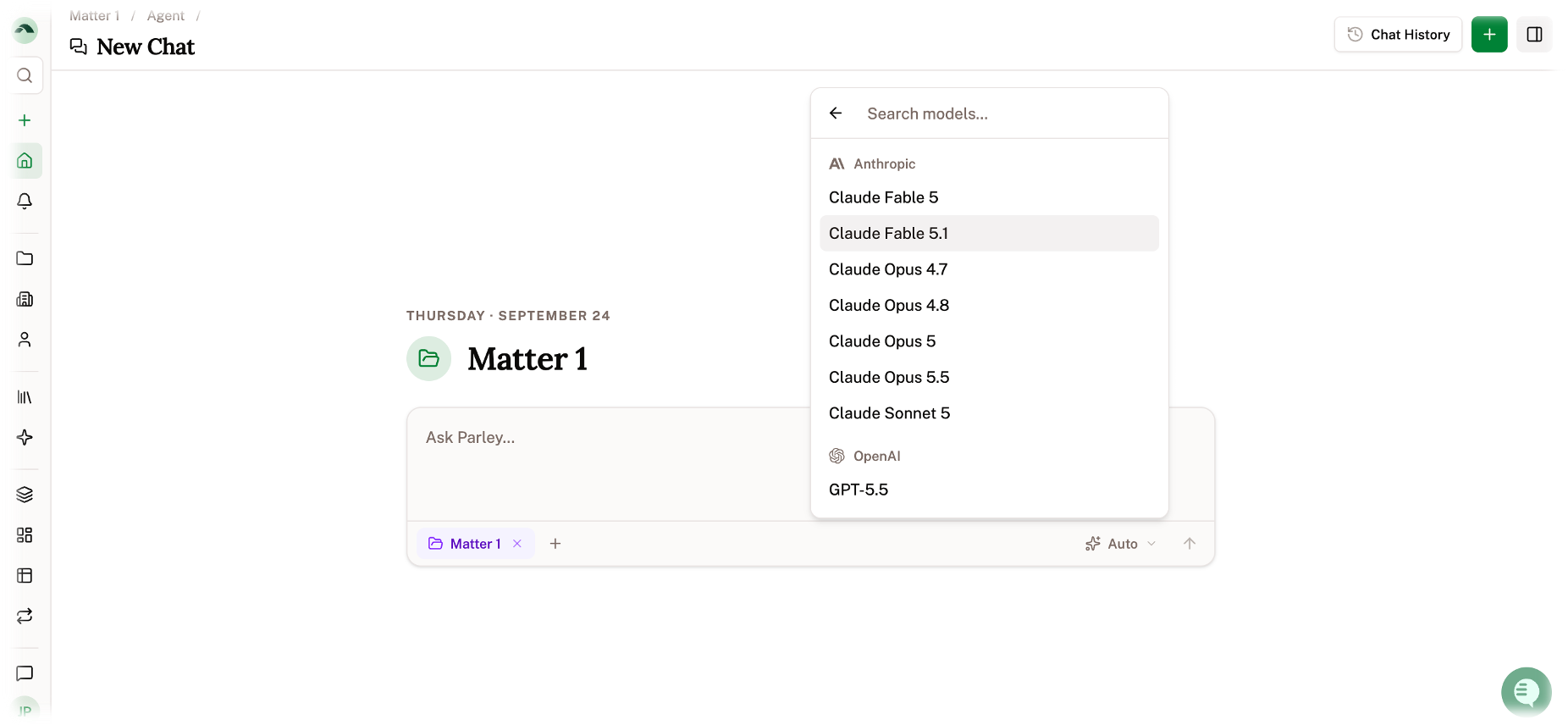
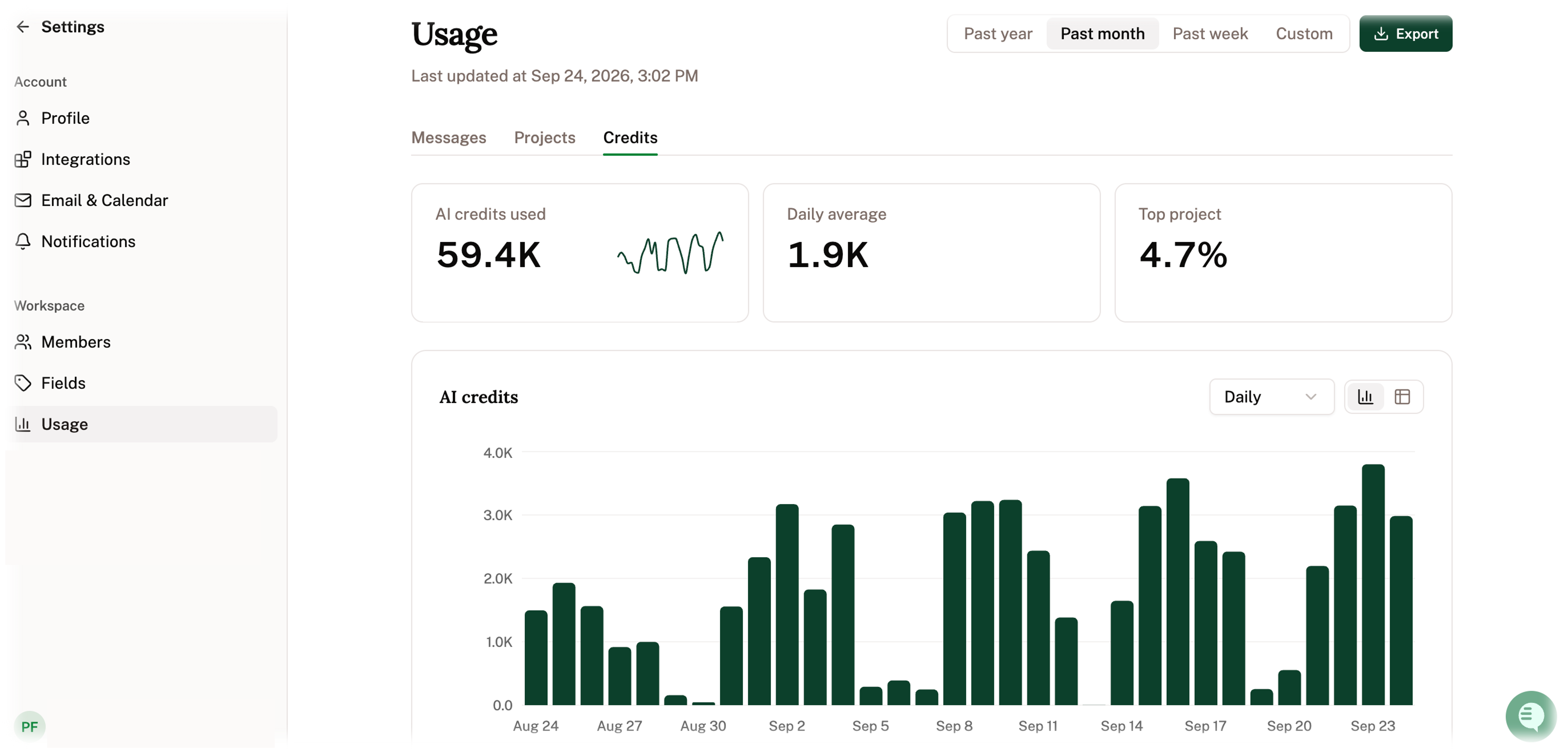
See credits by project, at a glance
The usage page now has detailed analytics on messages, projects, and project-level credit usage. Each view has charts, a table view, and CSV export, so you can track and report usage across matters.
Additional improvements
Projects now include a self-updating summary to provide an up-to-date view of your case as you work
Type / to use Skills in any Parley chat, not just inside projects
Creating a new Skill now starts with an agent-assisted first pass
Excel files (.xlsx and .xls) now sync from Clio, Google Drive, Dropbox, Box, and SharePoint
Chat image attachments now show thumbnails and open full-size when selected