Draft with custom workflows | March Changelog
Last updated: April 2, 2026
Highlights from March 🤖
Draft any brief in your style with a single click. Generate full petitions directly from your client’s evidence in Projects without uploading section by section.
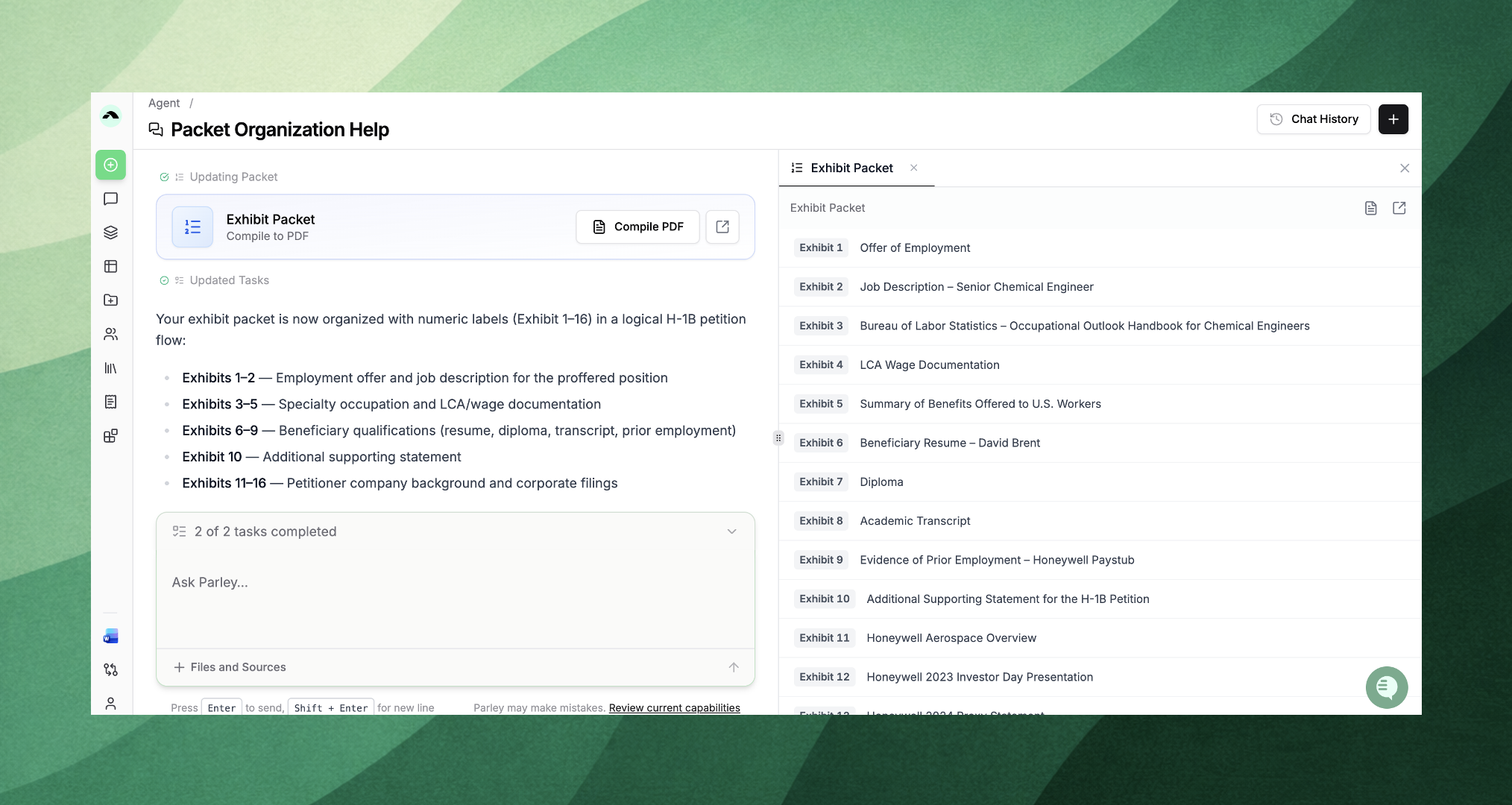
Create exhibit packets automatically with AI. Parley Agent will organize, create divider pages, and compile your PDF packet - matching your template shell or finalized index.
Run fully custom workflows. Generate drafts, exhibit packets, and supporting documents tailored to each attorney, client, and case type. To get custom workflows, email [email protected] and we’ll set them up.
New Product: Parley Drafts
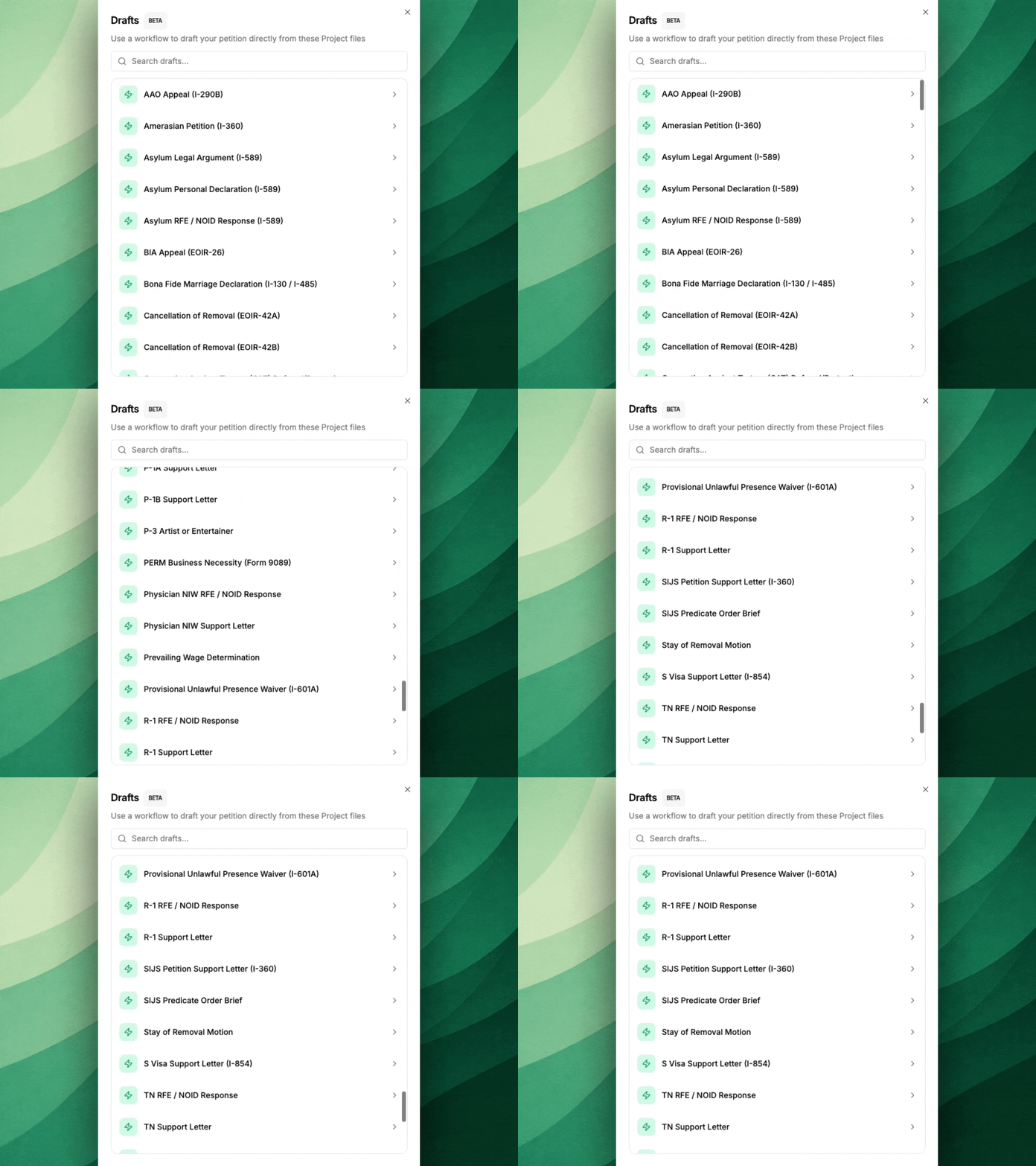
Draft any brief according to your style - and do it with a single click. No more uploading section by section.
Step 1. Create a Project and Upload your Client's Evidence
Think of a Parley Project as your case. Upload your client's files directly, drag in zip folders, or sync your existing intake folders.
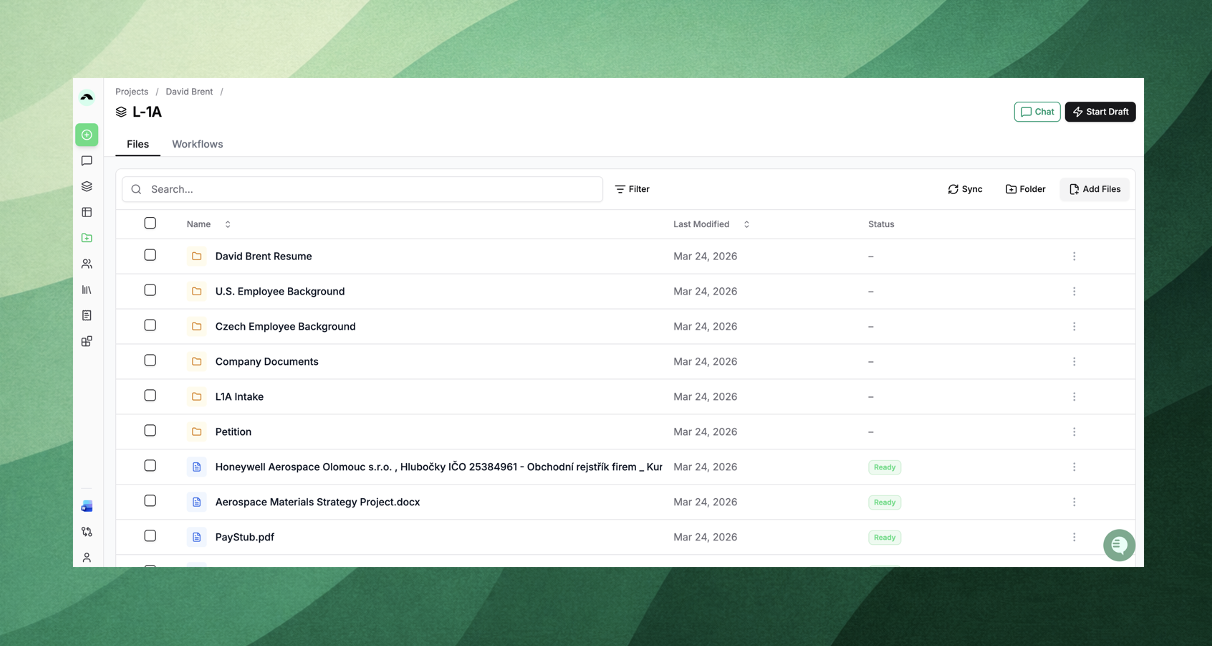
You can now sync Projects with Google Drive, SharePoint, Dropbox, Clio, or Box:
Select a top-level folder (e.g., a client intake folder)
Parley pulls in all files, including subfolders
New files added to your drive automatically sync into the Parley Project
Your folder structure is preserved, so everything stays organized as your team expects
This means your case can stay up to date without re-uploading documents - as soon as new evidence is added to your drive, it’s available in Parley.
Step 2. Draft in your style
Inside any Project, click Start Draft in the top right corner.
Out-of-the-box you’ll see a full list of supported briefs - EB-5s, I-130s, Ts, Us, E-2s, P-1s, Habeas Corpus, +80 more...
Select the brief you're working on and (optionally) attach a prior similar filing.
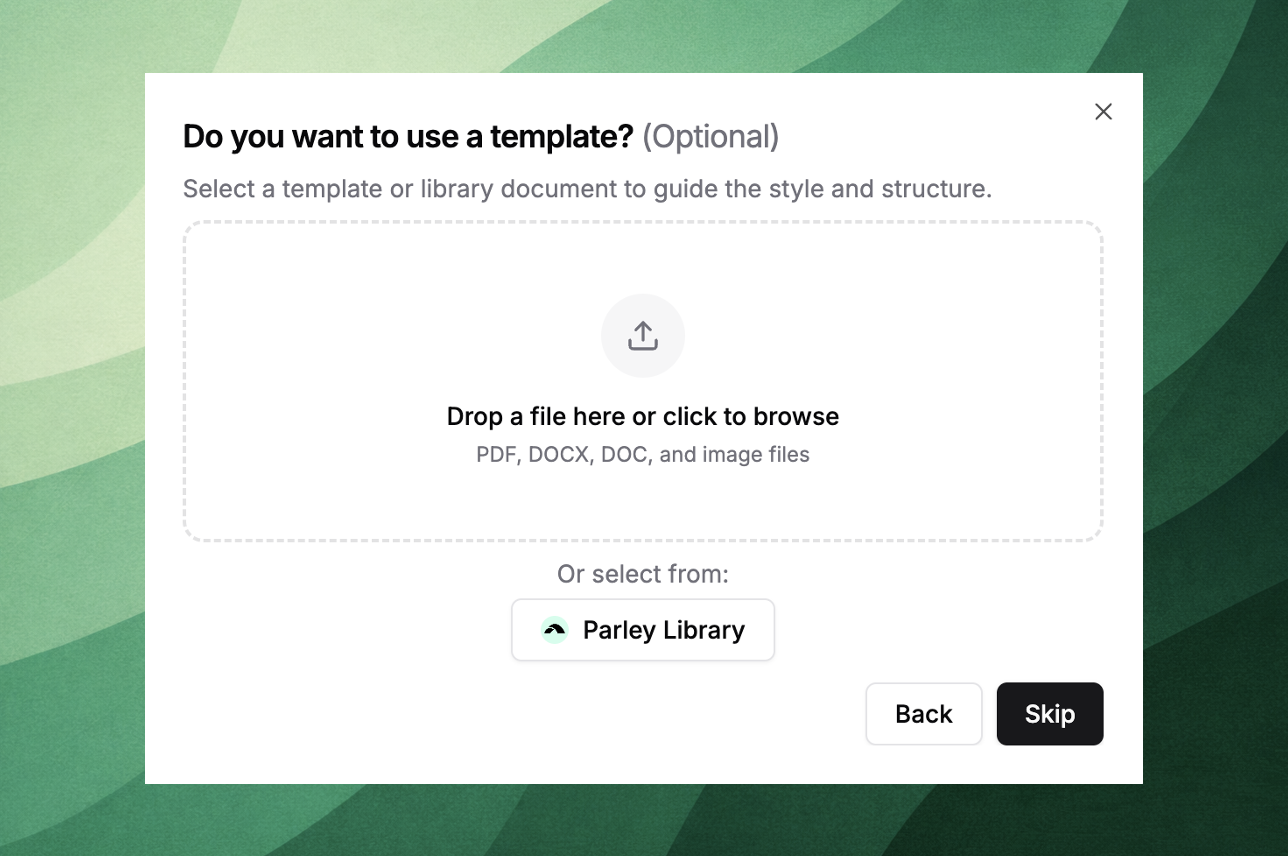
Attaching a sample. This does not need to be a true template!
You can attach any previous filing to have Parley adapt your client's evidence from your Project, while following your:
Structure
Argument Style
Applicable Legal Citations
If you don't see the draft you want to work on from the list, just click "Chat" in the top right corner of your Project.
Then you can prompt the Parley Agent to draft an index, reference letter, or any other kind of brief directly from your client's evidence.
Step 3. Create your PDF exhibit packet automatically with AI
When you’re ready to compile your exhibit packet, open your Project and click Assemble Packet.
If you already have a completed index or support letter, attach it directly in the Agent.
Parley will map your citations to files in your Project, order your files, and create divider pages to finalize the packet. Then just click "Compile" to download your packet as a PDF.
Fully Customize your Drafts and Exhibit Packets
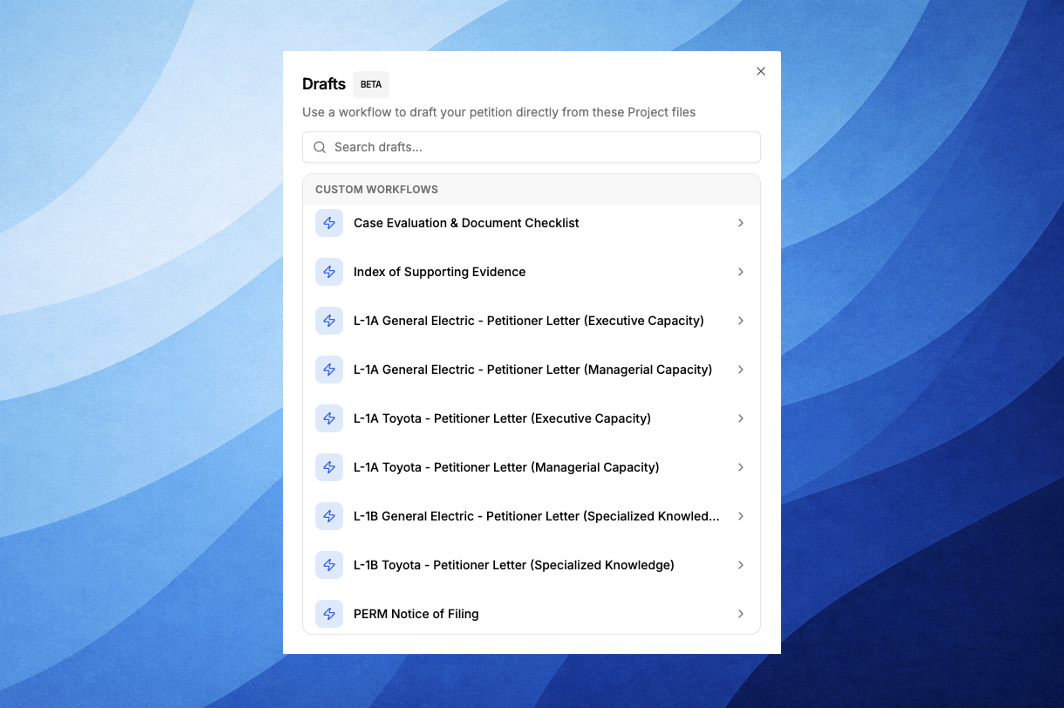
Draft with fully custom workflows per attorney, per client, per case type
With custom workflows, drafts will be fully dynamic to your client's evidence, while still leveraging reusable petitioner info, preferred style and verbiage, and applicable legal citations.
Generate Exhibit Packets with fully customized workflows
With custom exhibit workflows, Parley will assemble a packet from your Project files that directly match your divider pages and required order for any kind of filing.
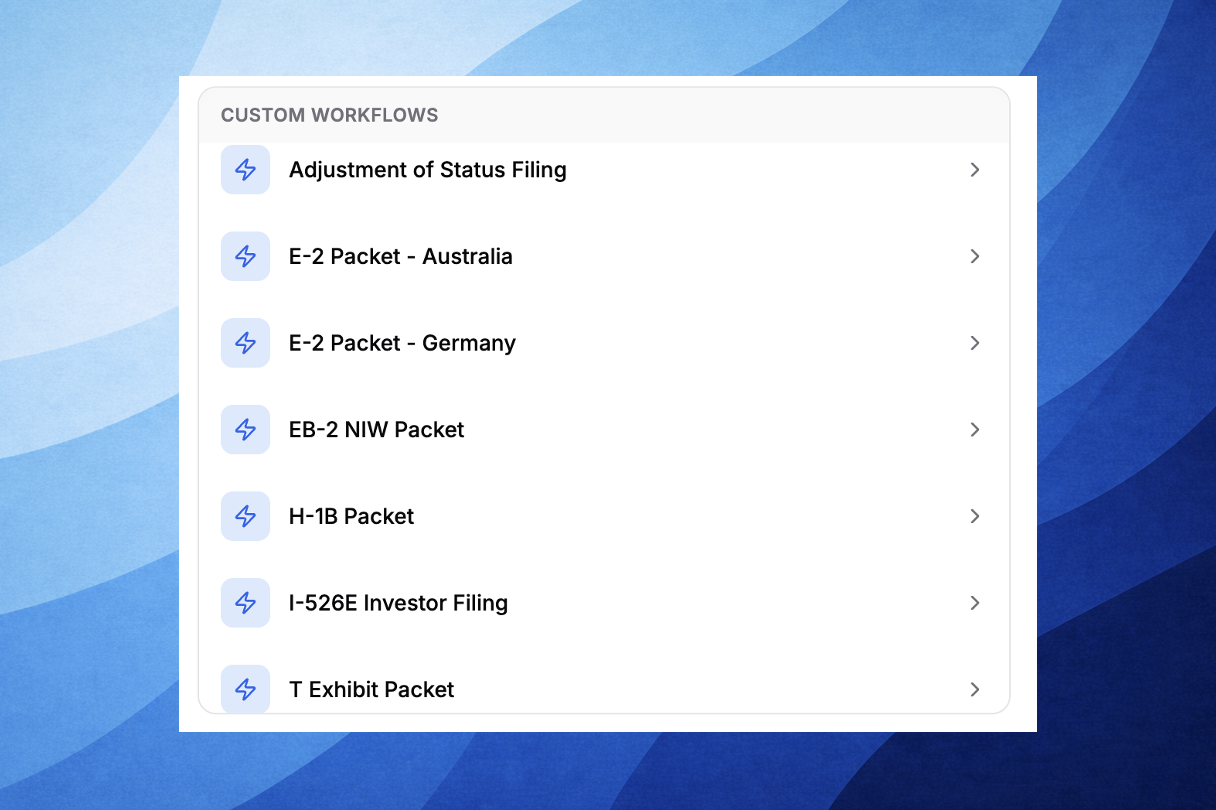
Please reach out to us directly to set up these workflows for the firm.
We’ll work with your team to set up custom workflows tailored to your needs:
Per attorney
Per client or petitioner
Per case type
Any other work product your team regularly produces (e.g., indexes, PERMs, case evaluations, cross examination questions, etc.)
Once set up, these workflows appear at the top of your Start Draft list - so your team can run them on any Project and get a fully structured draft and exhibit packet in your format.
Lots of Improvements!
Use Command + K to search across your applications, tables, and projects, directly from the Start page.
Integrations with Box and Clio are live; if you store your files in either system, select "Integrations" from the left side panel to connect.
The Parley Agent now links back to the Project with breadcrumbs above your chat name so you can quickly navigate back to your Project.
There's now more consistent formatting and structure across outputs when a template or similar previous filing is added to Parley.
Footnotes can be added to DOCx exports generated through Parley.
When drafts and exhibit packets are created in a Project, they'll automatically save under the Workflow and Packet tabs so your team can continue to iterate.
Select "Open in Project" on your exhibit packet to change divider pages, reorder documents, or add new evidence.
Please reach out if you have any questions, feedback, or would like to get your first custom workflows for drafts or exhibit packets set-up and deployed to the team.
Best,
Jackson
On behalf of Parley Team