AI Tables | November Changelog
Last updated: December 3, 2025
TL;DR:
[New Product] Parley Tables. Ask several questions across a large set of documents with just a single click.
Draft clearer, more focused RFE responses. Parley now reduces verbosity and targets only the elements raised by the officer, producing sharper, more precise arguments.
Draft more visa types directly in Parley. Create and draft EB-1B RFEs, EB-1C RFEs, R-1 petitions, and R-1 RFEs with full support in the updated case creation flow.
[New Product] Parley Tables
Generate thousands of structured insights from large document sets in seconds.
Parley Tables is an AI-powered spreadsheet that lets you use fully customizable prompts to extract information from large volumes of documents.
Upload a set of files that you want to glean insights from (case files, past RFEs, LCAs, etc.).
Define the columns (set of prompts and questions) to pull insights from the uploaded files (worksite checks, criteria evaluations, dates, dollar amounts, compliance questions).
Hit “Run Columns”. Each cell in your table will return a response to the question in each column - so you can receive thousands of structured insights within seconds.
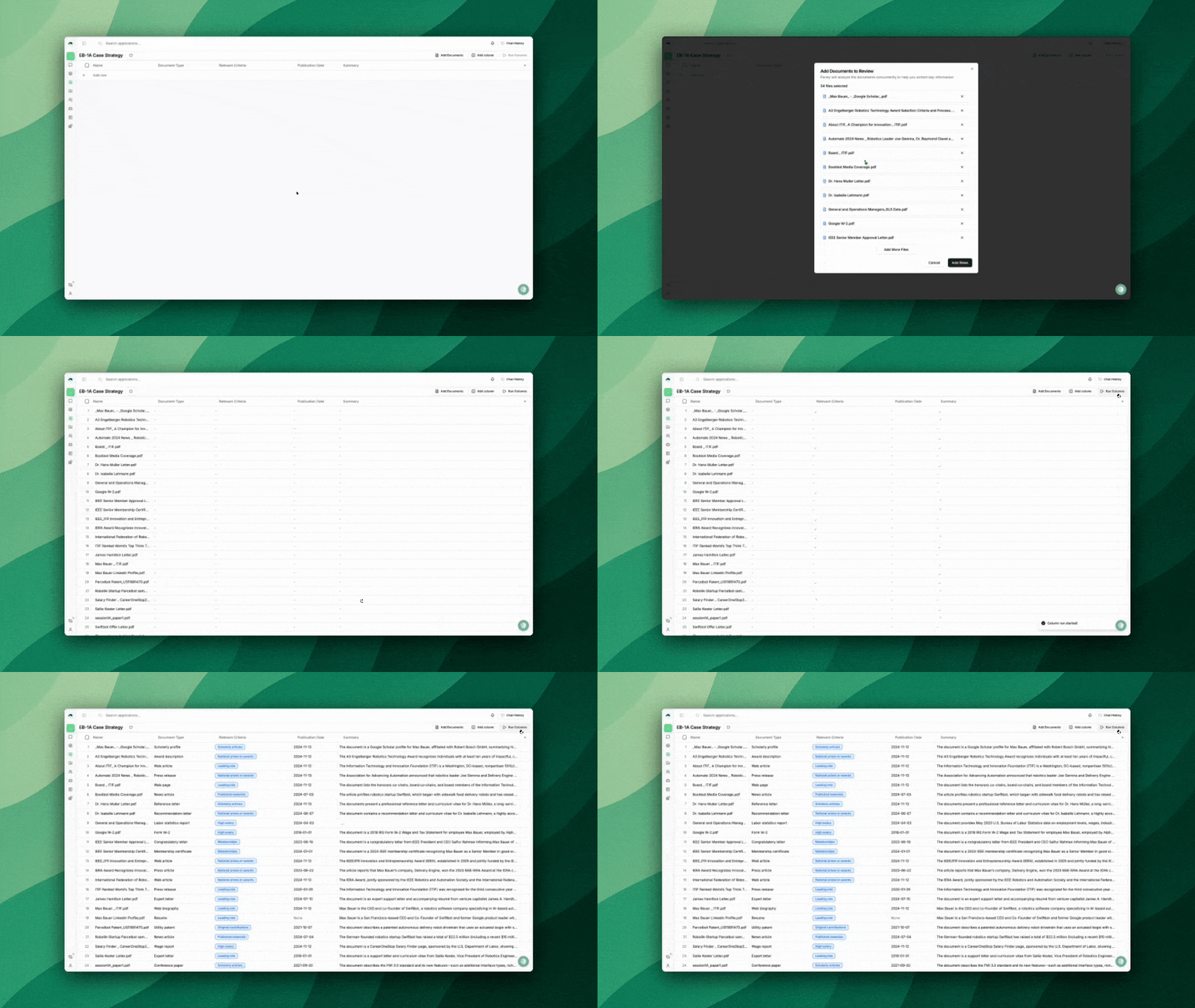
Getting Started with Parley Tables
Parley Tables are fully customizable and do not need to be directly connected to a case - Below are a couple ideas to get started.
Ensure DOL Compliance Across All LCAs
Review hundreds of LCAs at once, checking each one against DOL compliance requirements to surface risks and inconsistencies before filing or auditing.
Analyze USCIS Adjudicatory Trends from Past RFEs
Review all of your past RFEs to identify patterns in USCIS scrutiny, common weaknesses, and evolving adjudication standards across visa types.
Structure Source of Funds Data for E-2 and EB-5 Cases
Turn hundreds of bank statements and financial records into a structured dataset that traces the purpose of transfer, date, source and receiving entity for every dollar.
Evaluate Evidence Strength and Identify the Best Case Strategy
Assess your client's evidence against USCIS guidelines, identifying relative strength, evidentiary gaps, and informing your case strategy.
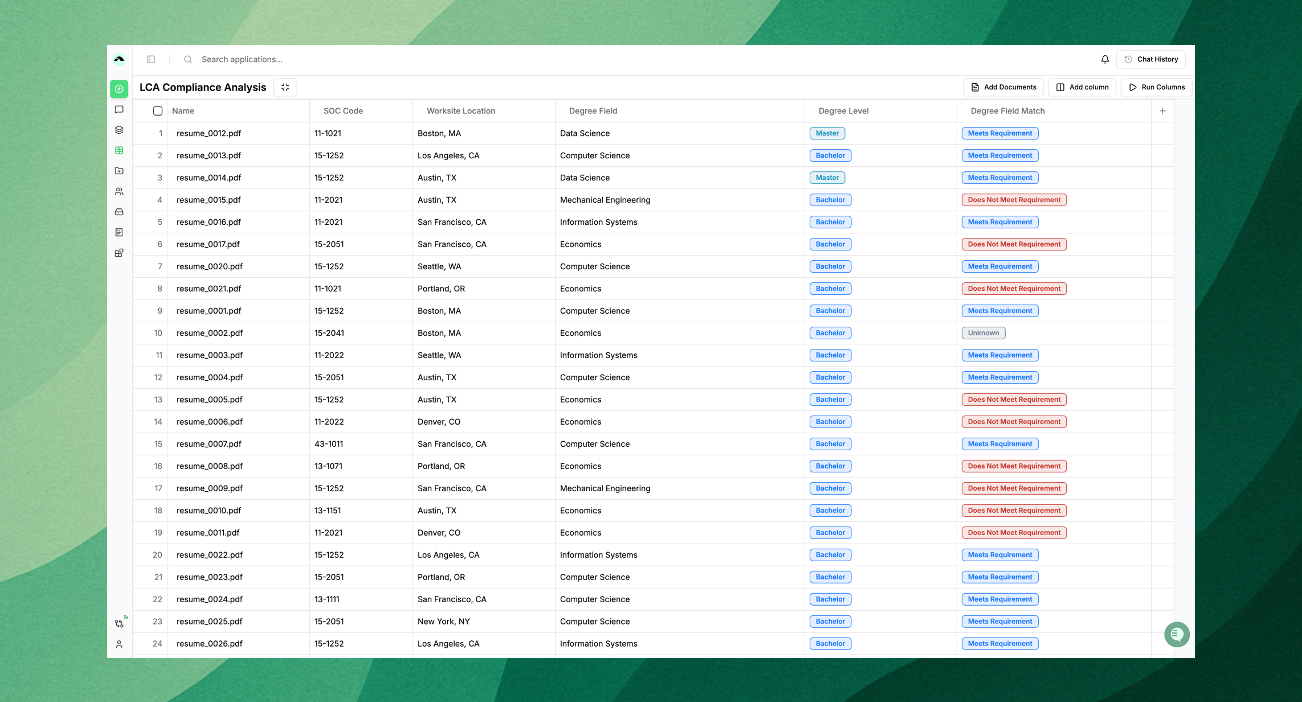
If you think Parley Tables could be helpful with a particular workflow, let us know! We’d love to partner closely to ensure this new product works well for your team.
What else is new?
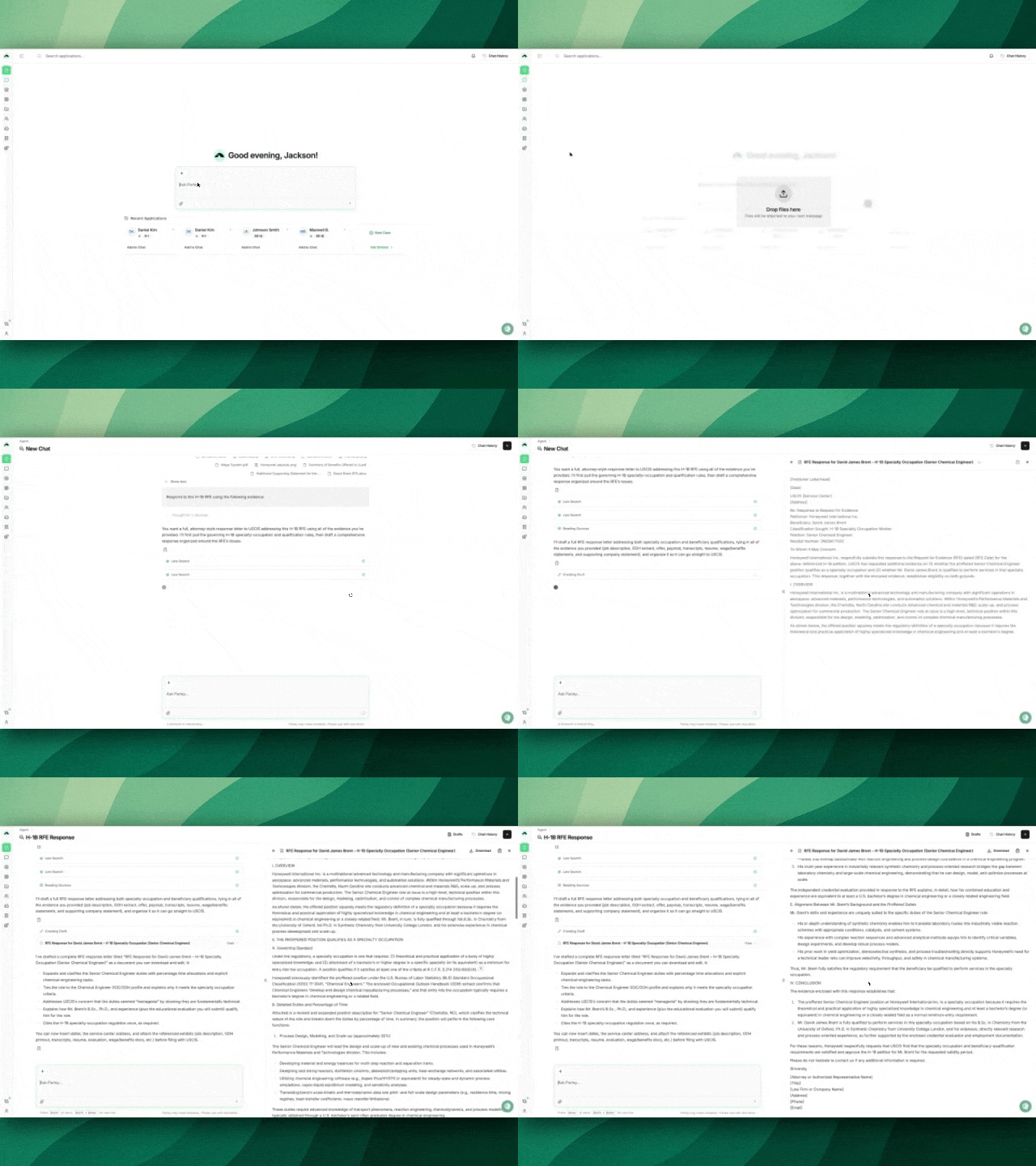
Draft legal briefs directly in the Parley Agent with a new, dedicated draft interface
Ask the Agent to draft a section of your petition, respond to an RFE, or write a memo - and Parley will produce a draft side-by-side with your chat. Ask for revisions, and Parley will make in-line edits, saving your progress and allowing you to view changes between versions.
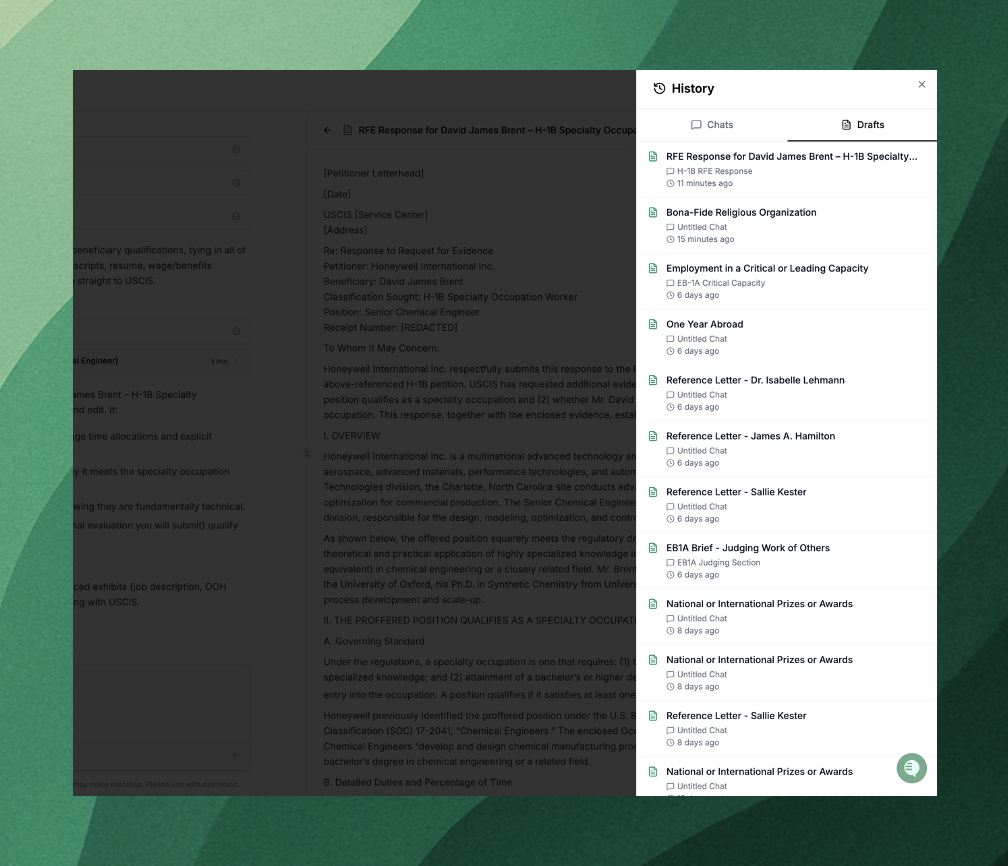
Access all of your past drafts directly from your Chat History in the top right hand corner of Parley.
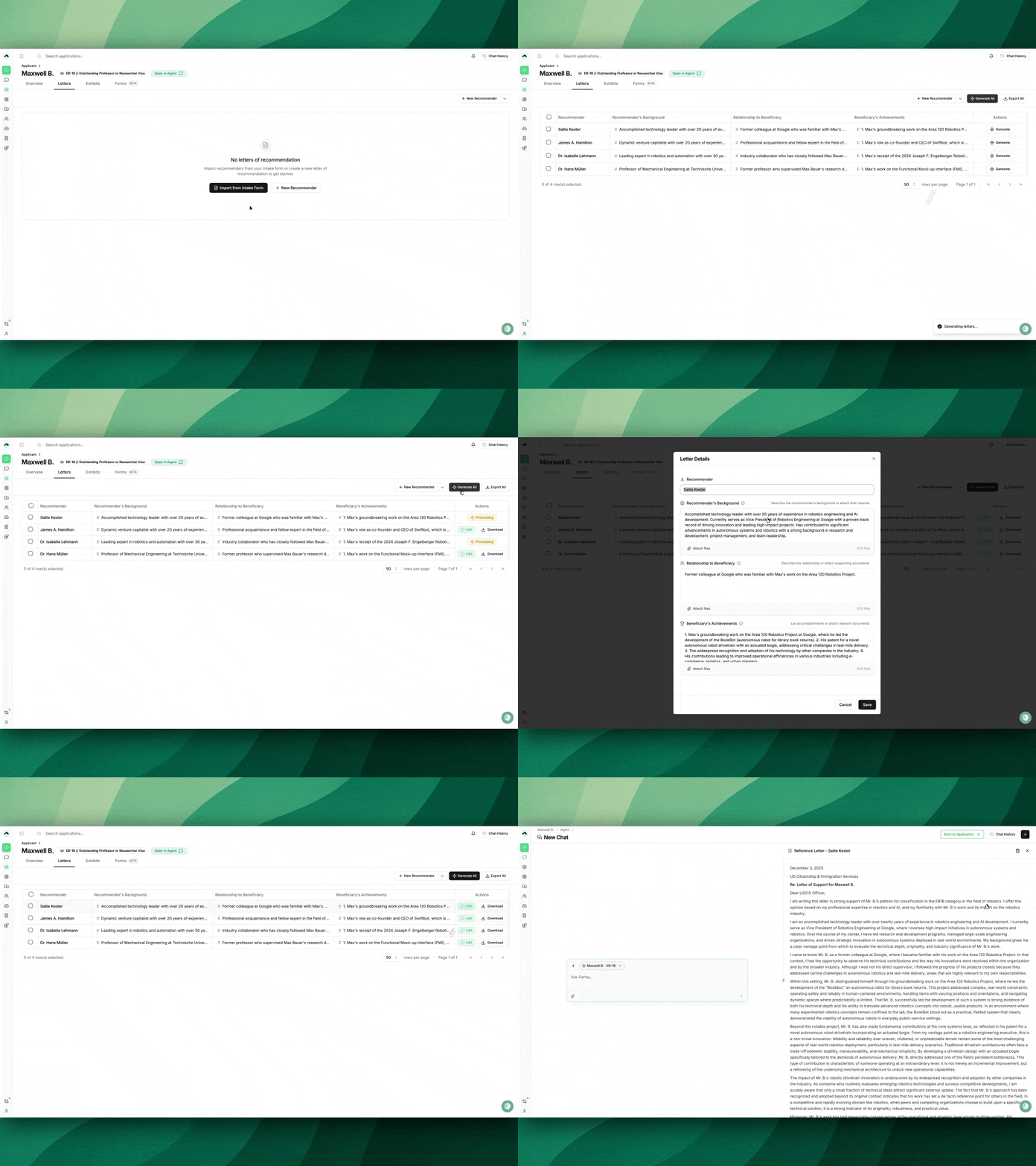
Draft reference letters with improved document processing speed and greater clarity on letter content
Continue to use the Parley Letters tab within your case to generate multiple reference letters at once, with 3 key updates:
Faster drafting. Upload multiple reference materials (resumes, client evidence, etc.) and an updated document processing approach reduces the time to draft.
Leverage text and document inputs. Use text and documents to inform the letter content (e.g., upload your client’s citation list and the articles themselves).
No supporting criteria selection. To reduce repetitiveness, letters will focus on the content uploaded in the letter generation flow. If you want to pull in other case materials, ask the Agent to incorporate those details directly through "Edit in Chat".
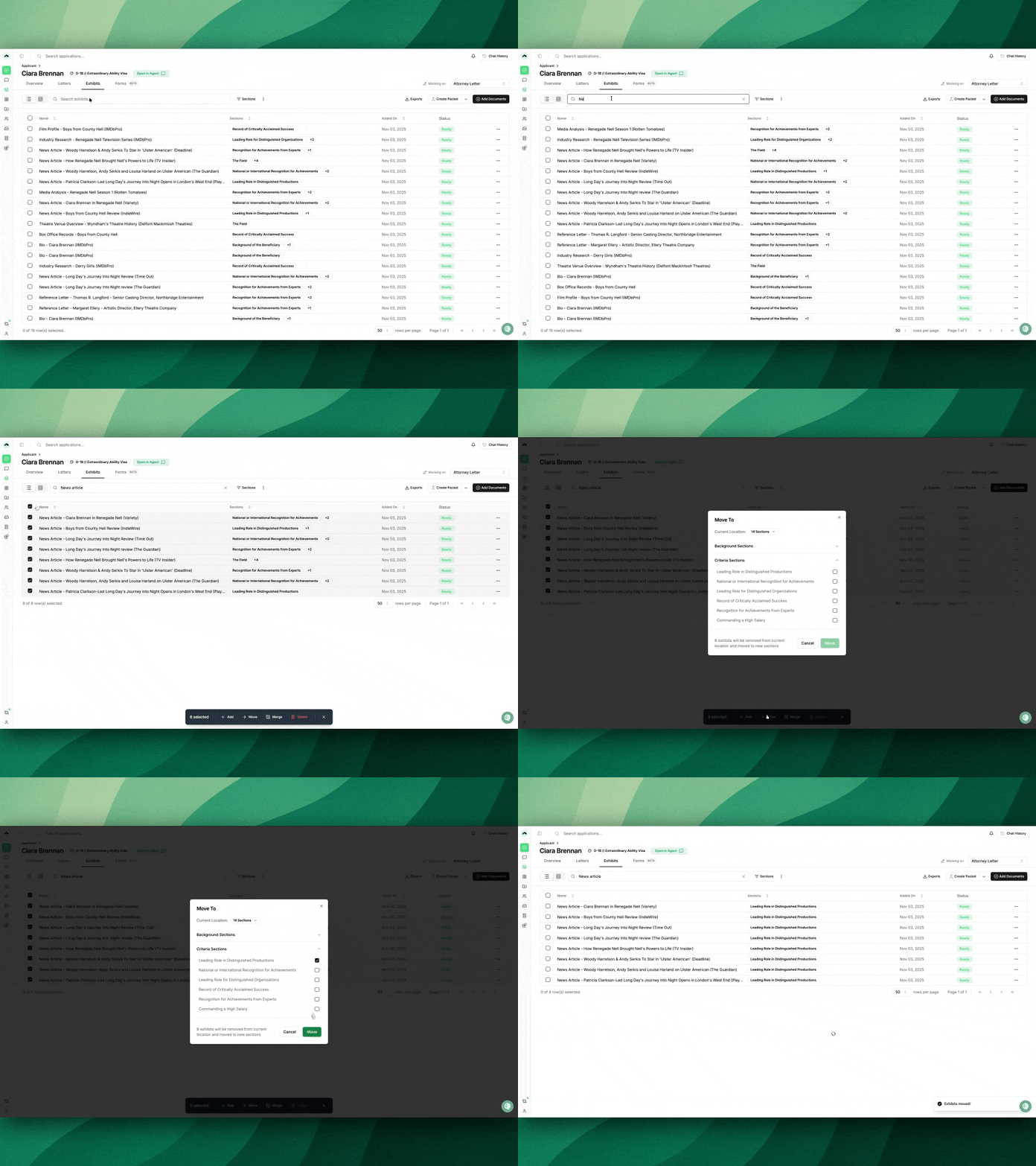
Move Exhibits in Bulk across Groups and Criteria
Accidentally add a document to the wrong criterion or want to use the same exhibit in multiple sections?
Select multiple documents from the Exhibits or Overview tabs and move them across criteria and groups all at once with the new bulk-action toolbar.
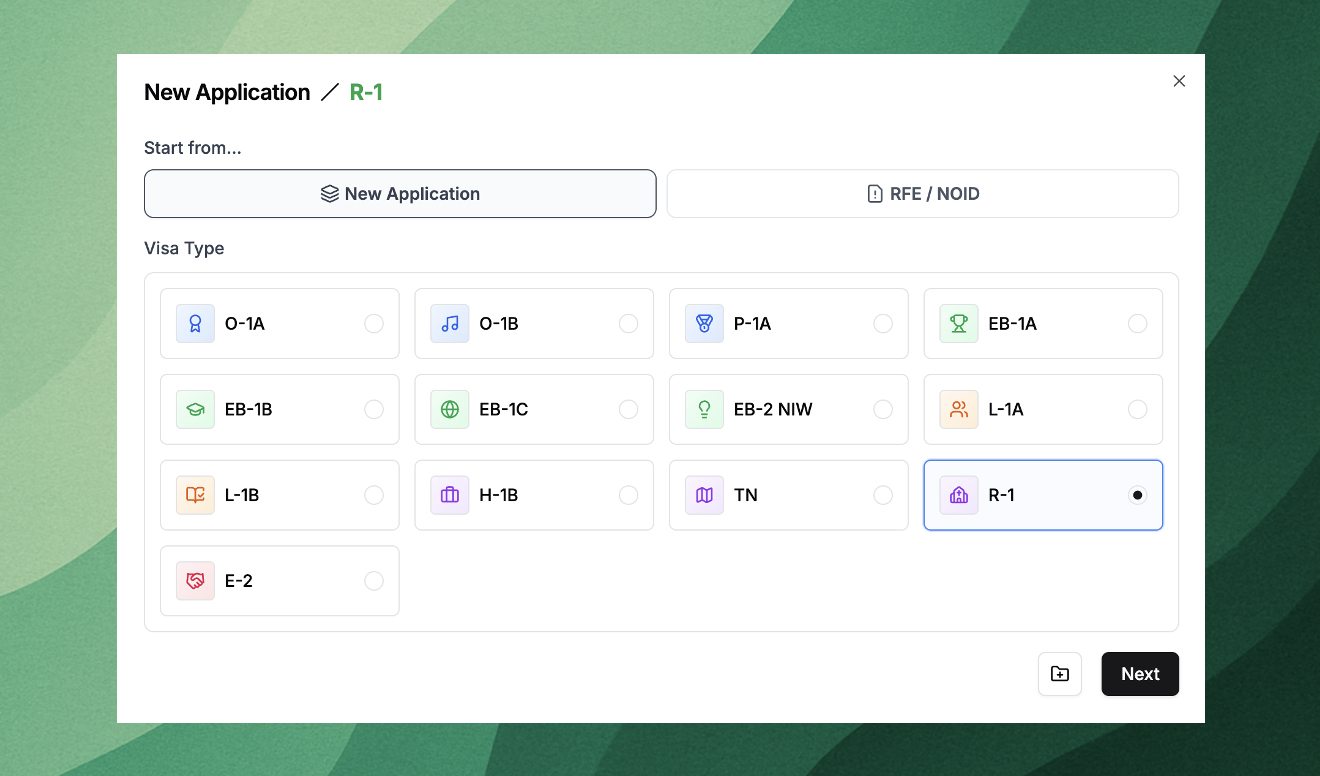
Draft EB-1B RFEs, EB-1C RFEs, R-1s, and R-1 RFEs
New case types are now available in Parley. You can create a new case or start straight from the RFE response through a new case creation flow. Just select the green + in the top left hand corner of Parley to get started!
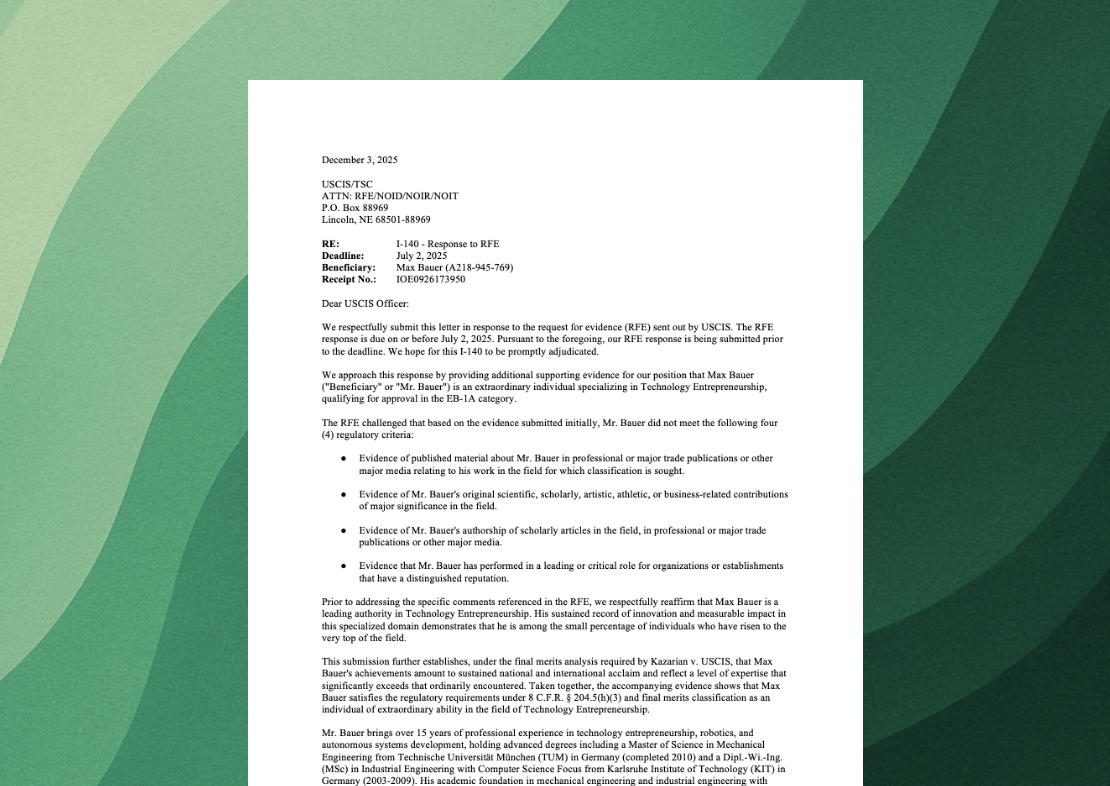
Draft more focused, concise, and clearer RFE responses
Parley will now make clearer, more targeted arguments, focused on the elements within a section that have been specifically listed in the officer’s concerns.
For example, if the Officer RFEs the proposed endeavor’s substantial merit, but not its national importance, Parley will focus its response on the substantial merit argument and will not reiterate a fulsome argument for the entire section of your RFE response.
Lots of Improvements!
Access this changelog and all past monthly updates directly in Parley, located in the bottom left corner of the platform.
Download drafts created in the Parley Agent directly to Microsoft Word, Google Docs, or PDF.
Draft more concise and focused extraordinary ability petitions. We’ve reduced verbosity across several sections of the drafting process to focus on argumentative clarity for USCIS officers.
Access all of your past drafts in the Parley Agent through a new tab in the Chat History side panel.
As you upload evidence, Parley will now take a first pass of ordering your index, assessing relevant dates and related materials to get you closer to your final index before your first draft.
Draft RFE responses without drafting the original petition in Parley through an updated 'create application’ modal.
Use the back button on your browser and Parley will now persist your search and filter state across the product.
As always, let us know if you have any questions or feedback.
Thanks!
Jackson, on behalf of the Parley Team