Email, Meeting Transcripts, Skill expansion - July Changelog
Last updated: August 4, 2026
Highlights from July 🎉
[New Product] Email and calendar integration. Connect your inbox once, and Parley keeps your cases and emails in sync automatically. No more dropping emails in the chat or copying case context into a Project.
[New Product] Meeting Bot. Parley can now join your calls, take notes, and pulls meeting transcripts directly into your casework.
[New Product] Usage Analytics for Admins. Owners and admins get a new dashboard to see how your team can get the most out of Parley.
[New Product] Personal Skills. Every team member can now build their own personal Skills. Skills are the most efficient way to apply your templates and samples to your new case.
In-Line Redlines in Microsoft Word. Redlines from the Word Add-In are now at the word-level. Instead of striking a whole paragraph and replacing it, Parley marks up just the language that changed.
Connect your email to your cases, and Parley drafts your follow-ups and briefs with your conversation history
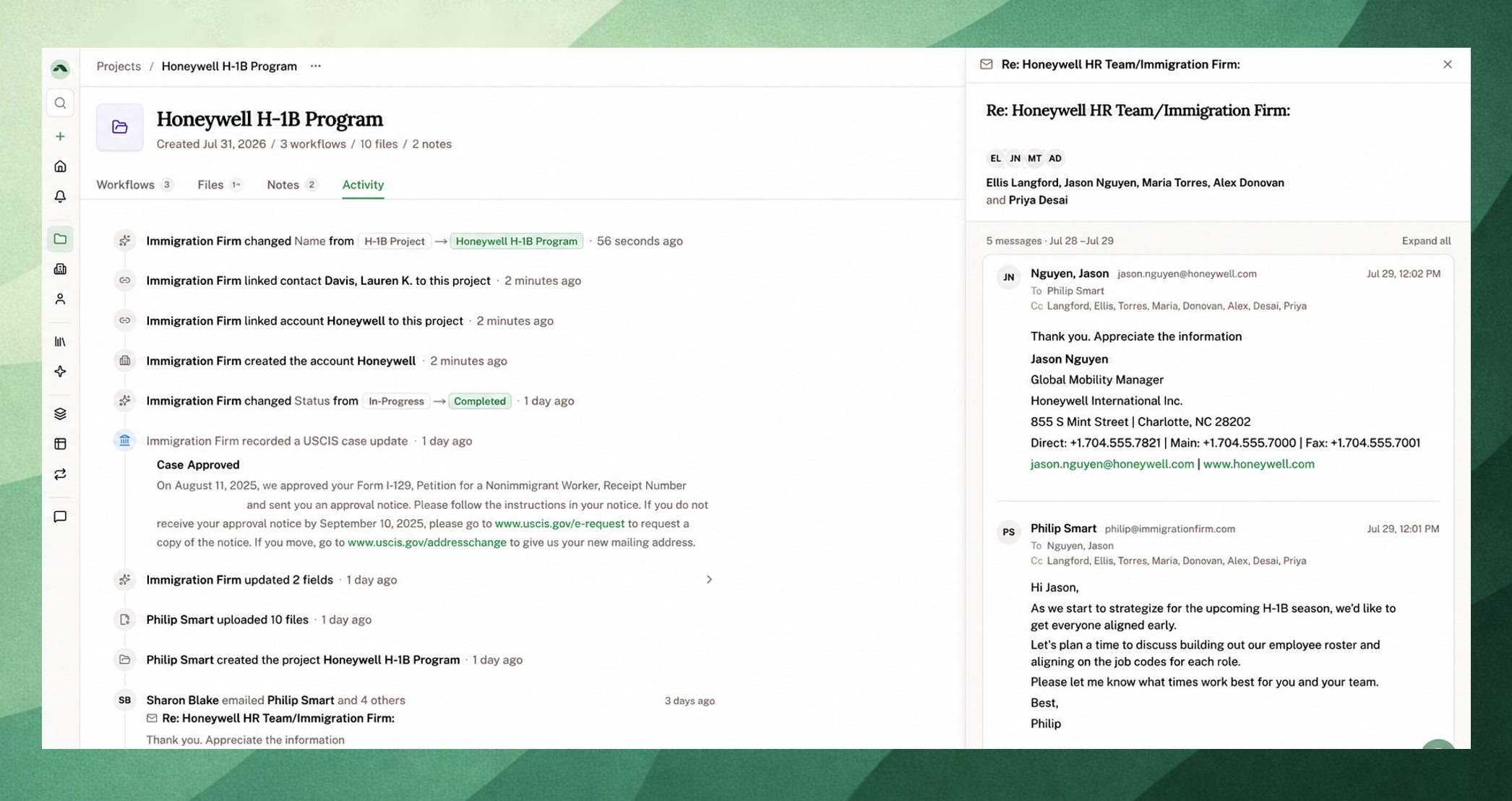
With Email Integration, connect your Gmail or Outlook inbox and Parley:
Automatically creates new contacts and accounts and updates any records based on your conversation.
Keeps a running, readable thread view so you can catch up on a case without digging through your inbox.
Allows you to access all of your client correspondence just by chatting. You can use your emails to inform a brief or just draft a quick follow-up.
Answers strategic questions:
"Which of my cases are stalling, and who should I follow up with?"
"What deadlines are approaching that are urgent?", or
"Which of my consultations from this week should I take on as cases?"
How do I set it up?
Visit Settings > Email and Calendar. From there, you can specify the visibility you'd like.
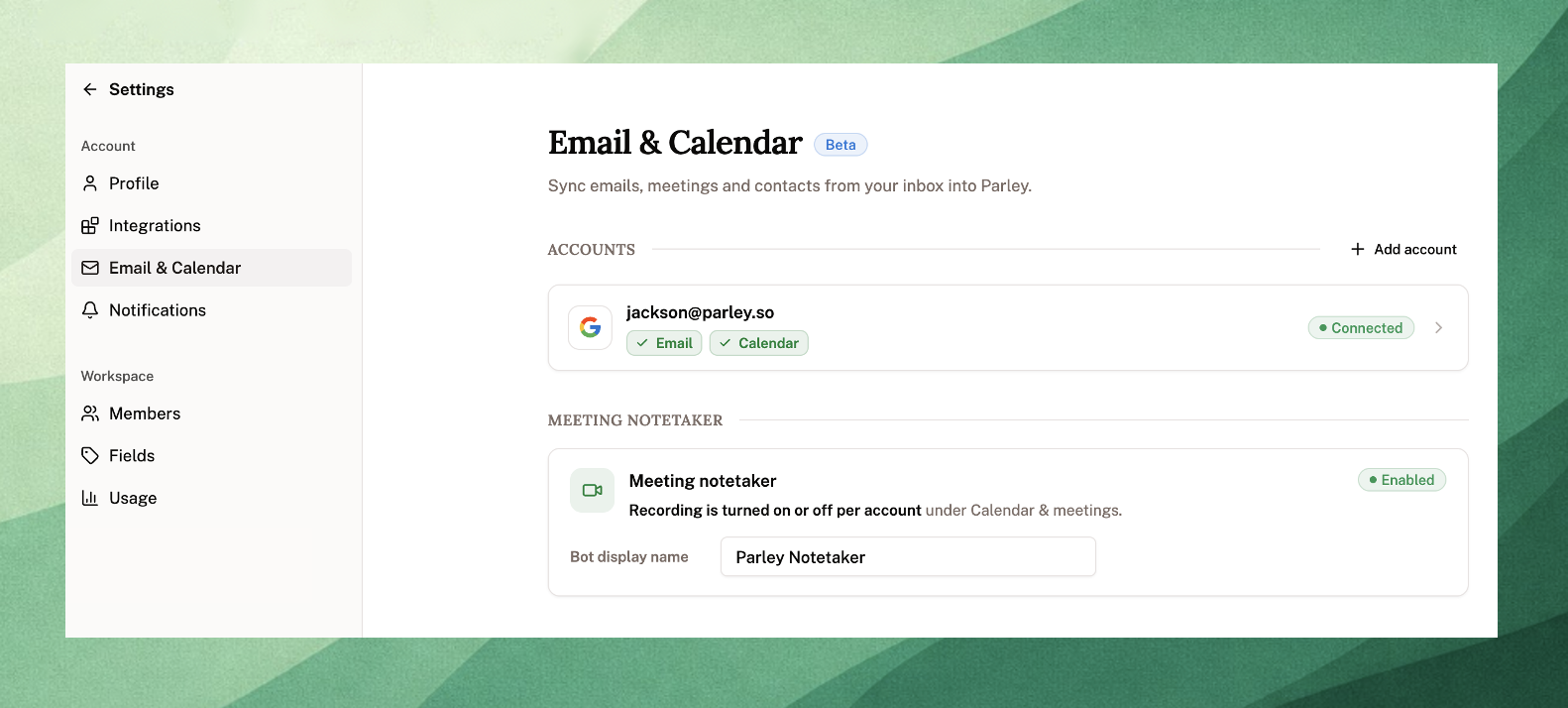
Choose Full Access so your team can have full shared context across your client correspondence, or
Choose Metadata Only so only you can see your own emails. Other team members just see who emailed and when, without reading the message itself.
Parley’s AI Notetaker pulls meeting transcripts directly into your casework
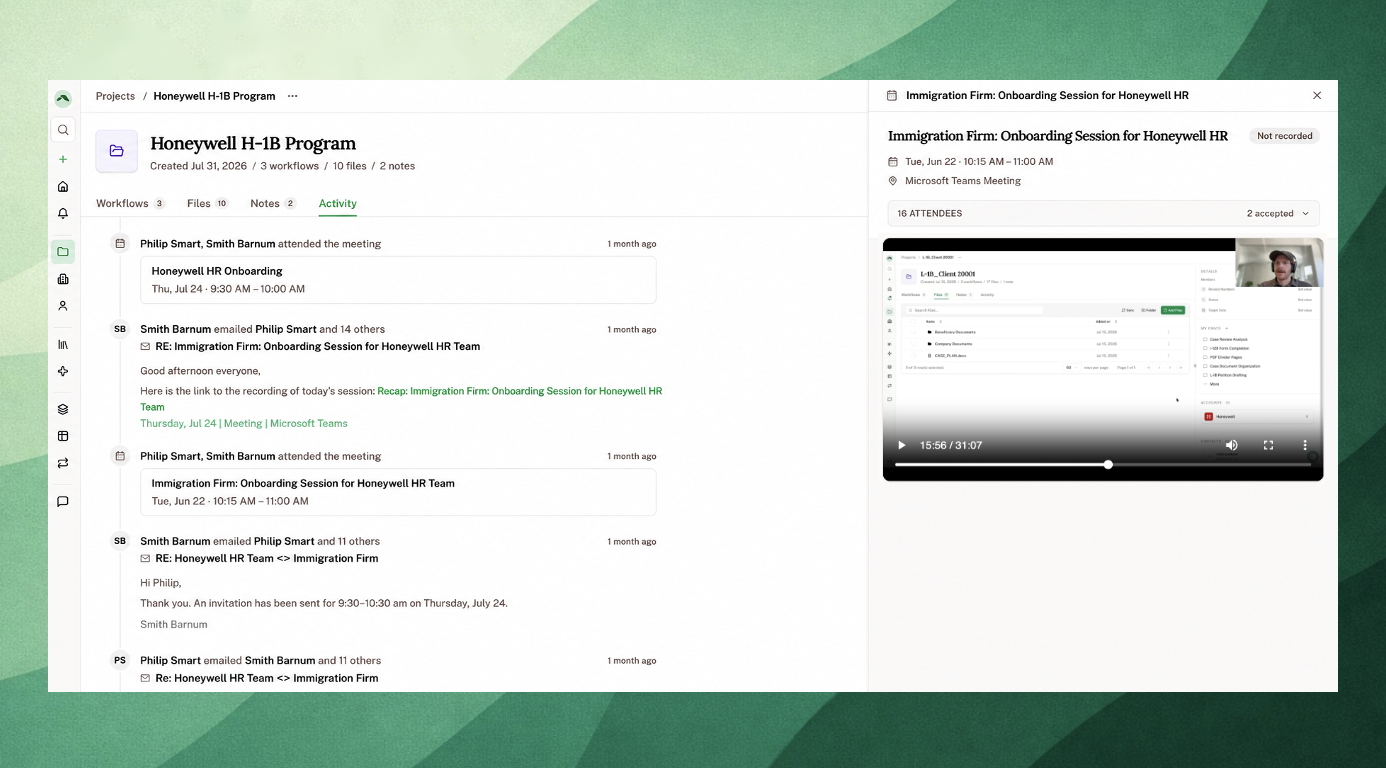
Parley can now send a notetaker to your meetings.
Turn on Meeting Bot, and for any synced meeting, Parley will:
Join the call and transcribe your meeting
Attach the full transcript to the relevant Contact, Account, or Projects Activity tab
Let you (and your team) read back exactly what was said, without needing to be on the call yourself
To get started: Go to Settings > Email & Calendar, and turn on Record Meetings.
Try it: after a call, click into the meeting on your Contact's Activity feed to read the transcript, or just ask Parley,
"What do we need to follow-up with [Client Name] on after yesterday's meeting?"
A quick note: your firm chooses which meetings get recorded, so you’re in control throughout the process.
See exactly how your team can get the most out of using Parley [Owners and Admins]
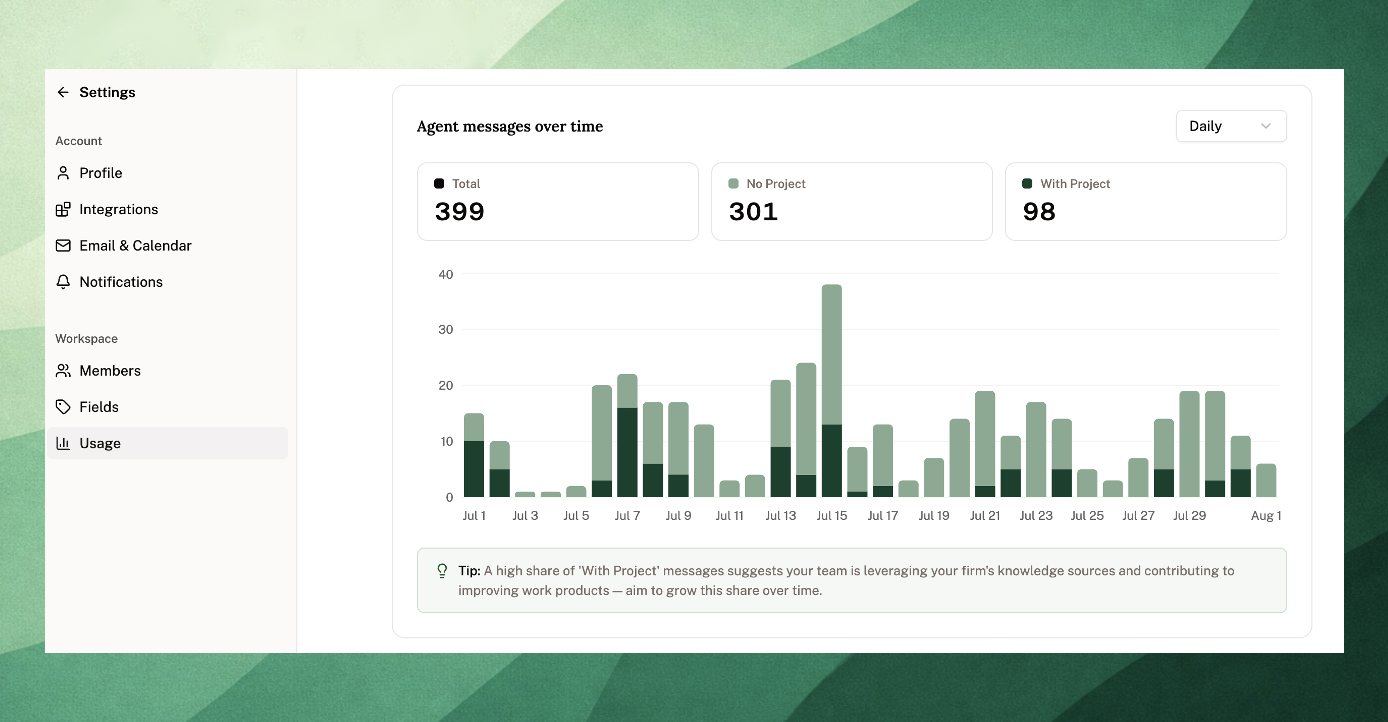
If you're a firm owner or admin, you can now see how your team is putting Parley to work.
The new Usage dashboard shows:
How much your team has used Parley over any date range
A breakdown by team member across Project creation and Agent messages
Tip: You can use the dashboard to identify top Parley users to help train and onboard new team members.
Create your own Personal Skills to fully customize your work products
Skills used to be an admin-only tool. Now, anyone on your team can build one for themselves.
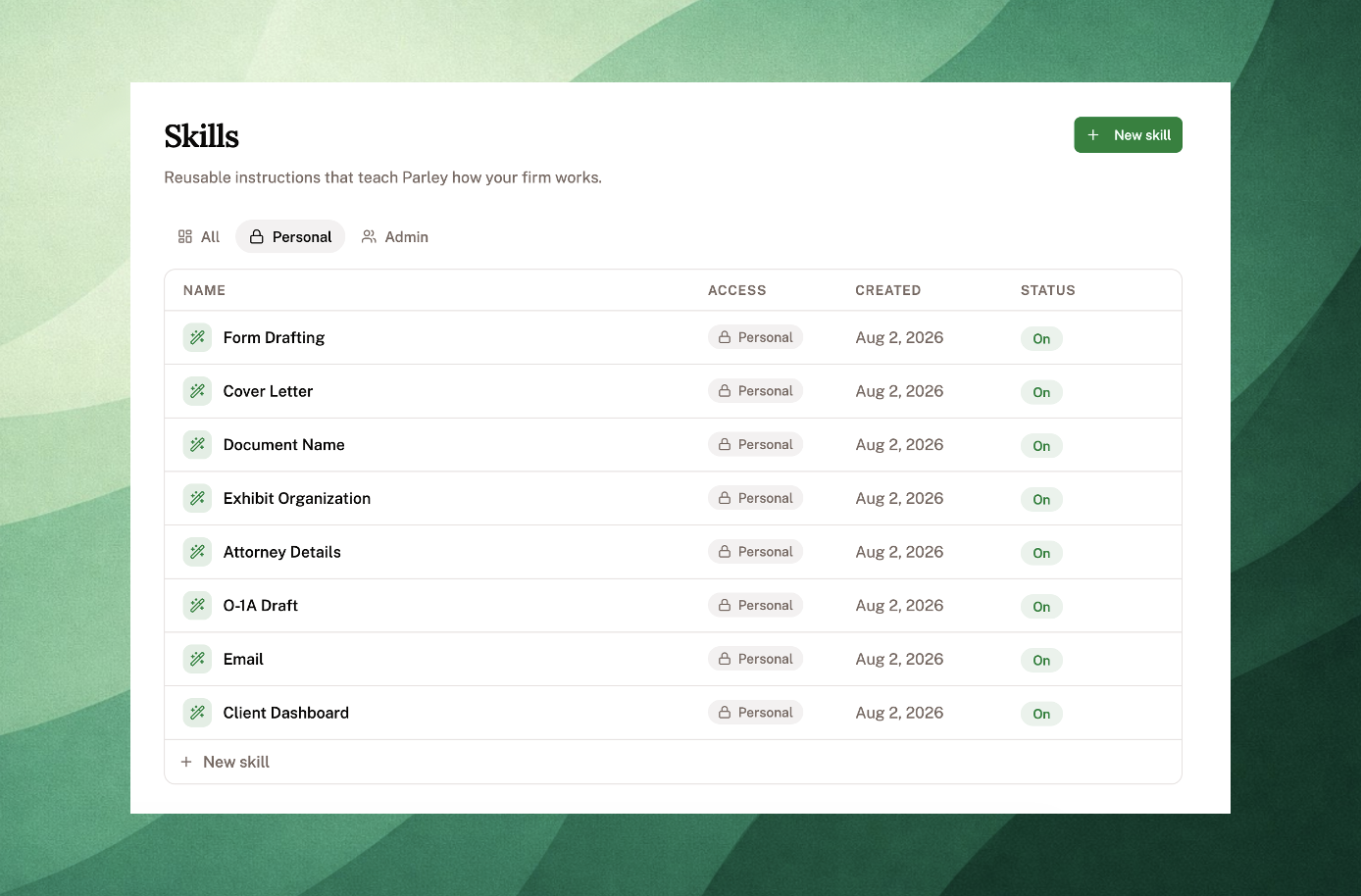
A Personal Skill works just like a firm-wide Skill (reusable instructions Parley follows) except it's only usable by you.
Try it: just ask Parley,
"Create a skill for how I write my client update emails."
Upload a sample of something you've written before, and Parley will turn it into a Skill you can reuse going forward.
Tip: Owners and Admins, you can review your team's Skills and deploy them firm-wide. It's an easy way to turn a great workflow into a firm standard.
Create your own Agents (Skills) and run them in your Project
Custom Agents and Skills have merged into one system.
What this means in practice: when you create a Skill, it'll show up directly in the Run Skill button within your Project.
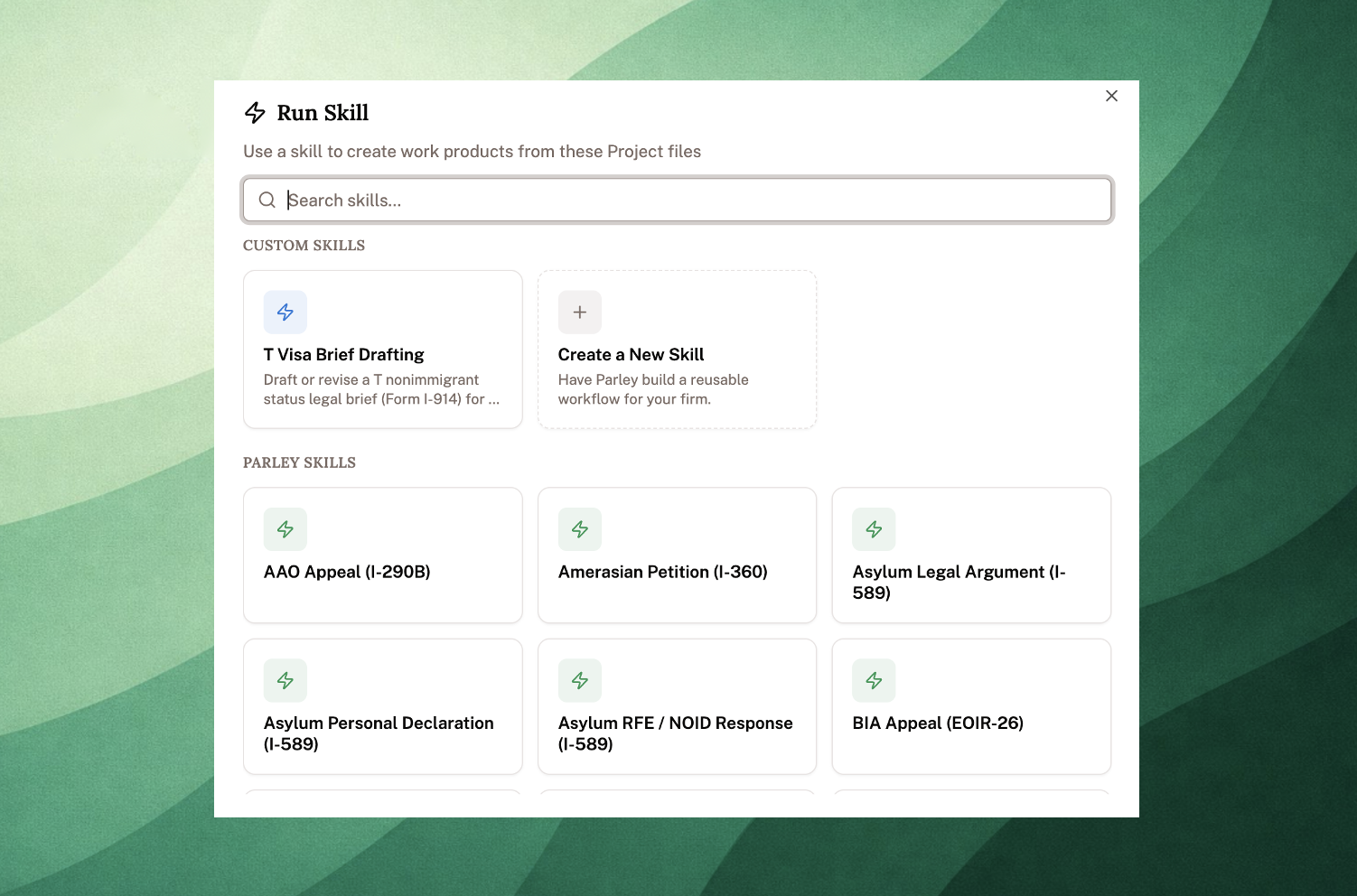
Creating a Skill, just like an Agent, is a way to codify your firm's way of working.
Skills let your firm save its own processes as reusable instructions the whole team can run.
Reach out to us at [email protected] if you have questions - we'd love to collaborate with you on building these out.
Review detailed in-line edits with the Parley Word Add-In
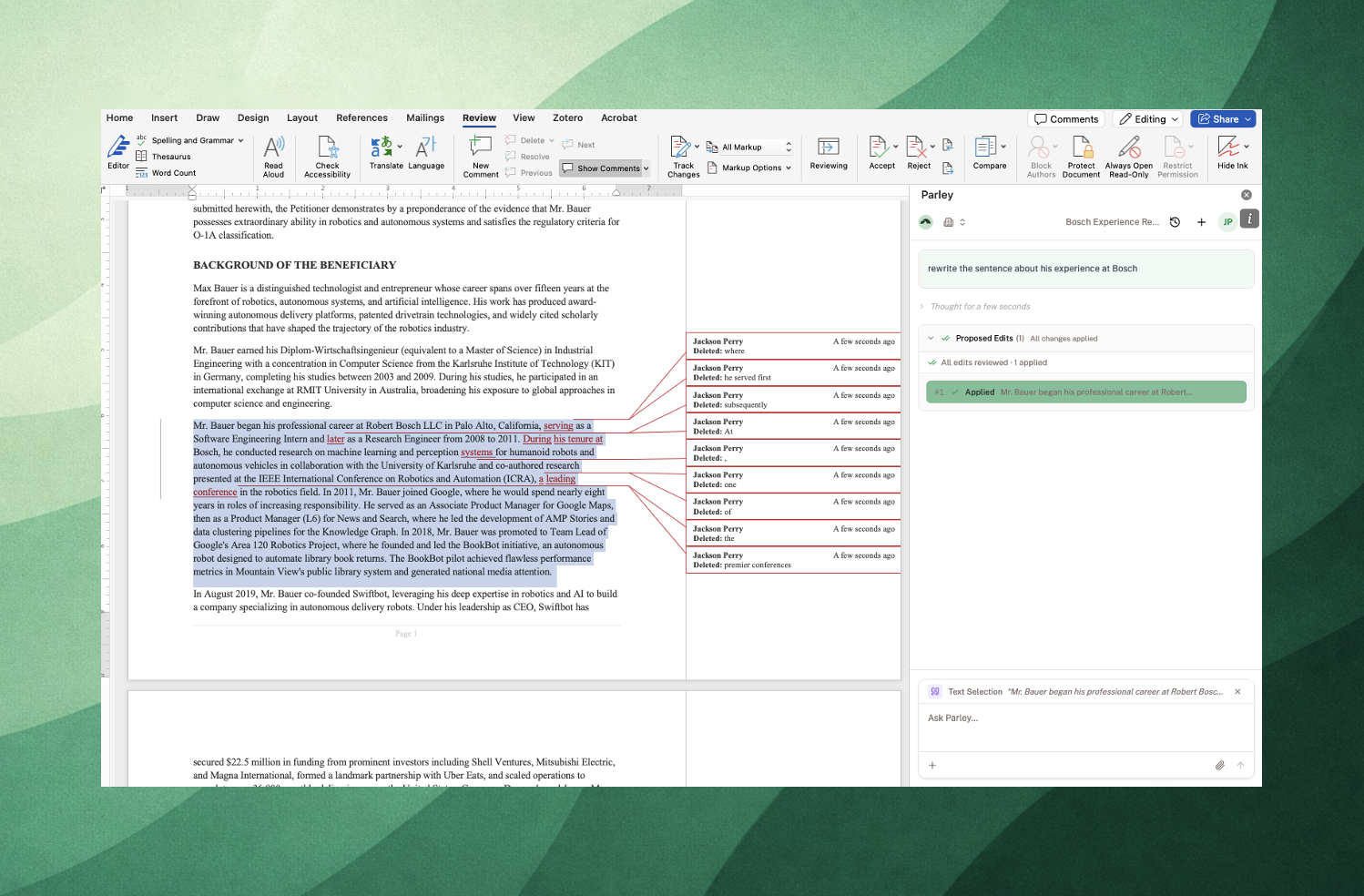
Redlines from the Word Add-In are now at the word-level.
Instead of striking a whole paragraph and replacing it, Parley marks up just the language that changed.
Lots of Improvements!
A new scroll-to-bottom button in chat makes it easier to jump back to Parley's live response while it's still writing.
Trace any fact back to the page it came from. Text pulled from scanned documents now includes page numbers, so when the Agent references evidence you can go directly to the source page.
Tell Parley when an answer misses. Every Agent response now has a feedback option, so you can flag a mistake in the moment.
Find a chat right after you've had it. New conversations show up in the sidebar and chat browser immediately, and global search now matches on chat titles.
Accounts, Contacts, and Projects now sort newest-first by default, and search now works properly with multi-word queries (like searching a full name).
Reach out to us at [email protected] if you have questions.
Best,
Jackson,
on behalf of the Parley Team