Draft from Projects directly in Word | February Changelog
Last updated: March 3, 2026
Highlights from February 🤖
Draft in Word, directly from your client's evidence. Draft visa petitions from Projects without leaving Word, now with more powerful formatting and editing capabilities.
Simple Upload Improvements. Upload zip files and import entire folders with an improved upload modal within any Parley application.
Sync Parley with your Intake Process. Manage your client intake and team permissions directly in Parley Projects with syncs to G Drive, Dropbox, Sharepoint, and Box.
Draft from Projects — directly in Microsoft Word
Your workflow no longer needs to jump between the Parley Agent and Microsoft Word.
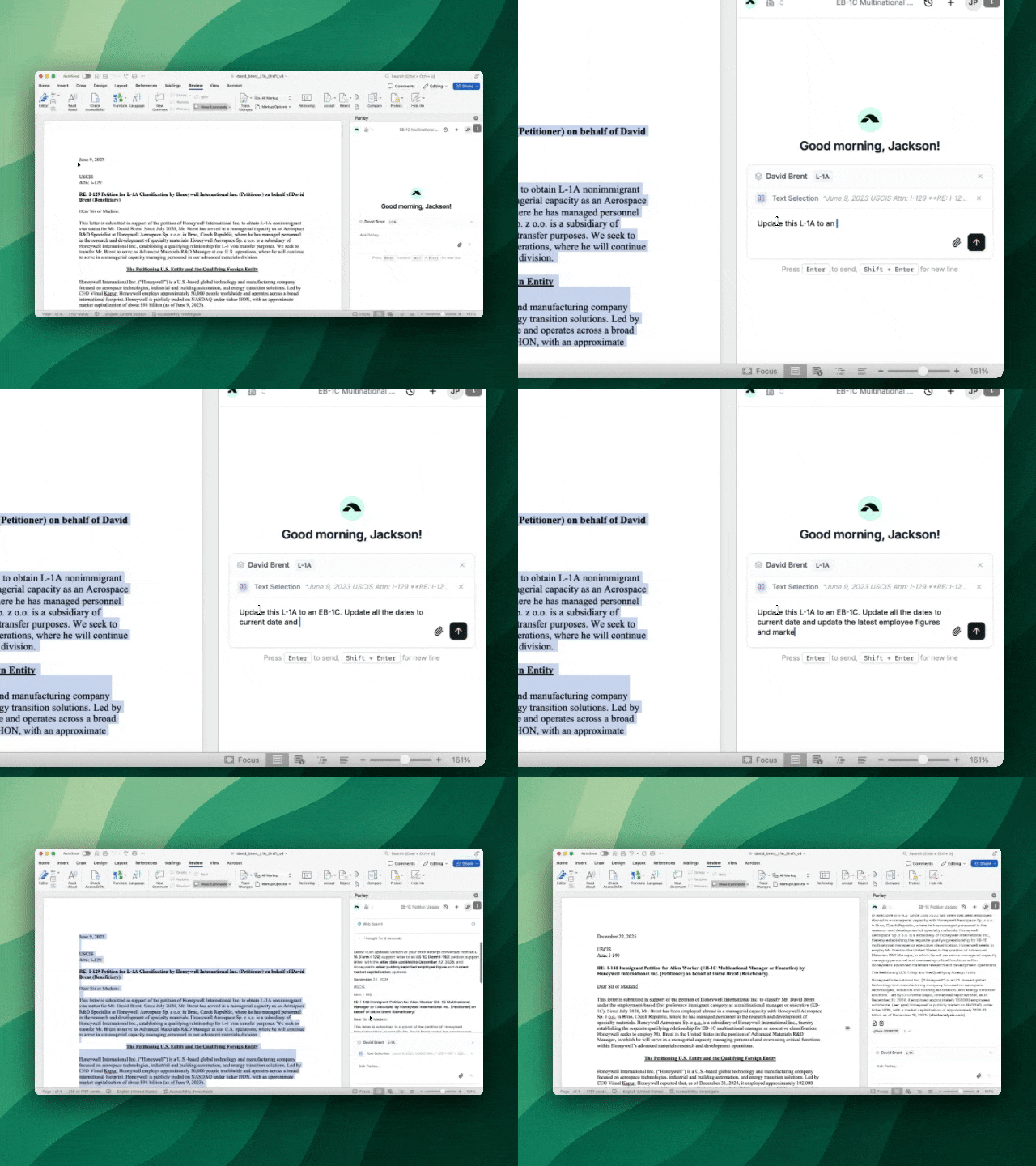
Now, you can upload evidence into a Project, open Microsoft Word, and draft or revise directly inside your document using the Parley Word Add-In.
Download the Word Add-In: Parley for Word
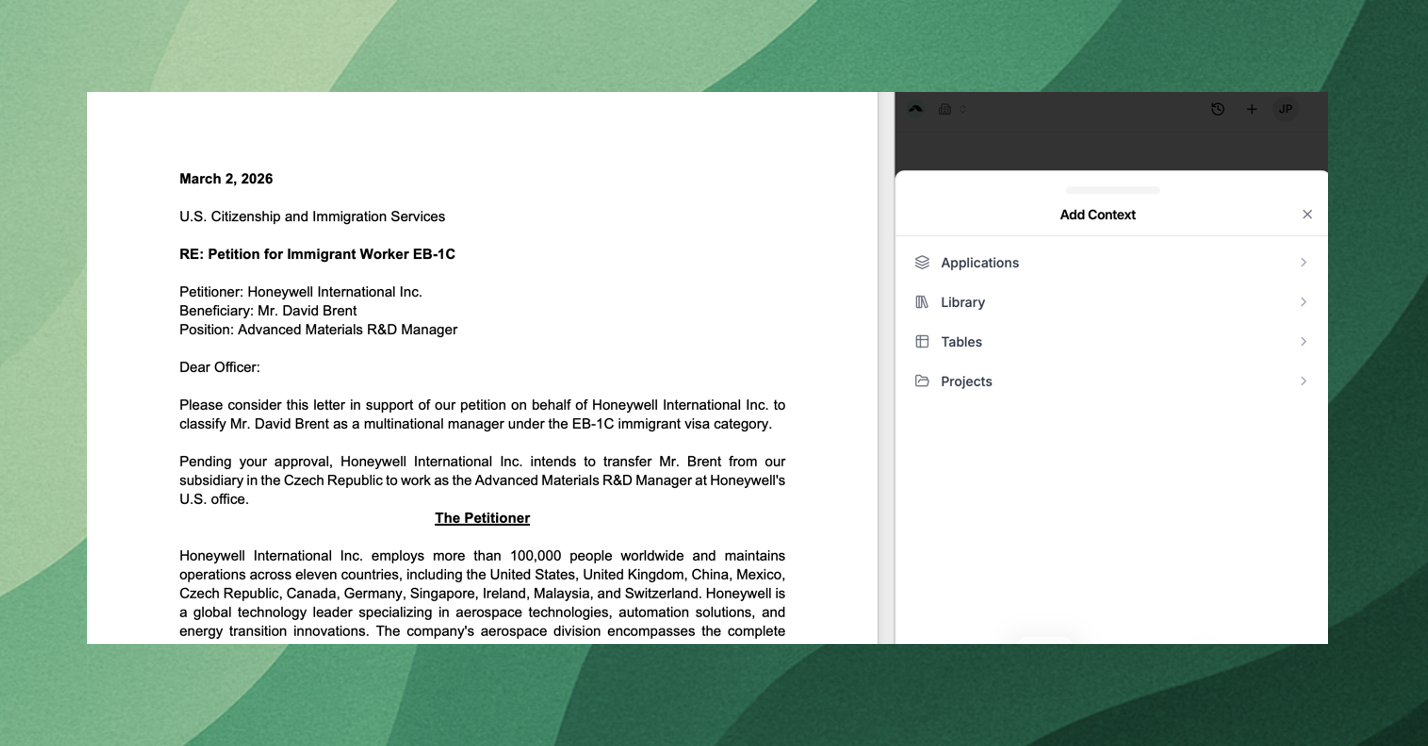
Create a Project in Parley and upload your client’s materials.
Open a template or previous filing in Microsoft Word and launch the Parley Add-In.
Select the Project in the Add-In and ask the Agent to start revising your draft with your client’s evidence.
Use your previous filings as dynamic templates to draft briefs in your firm’s style
Use the Word Add-In to apply coordinated edits across your document, maintaining your verbiage, formatting, and structure.
Try opening up a similar past example of a brief you’re working on. Attach new evidence and ask the Parley Agent to integrate the new case details across your draft.
How to install
Follow this link → Parley for Word or
Open Microsoft Word (desktop or web)
Go to Insert → Get Add-ins
Search for Parley
Click Get it now next to Parley
Sign in with your Parley account
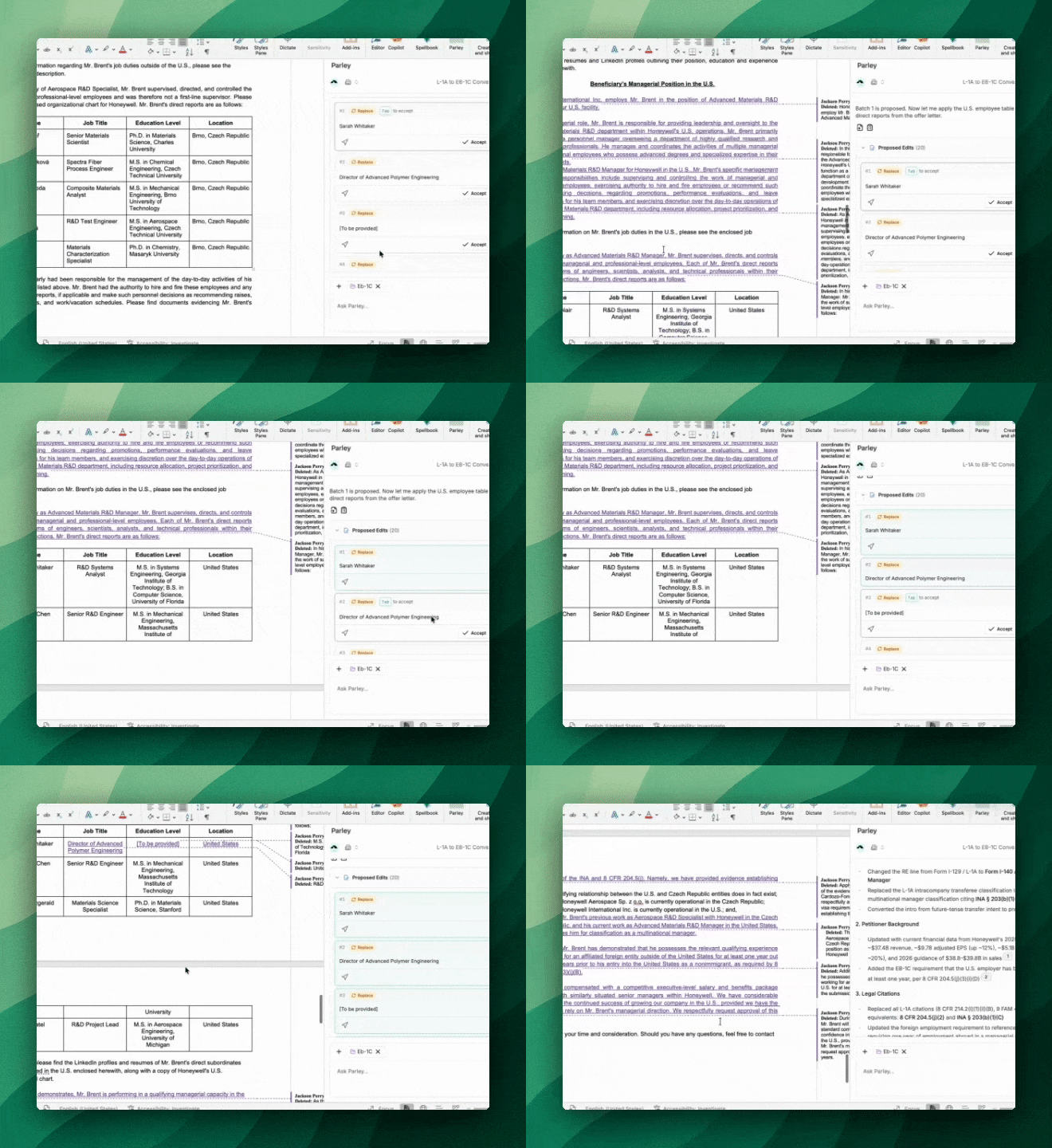
Auto-fill tables in Word with job duties, managerial employees, and source of funds, with the Word Add-In
Ask Parley to insert structured list items and table rows without breaking formatting. Try this on L-1 to EB-1C conversions or when using tables for source of funds analyses.
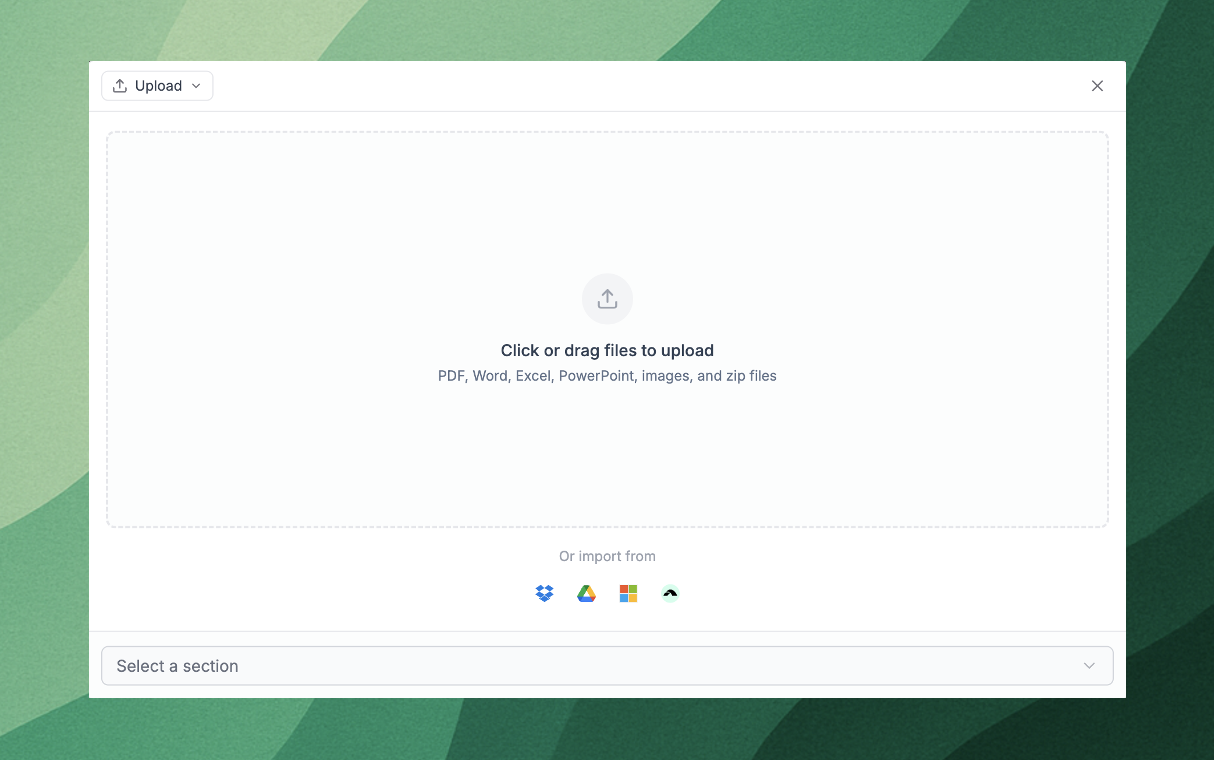
Upload zip files and entire folders and sub-folders with an improved upload modal
Drag and drop zip files directly into an Application and Parley will unzip for your files for you.
If you use Google Drive, Dropbox, Sharepoint or Box, you can now select entire top-level folders. Parley will pull all files from any subfolder from within your selection.
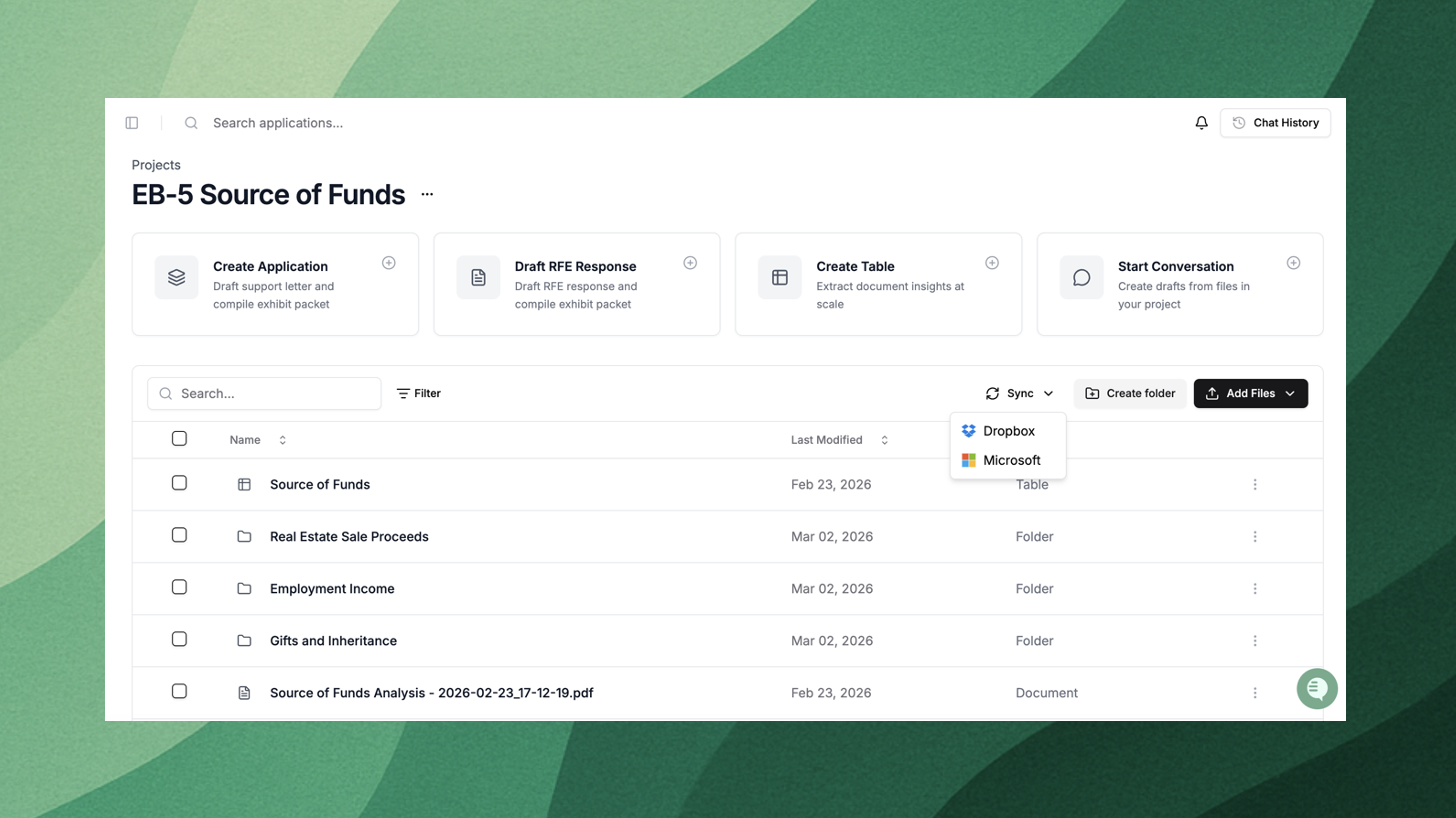
Use Parley Projects to support your client intake process
Do you collect evidence from your clients in Google Drive, Box, Sharepoint, or Dropbox today? Create a “Sync” from a Parley Project.
Parley automatically recognizes your folder structure and document additions to each folder so your client's case will stay up-to-date and you can start working on it in Parley as soon as it's ready.
Manage team permissions directly in Parley Projects
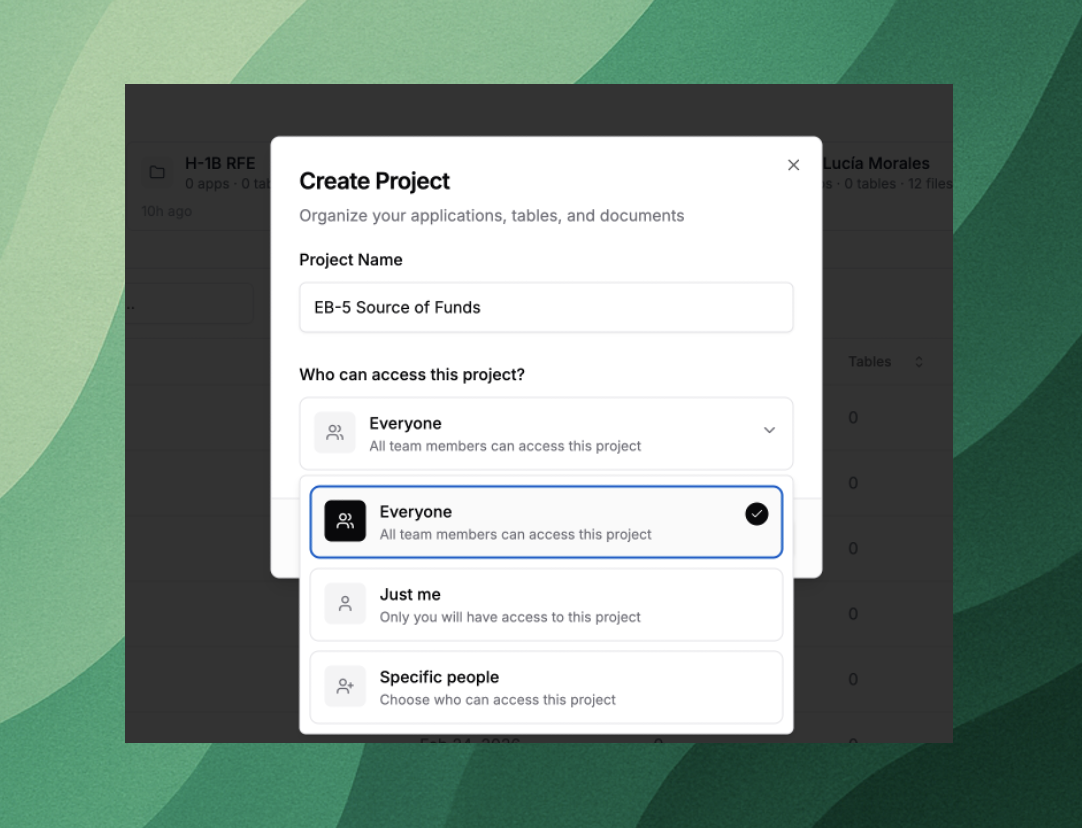
Set Project visibility and manage member access directly within Projects.
Share documents, applications, and tables with your team members and better organize your work across the firm.
Lots of Improvements!
Generate your exhibit index and tabular brief as separate work products within any visa application.
Import entire folders directly into Applications and Projects from Dropbox, Google Drive, Box, and SharePoint.
Upload zip files and Parley will automatically extract supported documents and import them into your case.
Clean up your past work in Parley, now chat histories can be cleared from the Agent.
Draft across large document sets with smoother streaming reliability and context handling in the Agent.
Truncation of longer briefs has been reduced with strengthened token management.