Parley Drafts RFEs | April Changelog
Last updated: September 26, 2025
Respond to EB-1A and NIW RFEs in Parley
Parley now supports full drafting for RFE responses in EB-1A and NIW cases. Parley will extract the officer’s requests, match them to the criteria, and draft your RFE from existing and new evidence.
Within your case, just select the "Working on" toggle in the top right hand corner to get started on an RFE.
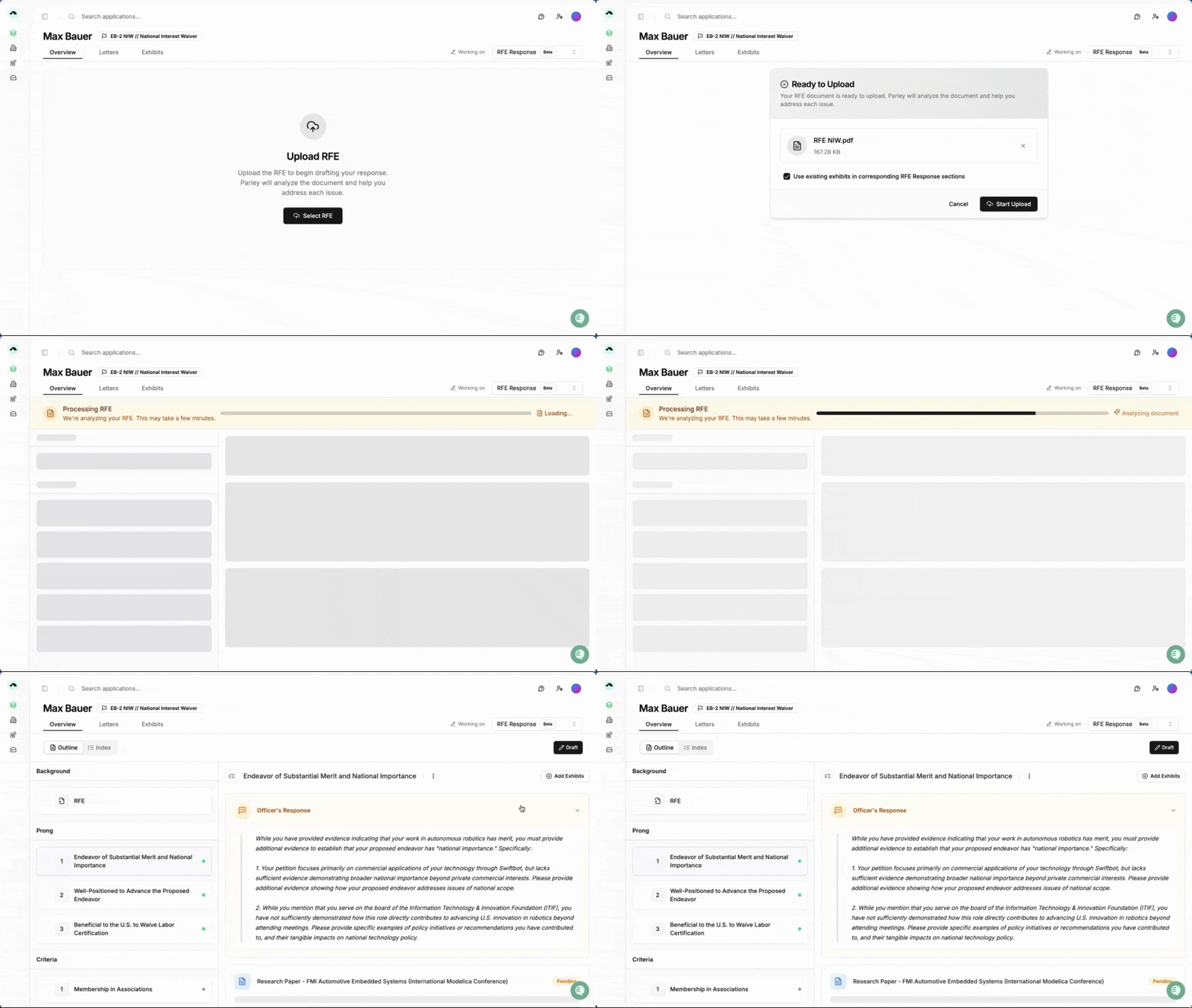
It’s available now in all EB-1A and NIW cases — and free to use through May. We're happy to jump on a call to get you started!
Strengthen Your Arguments with Parley’s Evidence Review
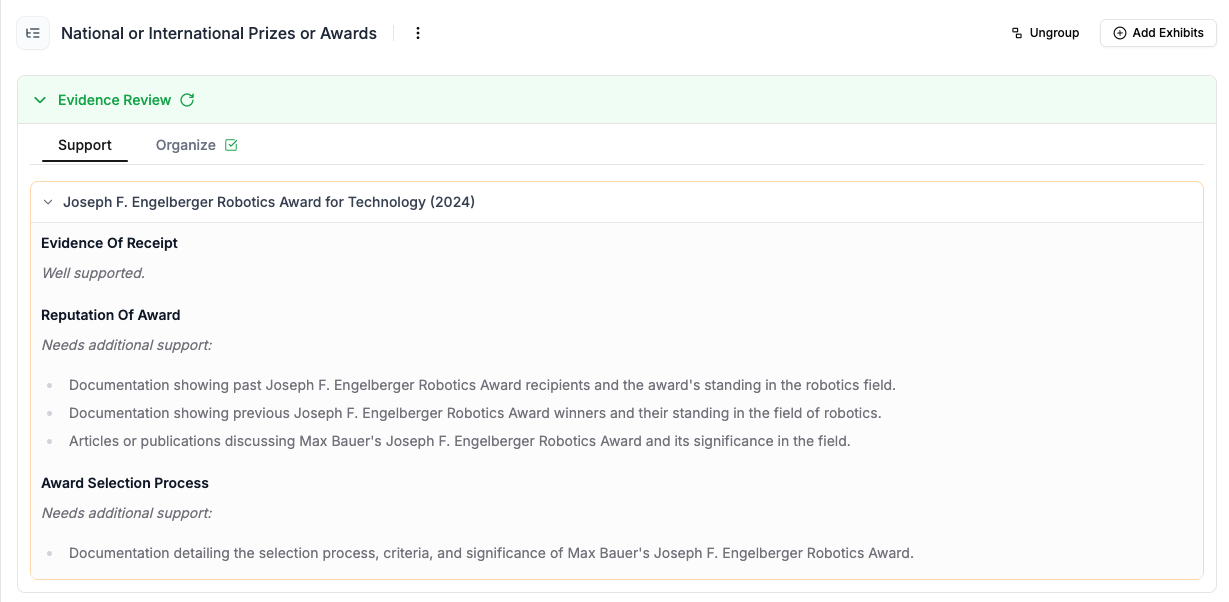
Parley now reviews the evidence and identifies ways to make your arguments stronger.
Instead of evaluating your client's evidence manually before uploading to Parley, feel free to drop it in as soon as you receive it and we'll start to evaluate the strength, identifying research to help improve your case.
For example, if you upload your client's award certificate, Parley will flag gaps where more context could strengthen your argument.
Just click "Evidence Review" at the top of every criteria section to see Parley's insights.
Check out this quick look from Philip!
Upload Notes to Generate All Reference Letters at Once
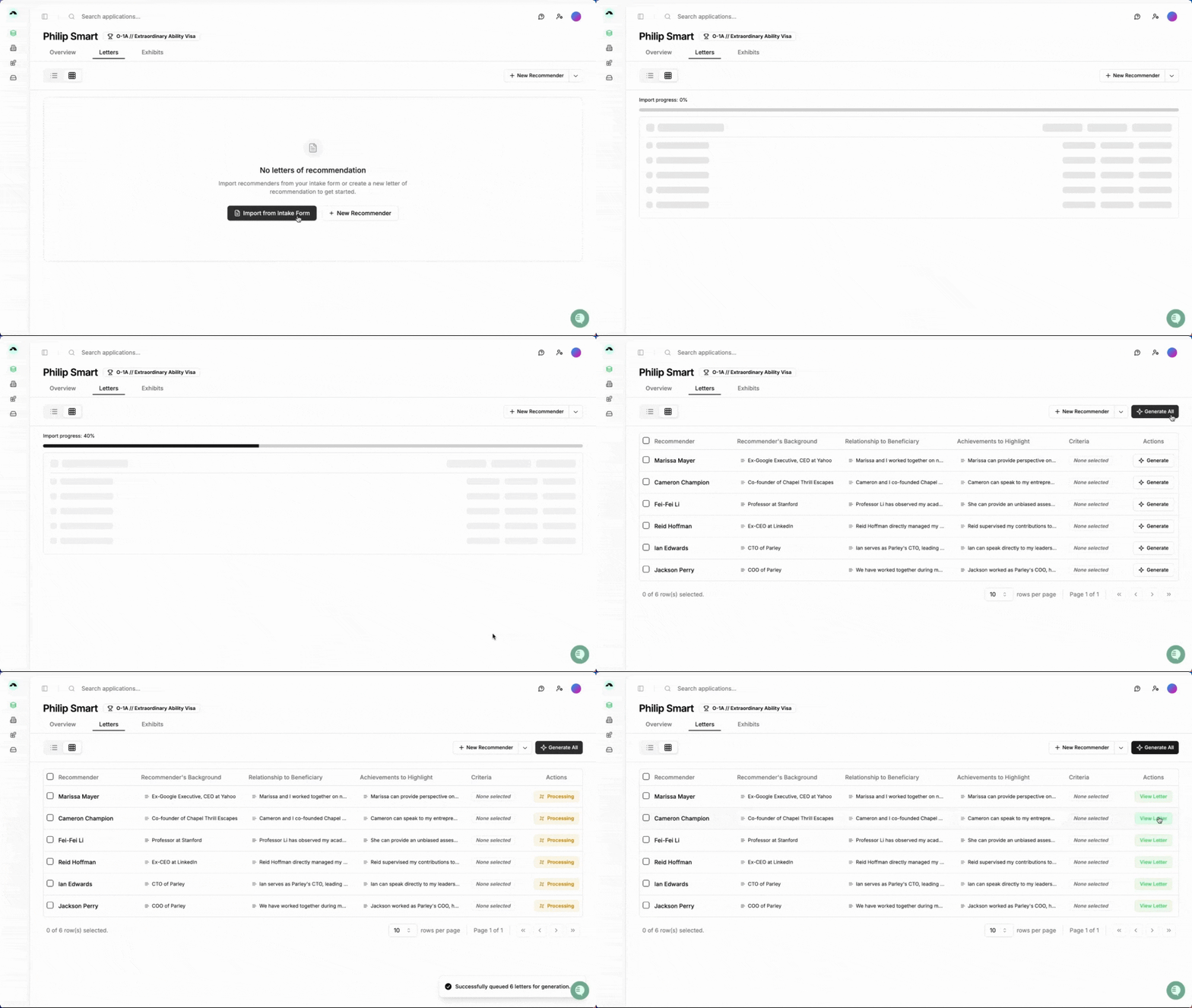
Got a spreadsheet with all your client's recommenders? Upload it directly to Parley. We’ll extract the key details so you can generate them all in one step — saving hours of writing and back and forth with your client.
Rough notes are all you need here.
For instance, your notes might just name a scholarly article or briefly mention a project at work. Parley will automatically look within all your other evidence in the case for details about these achievements to make your letter more compelling.
No more exporting just to make quick changes. You can now revise each reference letter directly inside Parley using our new real-time editor. Tweak wording, add details, or update formatting — and then export clean versions to Word or Google Docs.
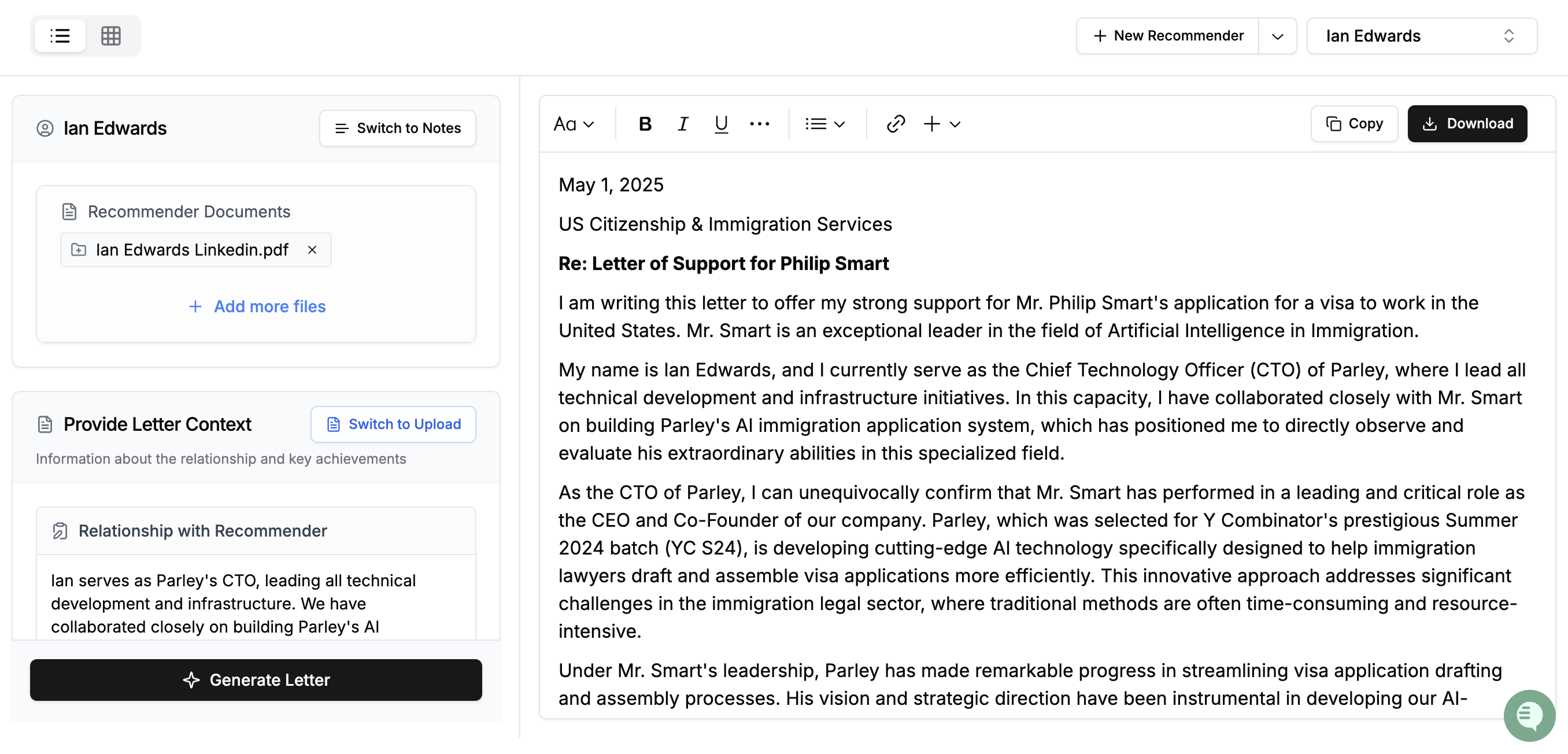
Generate Drafts Even Closer to the Final Copy
🧩 Make Your NIW Draft Tie Explicitly to the Proposed Endeavor
USCIS is asking for clearer connections between your client’s background and their proposed endeavor. We’ve upgraded our NIW drafting to ensure each section of your letter ties more explicitly back to the proposed endeavor — making your argument clearer, more focused, and more aligned with the evolving adjudicator expectations.
🔗 Connect Evidence Across Your Case Automatically
We’ve improved how Parley reads and cross-references evidence — even when your client’s name isn’t mentioned. If a news article discusses a specific project or initiative, and your client is tied to that project in another document, Parley can now connect the dots to support your arguments more effectively.
🗂 Structure Your E-2 Letters Around Core Treaty Elements
E-2 letters are now broken into more discrete sections that match treaty eligibility requirements: Nationality & Ownership, Real & Operating Enterprise, Substantial Investment, Marginality, and Applicant’s Position & Qualifications. This structure helps align to consulate-specific requirements for evidence organization.
Take a live look at the E-2 in action.
Customize and Control your Exhibit Index
🏷 Add Exhibit Names to Divider Pages
You can now include exhibit names alongside numbers or letters on divider pages. This makes exhibit packets easier to flip through and understand at a glance. Just let us know if you want this enabled, and we’ll set it as your default.
📚 Organize Exhibits by Grouped Subtopics
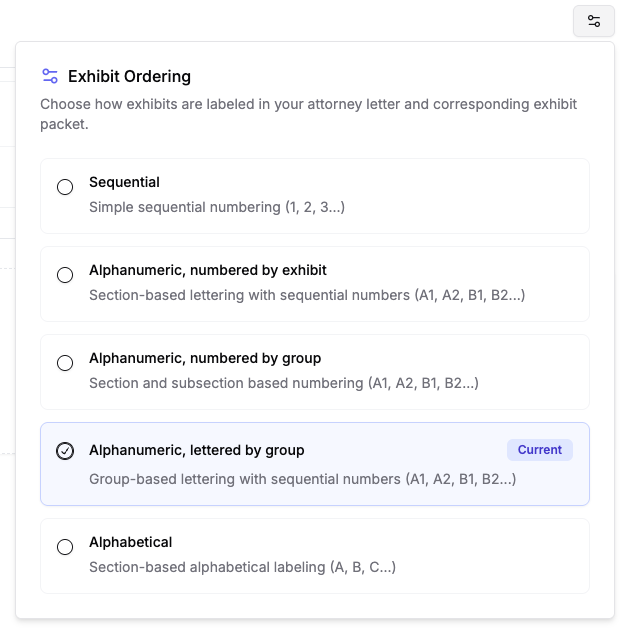
You can now group exhibits by achievement area and assign alphanumeric labels (e.g., A1, A2, B1). This helps you keep the evidence organized and makes it easier to cite specific exhibits throughout your attorney letter. Update your exhibit style anytime via the settings in the top right hand corner of the Index page.
🔀 Reorder or Unmerge Merged Exhibits in the Index
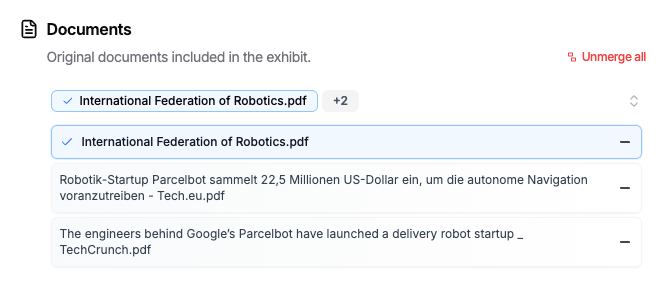
Merged documents — like multiple W-2s or performance reviews — can now be reordered chronologically inside the exhibit index. If you accidentally merged unrelated files, you can unmerge them at any time from the Exhibits tab and restore them as separate exhibits.