Shared Memory in Projects | April Changelog
Last updated: May 4, 2026
Highlights from April 🤖
Shared Memory in Projects enables connected work products. Upload evidence to a Project, create a work product, and Parley will log your key details from your version history so that your index, petition, and packet all match.
Project Notes - a new way to provide context relevant to your case. Project Notes are a place to store case information that might not be directly in an evidence document. This is free-form editor that can then serve as a running log of any information. The Parley Agent can then use Notes, and even write back to them, to help produce work products based on their contents.
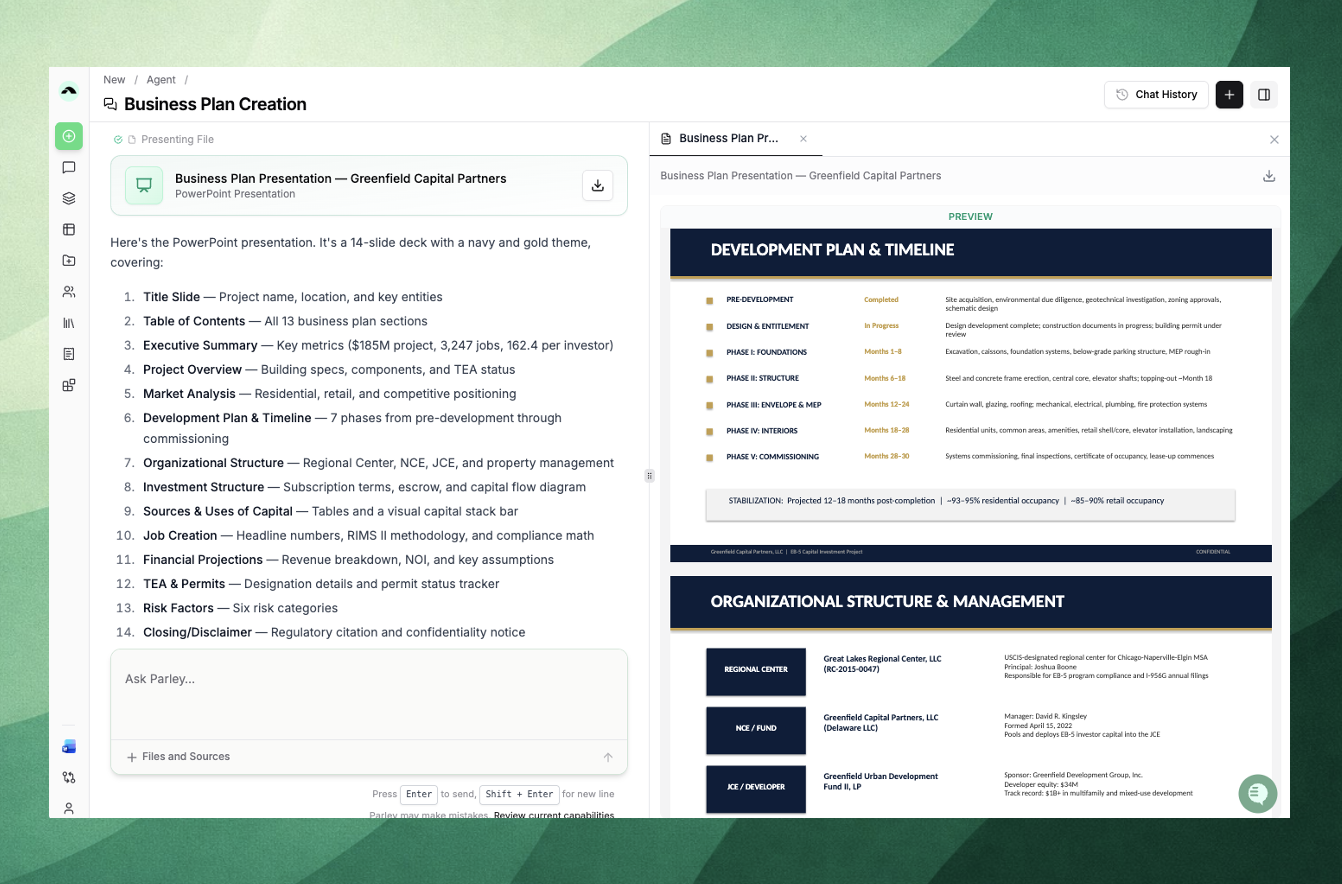
Read, edit, and build PowerPoints and Excel files in Parley. The Agent now works with .pptx and .xlsx files the same way it works with Word docs. Pull data out of client spreadsheets, modify slides while preserving formatting, or build a business plan deck from scratch.
Use a Project's Shared Memory to create connected work products
When working in a Project, Parley will version your work, organize it in one place, and remember which work products have been created to ensure multiple related drafts are connected.
Instead of starting from a chat, try creating a Project, uploading relevant files, then chatting on top.
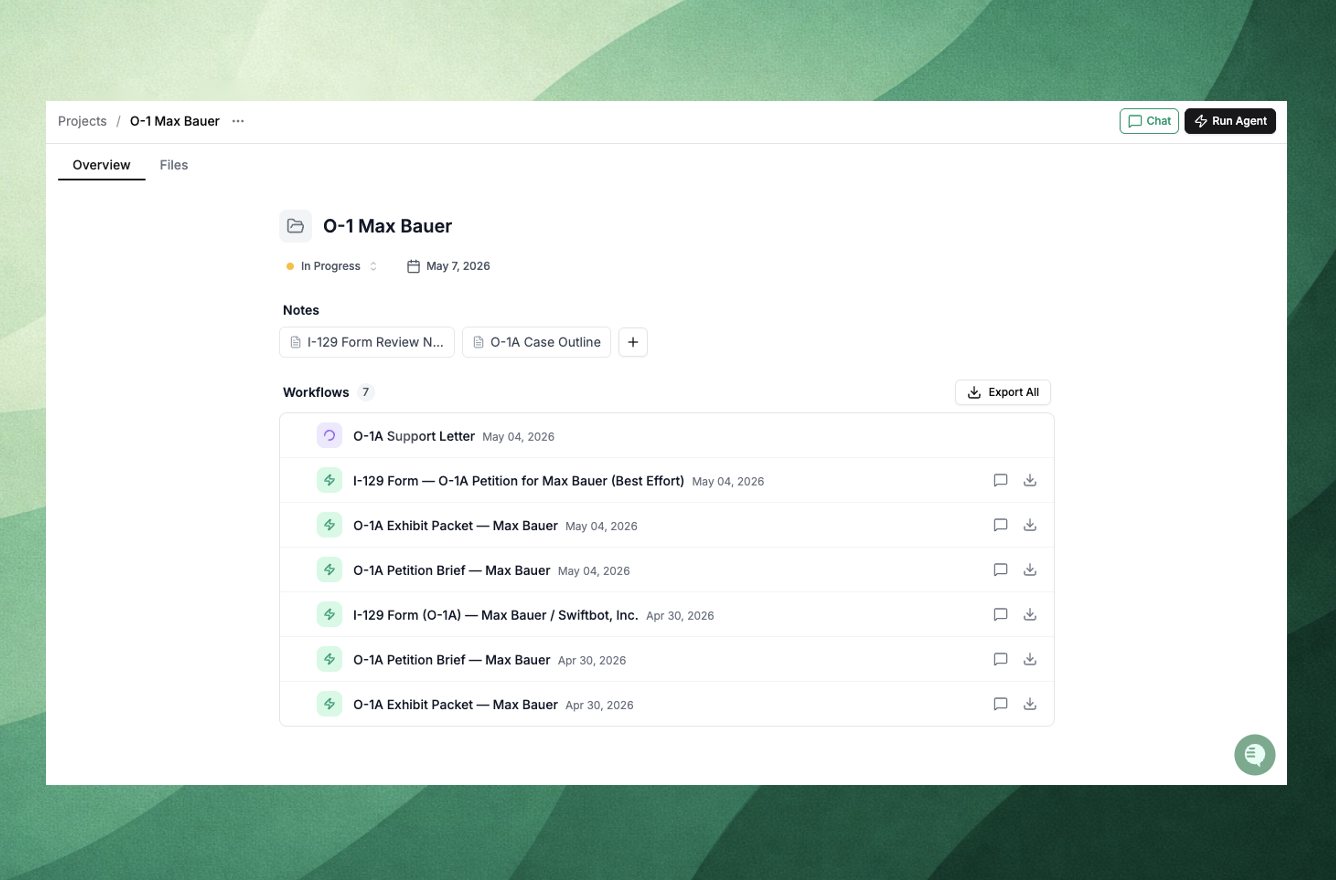
Key case context (like your working index), will be saved in the background so that creating a draft and then later creating an exhibit packet will match 1 to 1.
Use Project Notes to provide free-form context relevant to your case
Project Notes are a new free-form editor that can be used to pull in important case details that might not be directly in an evidence document. To create a note, open a Project and select the [+] on the Overview tab.
Try completing a form and Parley will create a QA note for you.
Parley will complete the form based on the information in your Project and then automatically QA the form in a note, identifying missing evidence and conflicting or ambiguous field inputs.
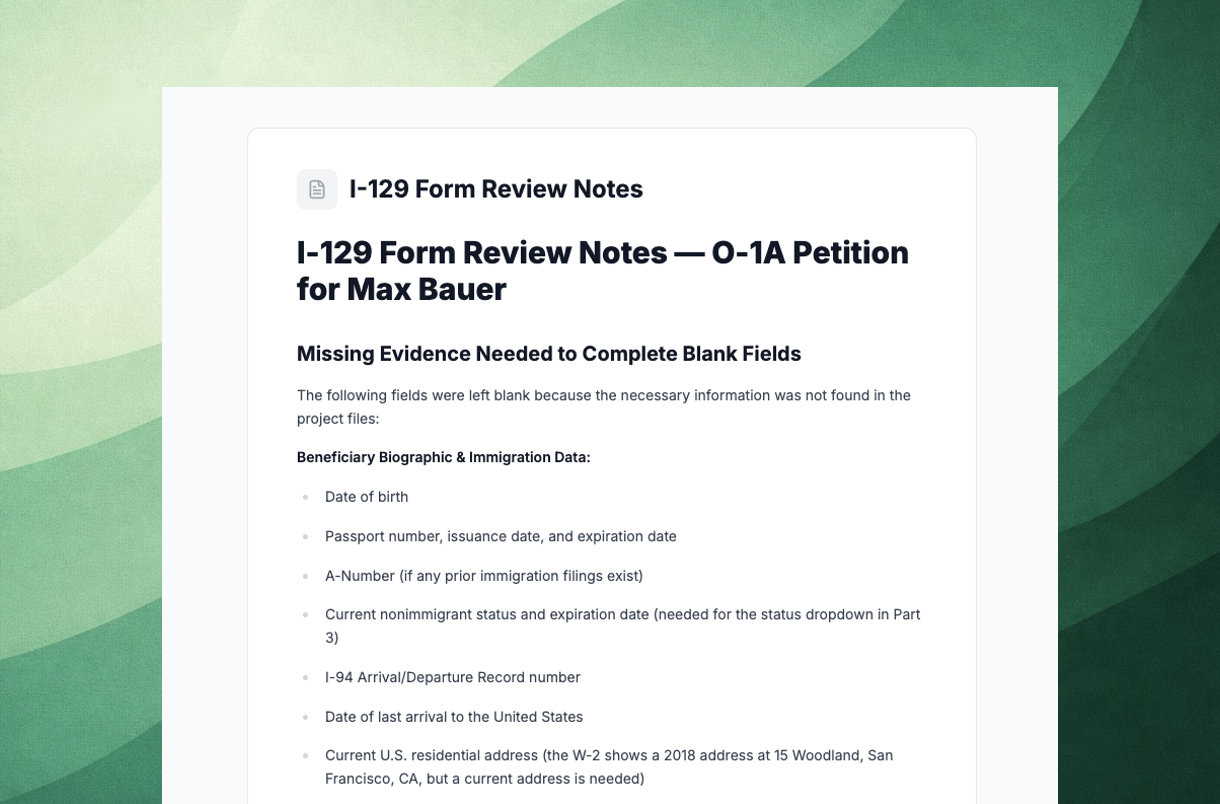
Pull in your own Notes to guide the Agent.
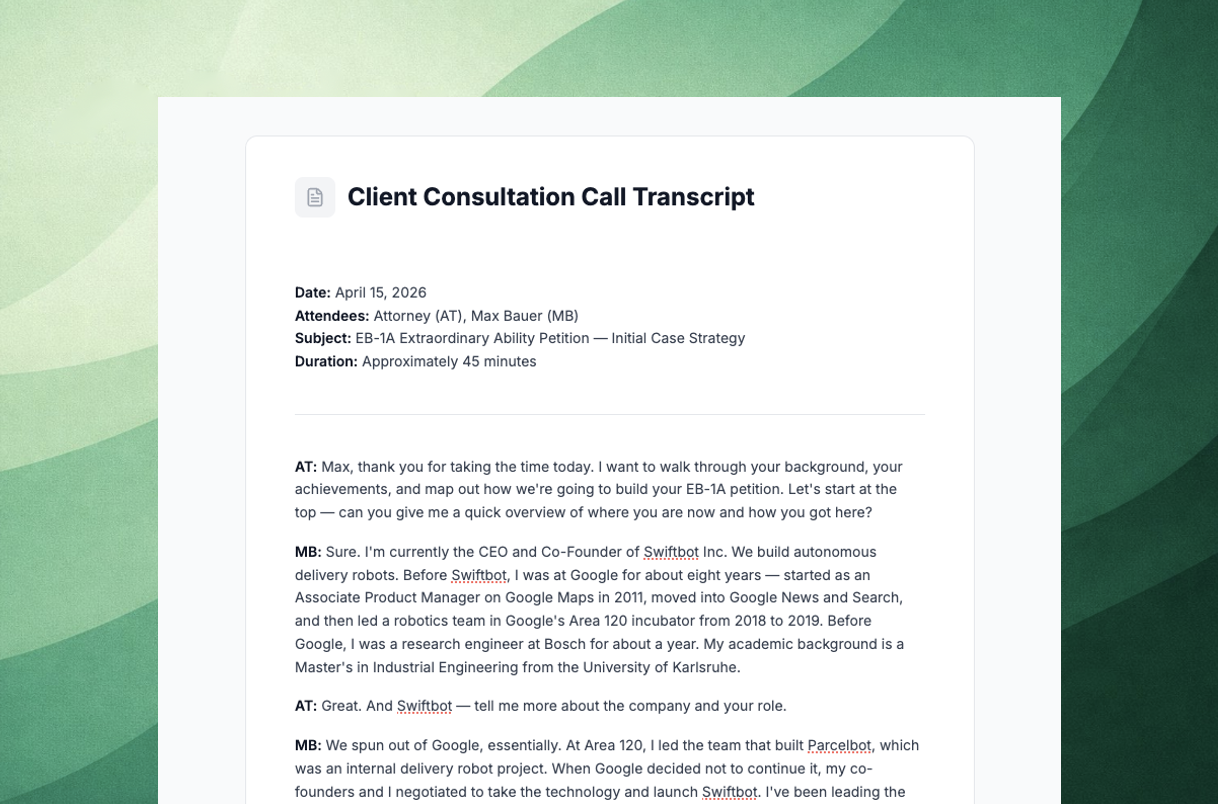
Recording client consultations? Add those notes to a Project - and have Parley draft client follow-ups or pull supplementary web research.
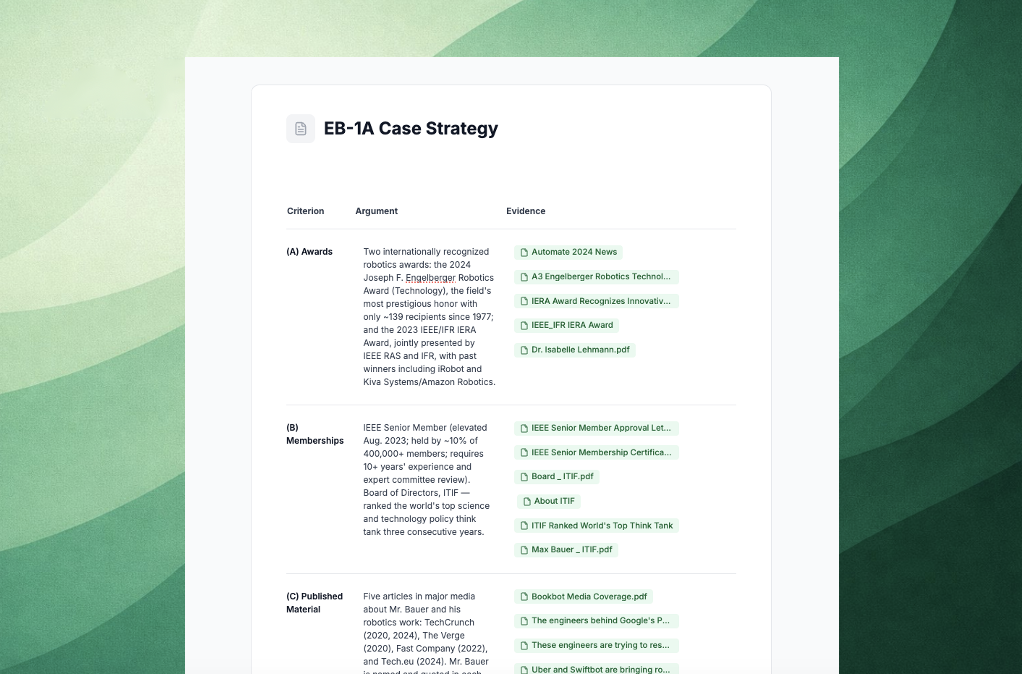
Try creating a case strategy doc that outlines your petition.
Ask the Agent to create a Project Note that outlines the petition and cites key evidence.
Use this note to inform secondary research, client follow-ups, and your writing plan before generating a 1st draft.
Create and Edit PowerPoints and Excel Files in Parley
Parley now works with Powerpoint and Excel files the same way it works with documents - read them, edit them, or build them from scratch.
A few things to try:
Read and analyze - pull data out of client-provided spreadsheets (wage research, HR data, intake trackers), extract content from existing excels, summarize, or restructure messy files into something usable.
Edit existing files - update cells, add columns, or extend a spreadsheet template without disturbing the work already in place; modify slides while preserving formatting.
Build from scratch - generate evidence evaluation or employee wage tables directly in excel to share with a client or have Parley convert your client's company info directly into a Business Plan Powerpoint Deck ready to submit in your filing.
Lots of Improvements!
Ask Parley about USCIS addresses or fees and the Agent will pull directly from up-to-date sources to ensure cover letters are ready to file with your case.
The Projects table now shows Status, Members, Files, and Workflows at a glance - click any project to land on the new Project overview.
Click any workflow in a Project to open it in a resizable side-by-side preview panel.
Kick off an Agent and then walk away; the list of workflows in your Project now show when drafts are in progress, so you can pick up where you left off without needing to watch the Agent work.
In Tables, hover over any cell and click the pencil to edit the value directly in Parley before exporting.
Search for any document or folder inside a Project from the toolbar, and drag and drop files between locations in both the Library and Project file browsers.
Click "Export All" on a Project's workflows to zip every work product into a single download.
In the Agent, hit stop mid-stream to preserve partial work if the Agent's already given you the answer you need.
Use the new Reference Letter skill to draft expert and recommendation letters end-to-end from your firm's intake materials and an optional sample template. Just ask the Agent.
Have Questions about Custom Agents, USCIS Forms, or Formatting your Word Docs? See here for more.
See our full list of agents and forms supported in Parley articles. If there's a form or workflow you need that isn't on the list, reply here or email [email protected] with a sample and we'll get it set up.
Best,
Jackson
On behalf of Parley Team