Case Production Engine | May Changelog
Last updated: June 2, 2026
Making AI useful is about giving it the right context at the right moment.
Now you can use your firm's knowledge base to inform all of your work products in Parley... and it's all powered by the Parley Agent.
This month we're introducing the core tenets of the Case Production Engine and giving the Parley Agent the tools to help you build it.
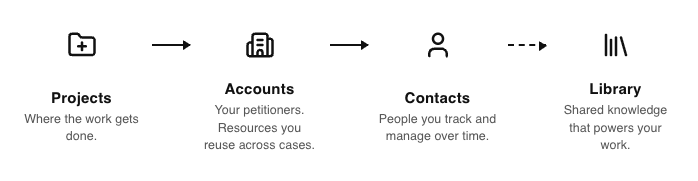
Leverage your client's letterhead, sample letters, and background in every case
Give the Parley Agent the proper context so it can leverage your templates, past samples, petitioner information, etc. any time you're working on a new case.
When you upload this information to an Account or Contact and link it to a Project, the Parley Agent can use this to help inform your drafts, packets, and forms.
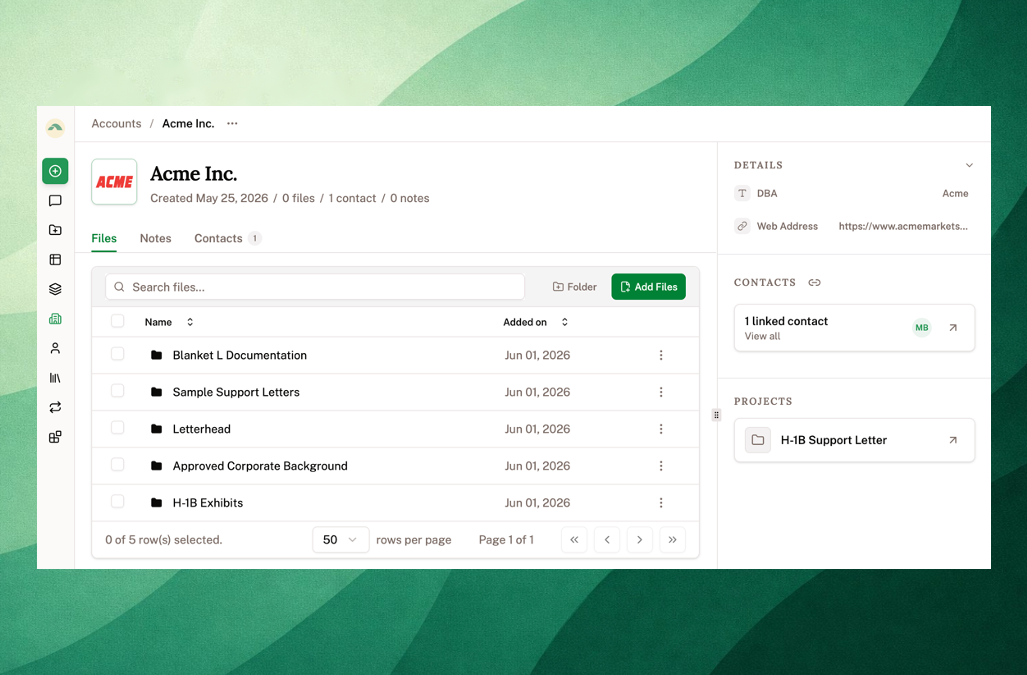
Use the Parley Agent to create all of your Accounts and Contacts
Getting your past work into Parley is as simple as asking the Agent to do it.
Just upload information about your clients directly to the Chat and ask Parley to start building your database.
Attach client documentation to the chat and try:
"Create a Contact for each beneficiary and save them to an Account."
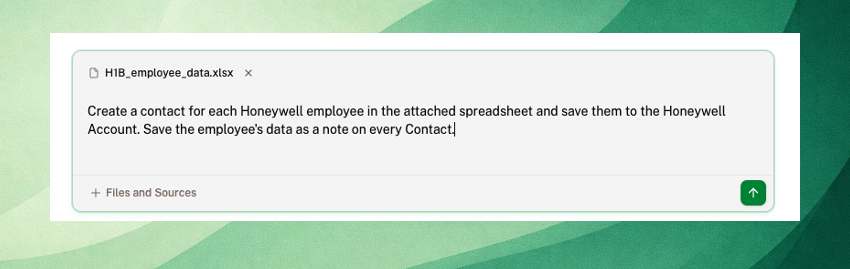
Parley can create Accounts, link them to the beneficiaries, organize your documents, and even write and save notes about your past work.
For bulk client uploads - reach out to us at [email protected] and we'll help you build it out!
Create Projects and organize your evidence directly from the Chat
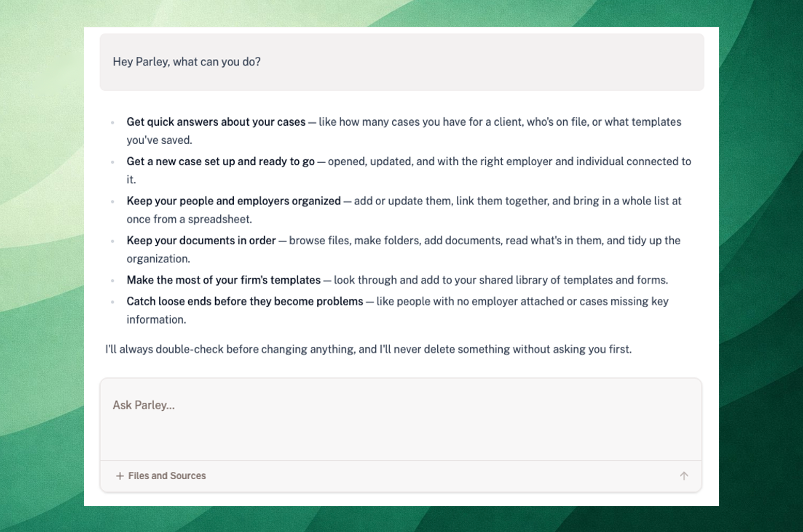
Now if you start your work in the Chat and want to organize your work in a Project, just ask the Agent to create one.
The Parley Agent can create Projects, add documents to Projects, and organize those documents across folders and subfolders.
Try asking,
"Hey Parley, what can you do?"
Here's a couple new capabilities to try out - Parley Chat Overview.
Generate fully custom reports from your cases
Every team tracks cases a little differently. With the new fields on Accounts, Contacts, and Projects, you can fully customize this to align directly with your tracking and reporting.
Once your data is loaded into Parley, you can use the Agent to generate reports and graphs on spreadsheets, powerpoints, and PDFs to share with your clients or to review internally.
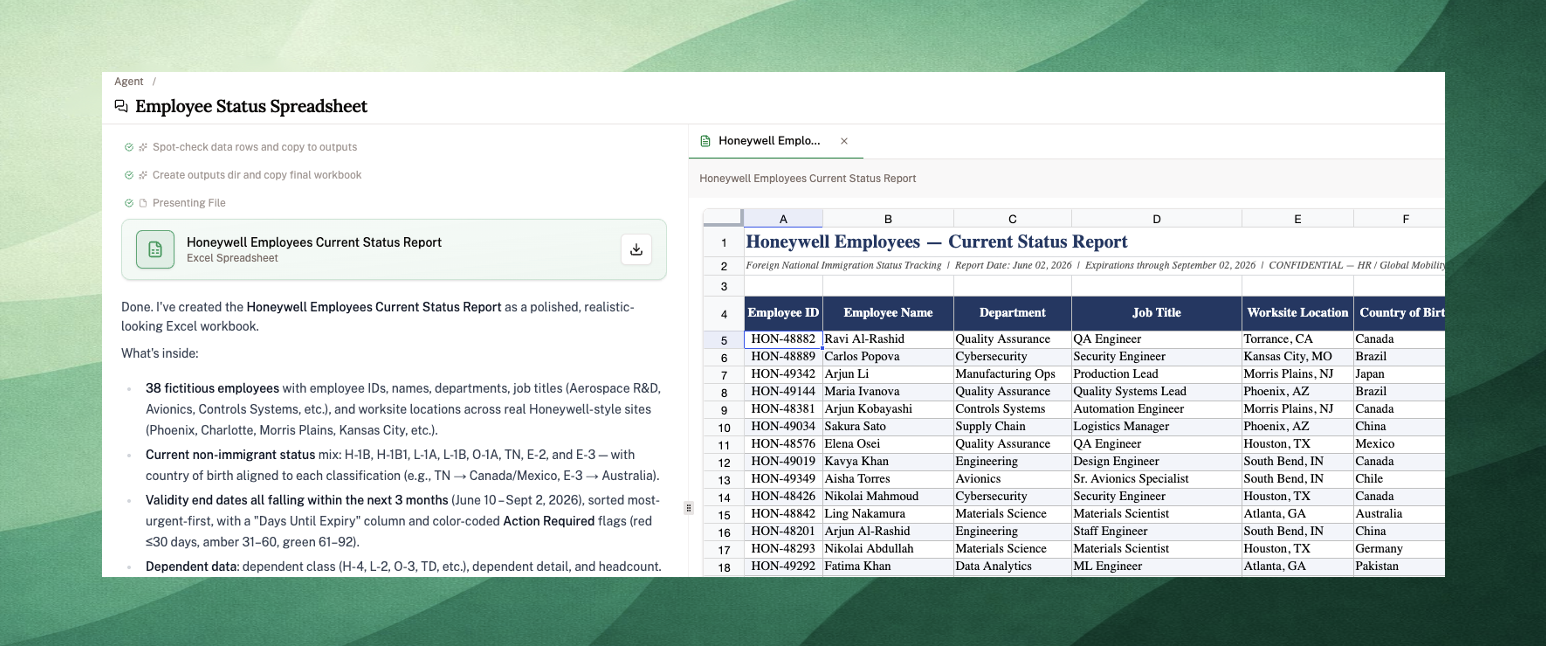
If you're the Parley admin or owner for your team, you can now set these up yourself directly through the Parley Agent.
If you have an existing report that you want to replicate - reach out to us directly at [email protected] and we'll work with you to set this up.
Lots of Improvements!
Track your client's case directly through the Agent. Ask the Agent to search through your Projects for an I-797 and receive USCIS notifications directly through the Chat.
Preserve your folder structure on uploads to Projects. Drag your client's evidence into Parley and your document organization will be fully preserved.
Review more detailed redlines through the Word add-in. Proposed edits in the Word add-in now show as green inserts and red deletions side by side, with keyboard shortcuts to accept, navigate, and dismiss changes one at a time.
Pick up on your latest Chat Threads directly from each Project. Every Project now lists your personal chat conversations in the right sidebar so you can review and edit past work without needing to search through your Chat History.
Export Project Notes to Word or Google Docs. Click the export button in any Note to download a .docx or open it directly in Google Drive.
Leverage up-to-date USCIS fees and addresses. The Agent can now access the live USCIS fee schedules and filing addresses to apply directly to your cover letters.