Self-Driving Case Management and Skills - June Changelog
Last updated: July 2, 2026
Highlights from June 🤖
[New Product] Self-driving case management. Manually filling out fields is burdensome and error-prone. Now, Parley will search your casework for key details and automatically update as you naturally progress in your case.
[New Product] Skills - Now codifying your templates and samples is as simple as asking Parley to Create a Skill. Skills can be managed by your team and used in a Project to get to your final work products.
[New Product] Routines and Notifications. Receive work products in your inbox as Parley helps complete the work. Check Parley for a notification of this Changelog!
Automate reports and tracking with Self-Driving Case Management
As a case starts to come together in Parley, now so will all of your client's key dates and details.
With Self-Driving Case Management, Parley automatically updates and reconciles fields just based on the context you're using to draft.
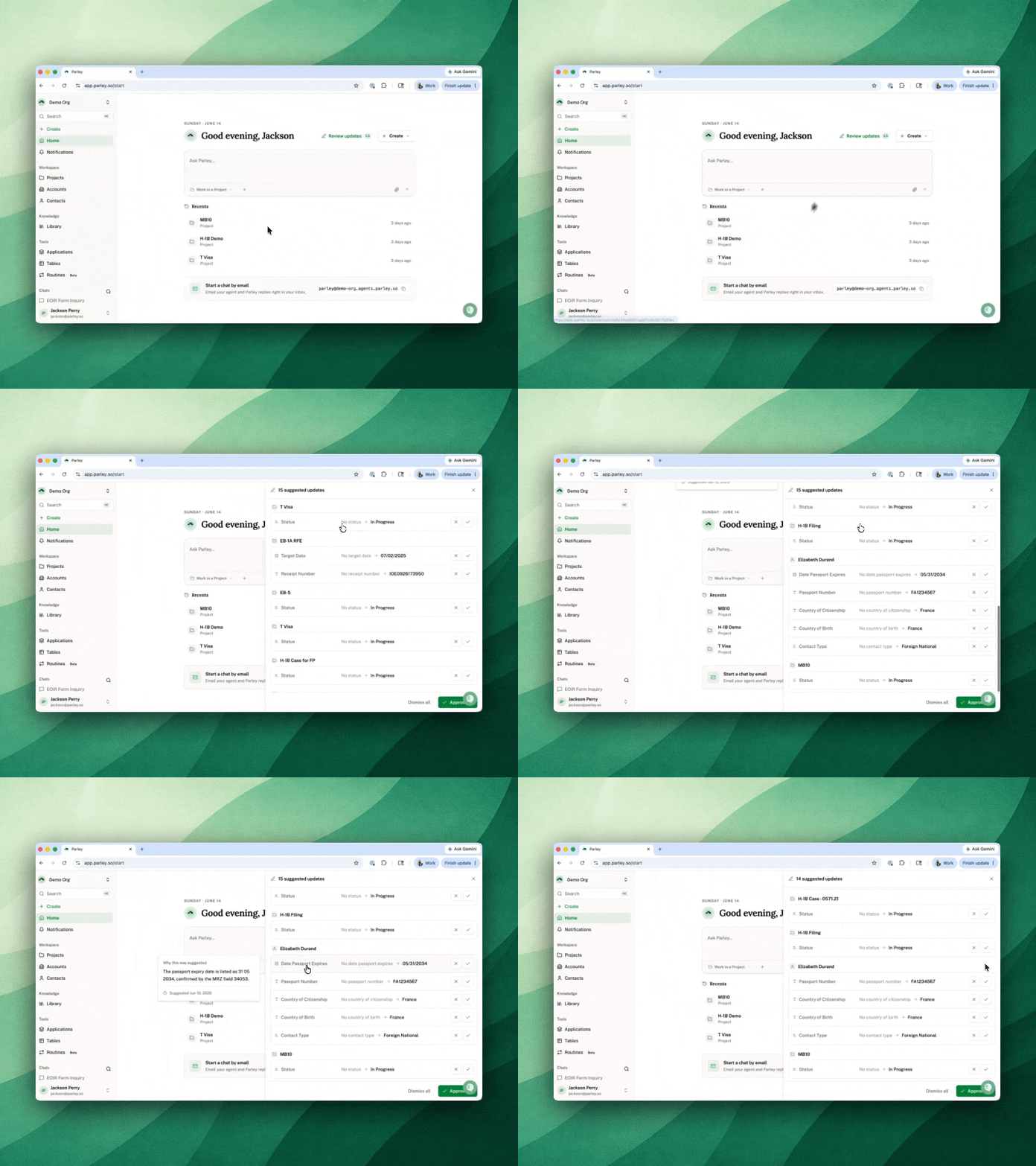
Parley structures your data so you can run reports, track receipts, produce casework, or ask Parley anything across your entire immigration database.
Link your Projects to Accounts and Contacts to leverage key client details in your work
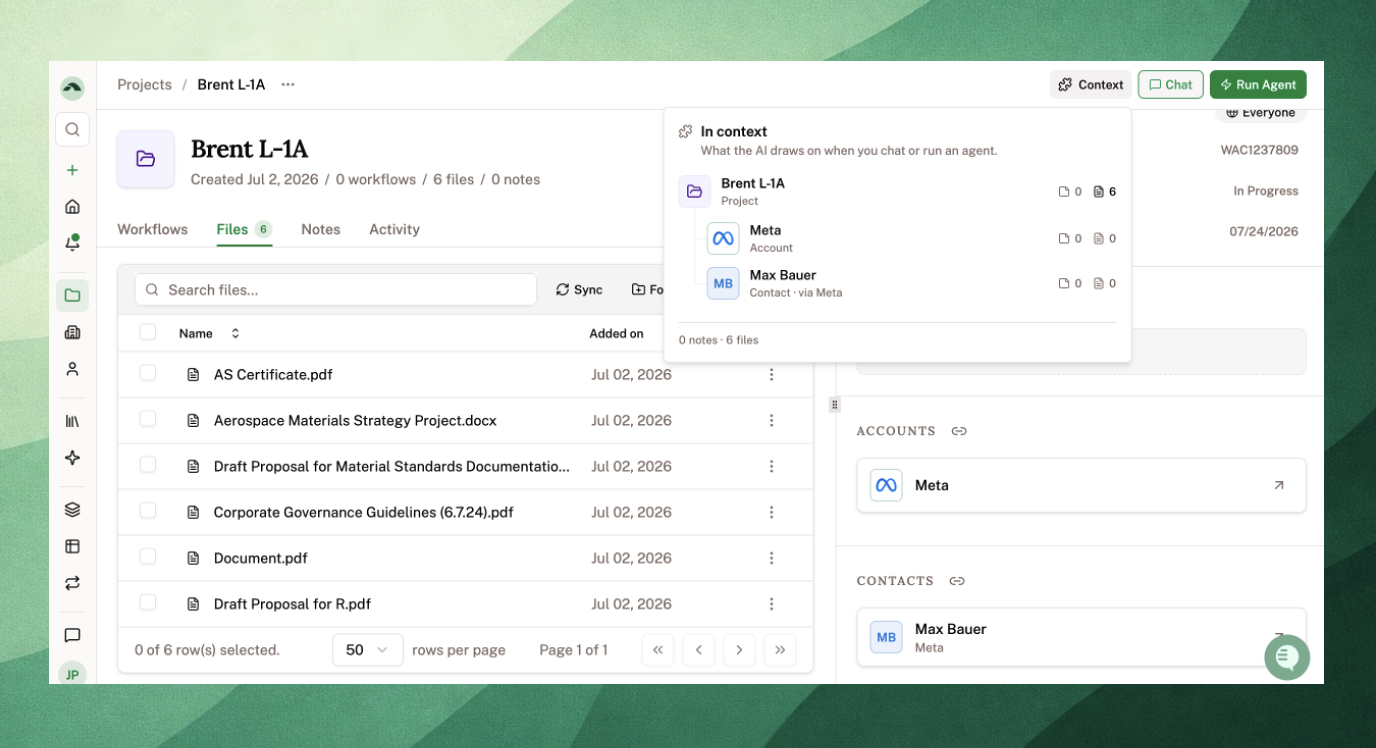
Linking records in Parley has two key benefits:
Improve your work products: Parley can search over an Account (petitioners and employers) for information like client letterhead, reusable exhibits, and client contact information to improve your work products.
Track and report on critical dates: With Contacts, (foreign nationals you need to track) critical dates can be updated automatically based on the files in your Projects.
To link your existing Projects with Accounts and Contacts, just ask the Agent. Parley will search over your firm's work and do the work for you.
Create your own fields to directly match your firm's workflows [Firm Owners / Admins]
What client information do you track when you're working on a case?
Matter Numbers
Max-out Dates
I-94 Expiration Date
Assigned Case Manager
Case Status
If you want to track these details across your work, set them up as fields so Parley can automatically update them in the background.
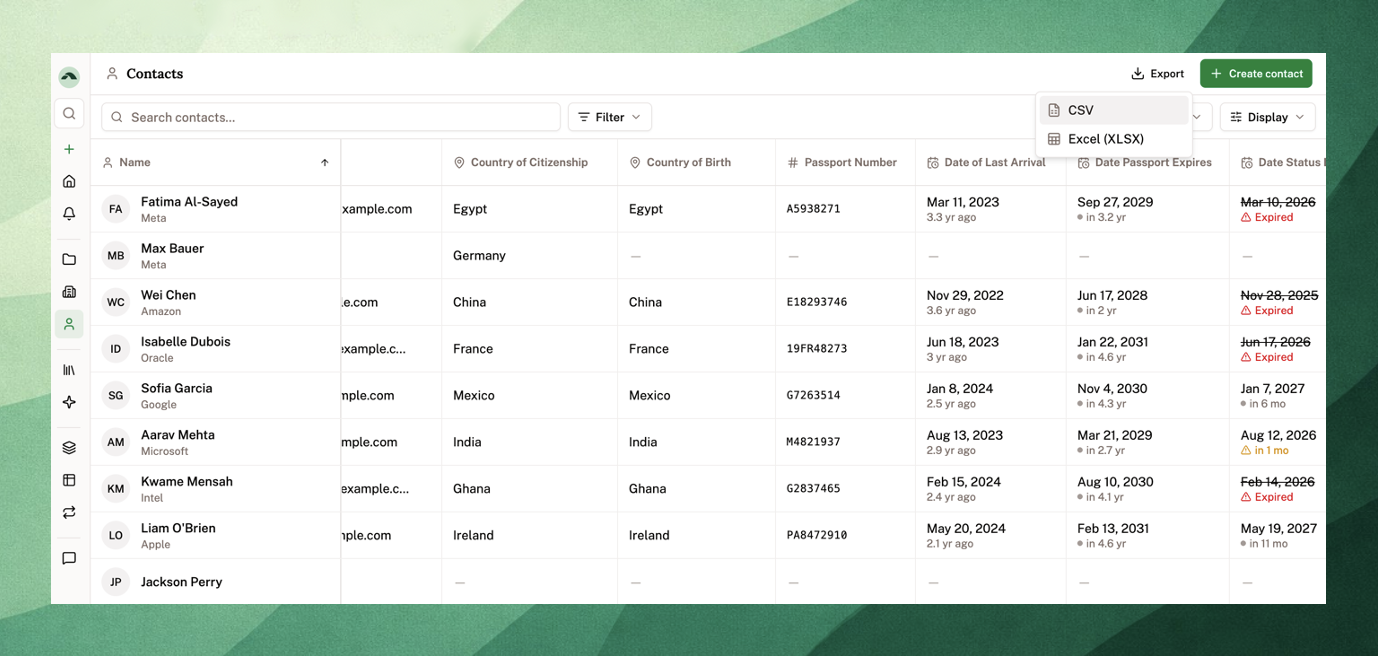
Parley's fields are there for inspiration, but these are fully flexible to your firm's needs.
If you're an Owner or Admin for your firm, just tell Parley exactly what fields to create and Parley will attach them to your Projects, Accounts, and Contacts.
You can also edit these manually via the new Parley Settings page.
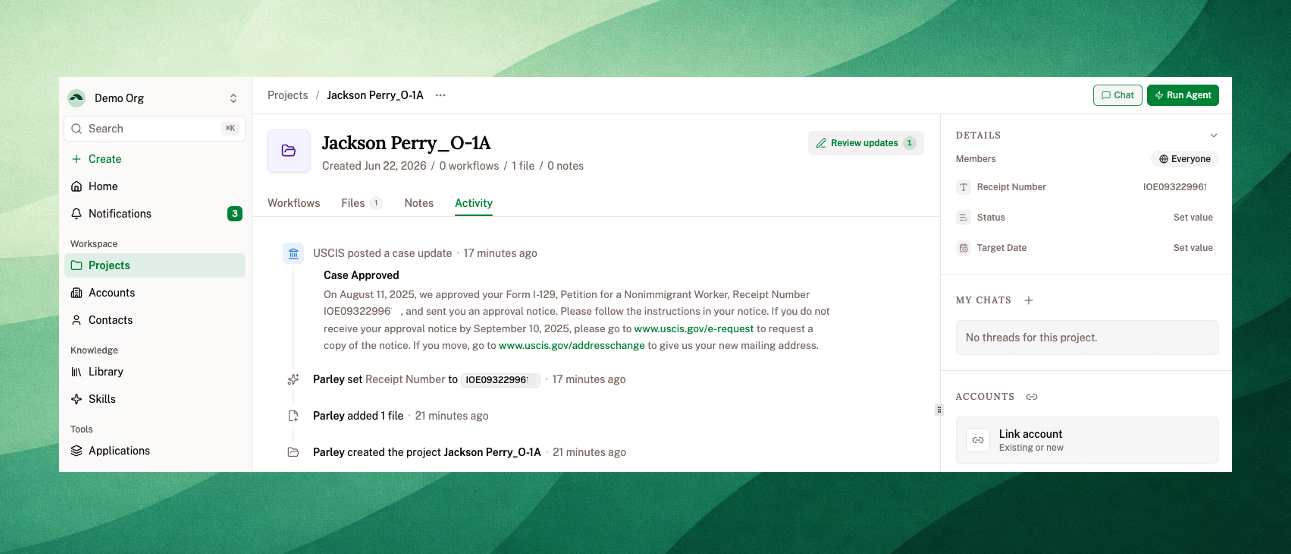
To start tracking your cases with the USCIS, just Create a Project and Upload a Receipt Notice.
Parley will pull out the receipt number, suggest it as a field, and send the latest update from the USCIS as an in-app notification.
You can check the entire USCIS case timeline from the Activity Log within any Project.
Use Skills to fully customize support letters, exhibit packets, and document naming conventions [Owners and Admins]
Parley Skills are now the best way to codify your firm's way of working.
Skills lets your firm save its own processes as reusable instructions the whole team can run. Create a Skill for a particular case type, for how you write reference letters, or for how you style and label exhibits, and Parley will apply it to your work products.
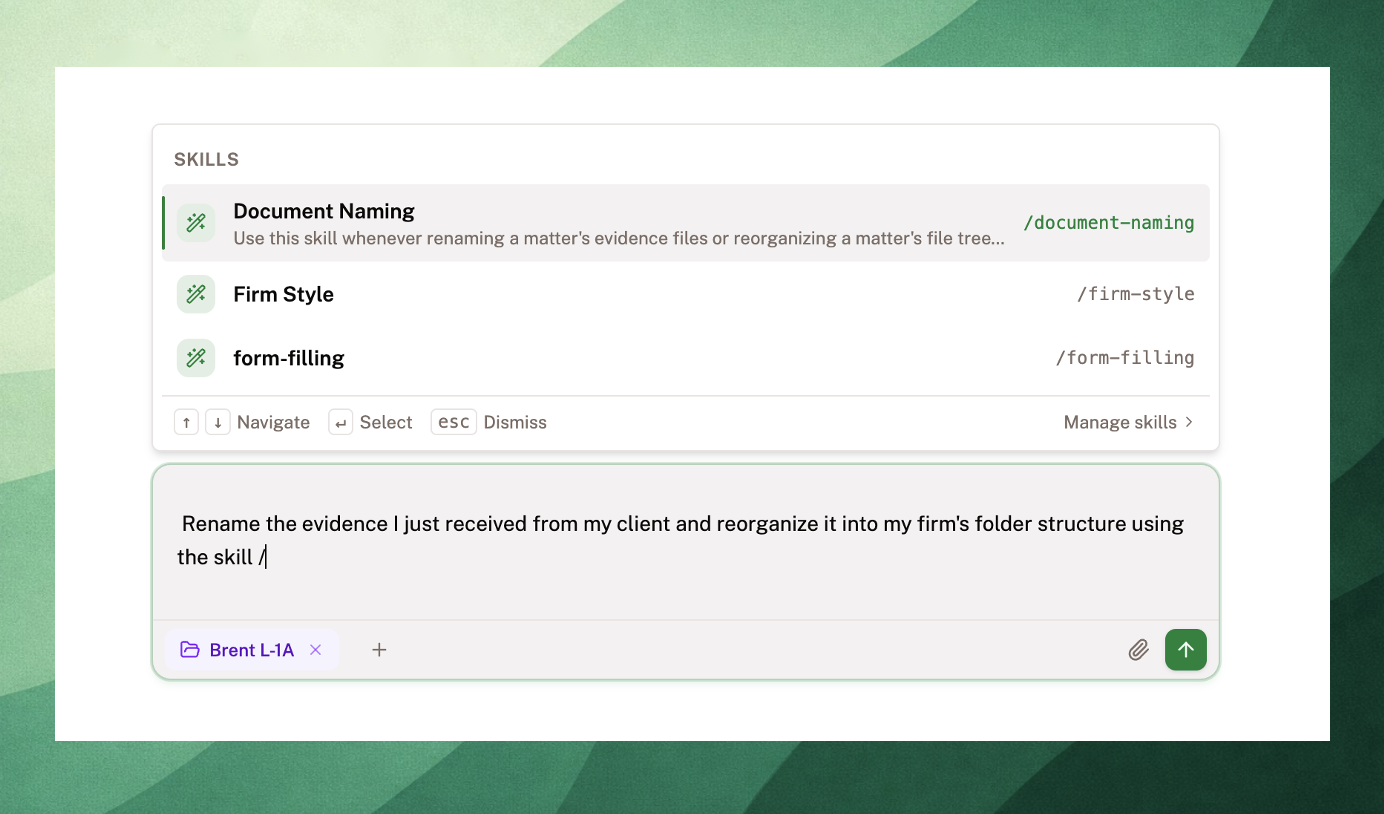
Parley even has a skill creator skill. Just upload a previous sample of a draft and ask Parley to create your skill for you.
Some examples of Skills:
Document-Naming - set instructions for how you want evidence to be named and organized. Parley can rename documents and reorganize into folders and subfolders.
Firm-Info - attorney form details and firm letterhead can be reused across all forms and cover letters.
Reference-Letter-Drafting - upload samples of reference letters for every case type. Skills can contain multiple folders and subfolders and search over them to select the best sample for any situation.
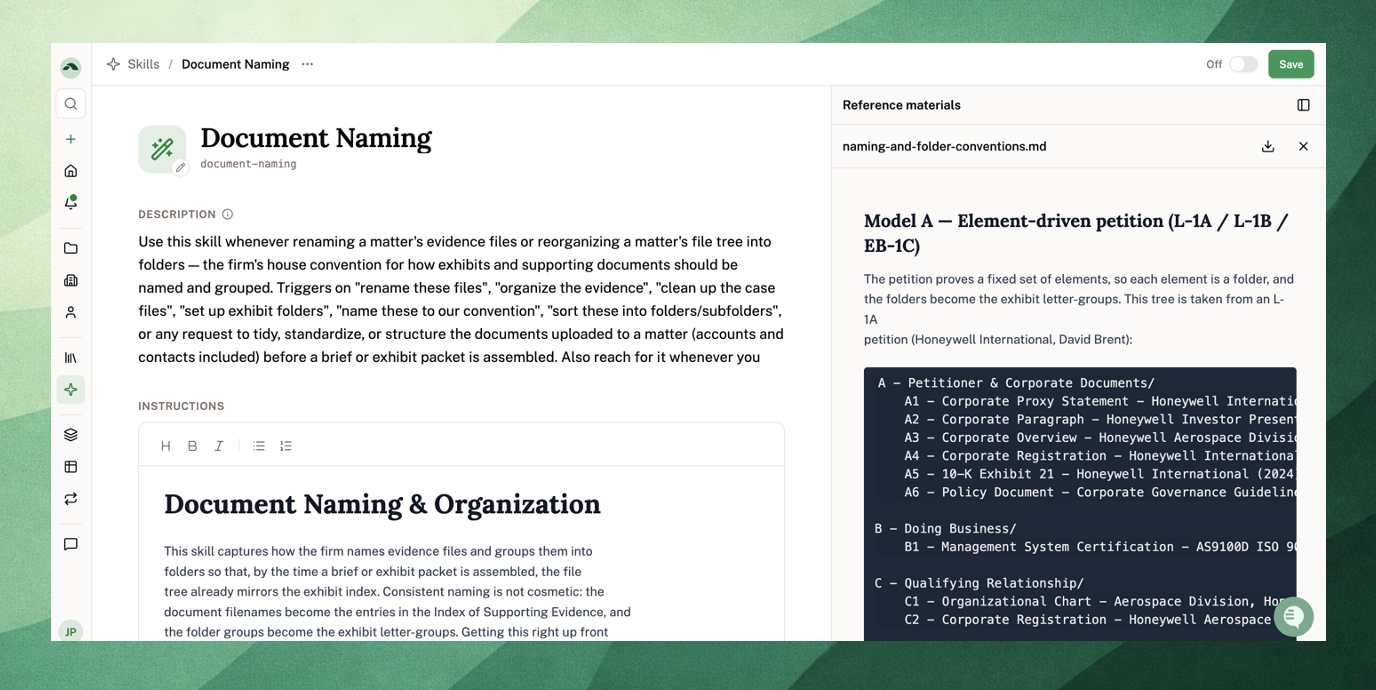
Reach out to us at [email protected] if you have questions - we'd love to collaborate with you on building these out.
Schedule the Parley Agent to handle recurring tasks for you
Routines allow you to set recurring Agent runs on a daily, weekly, or monthly schedule.
Since the Agent can work across all of your data in Parley, you can automate client reports, check the progress of your team's work that week, or just ask for the latest immigration news in your inbox each morning.
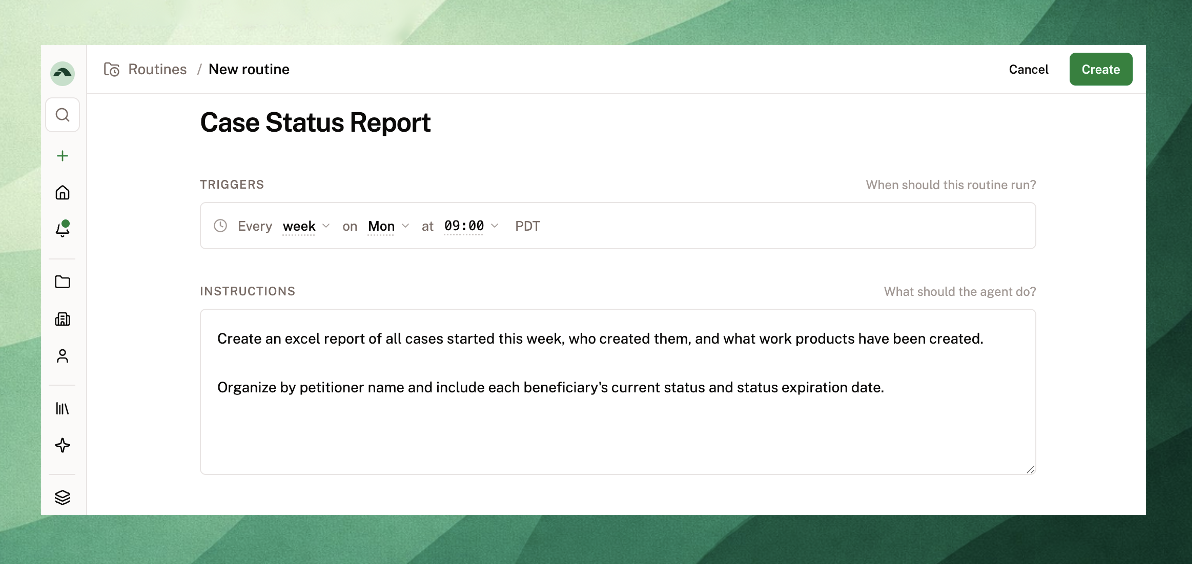
Try setting up a routine,
“Every Monday, pull a report of all cases started this week, who created them, and what work products have been created.”
Or,
“Every morning at 9, send me a summary of the latest immigration policy news.”
Get notified for all of your client's critical dates
Parley's new Notifications center collects case updates, approaching dates, and finished Agent and Routine runs into a single inbox, reachable from a popover in your sidebar so you never lose your place.
You can set additional notifications for any date tracked in Parley in Settings.
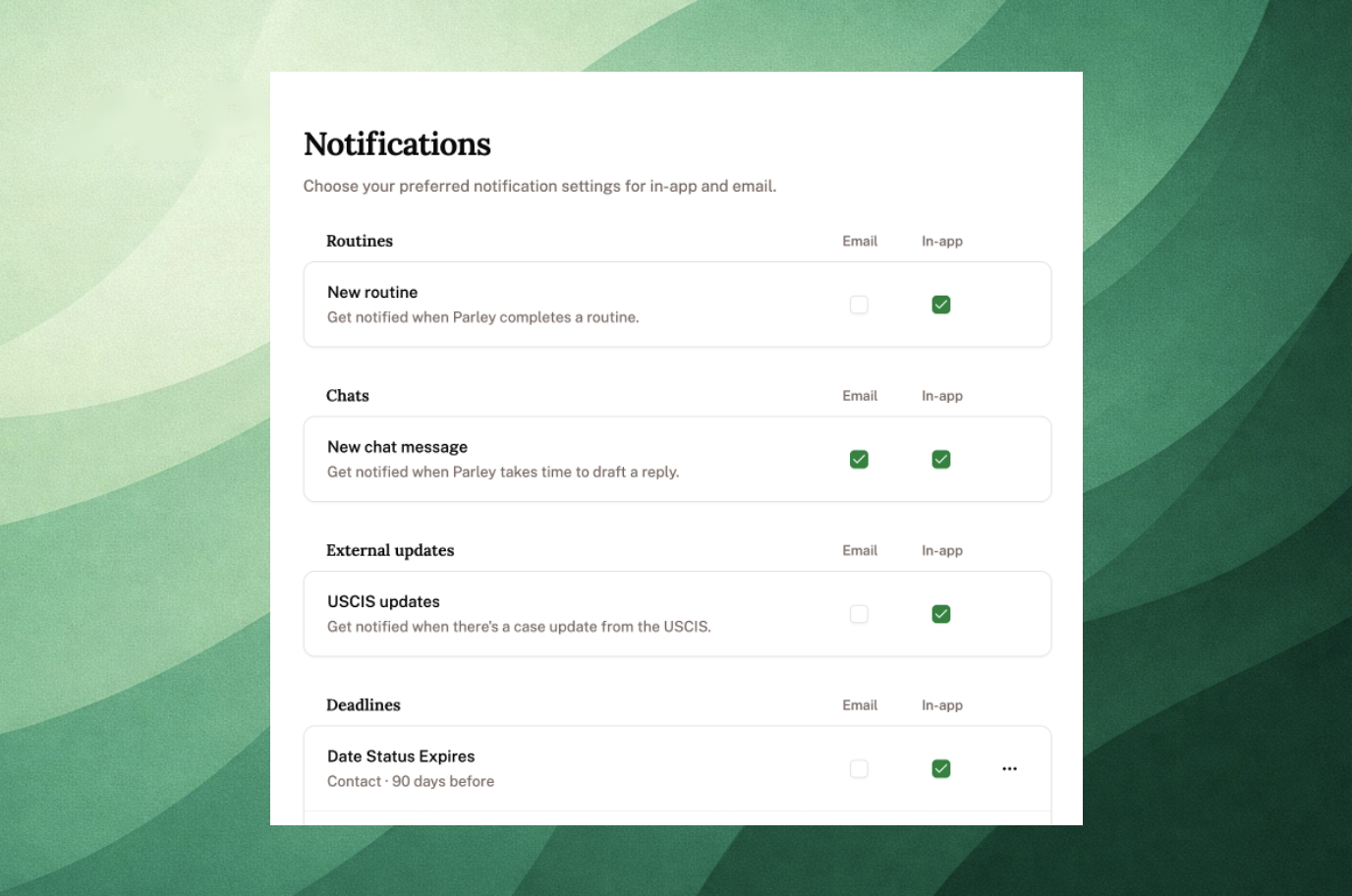
Owners and Admins, if there's a date you want to track, just ask the Parley Agent to add it and you can subscribe to notifications when those deadlines are approaching.
Lots of Improvements!
Receive in-app notifications for your Agent Runs, directly in Parley so you can quickly navigate back to your completed work products.
Managing notifications can now be set via a new configurable Parley Settings page.
A “Review Updates” panel on the Parley homepage shows suggested field updates based on your work. Accept these to build out your database and improve the Agent's context.
When working in a Project, just type “/” in the Parley Agent to pull up your firm’s Skills and leverage it in your prompts.
The Projects table was rebuilt to show Case Status, Target Date, Receipt Number, and your custom fields at a glance, with search, filter, sort, and CSV or XLSX export.
When you reopen a long chat thread that’s been idle, Parley offers to continue in a fresh thread from a summary, carrying your files and work products over. This improves Parley's speed and quality of output.
In the Word add-in, you can click anywhere on a Project row to open it, with a clearer button for adding context.
Best,
Jackson
On behalf of the Parley Team