AI Reporting, Outlook Add-In, and Practice Data Migration | August Changelog
Last updated: September 1, 2026
Dashboards. Build a live shareable dashboard that updates itself as the work gets done. Track USCIS statuses, case timelines, and critical dates like status and passport expirations.
Parley for Outlook. Chat with Parley alongside your email. Pull in case context, and draft replies without ever leaving your inbox.
Agentic Email Drafts. When you receive an email to reply to, Parley proactively drafts a response in your voice. Then just review and hit send.
Meeting Prep. Connect your calendar and Parley sends you a morning rundown of the day's calls, directly informed by your casework in Parley.
Bulk Data Migration. Parley now has a built-in Skill for migrating your companies, clients, contacts, notes, and tasks from wherever they live today. Once imported, they update automatically based on your emails, calls, and casework.
Report on USCIS status, case timelines, and critical dates with fully-customizable dashboards
Whatever you want to track. Parley can build reports as a fully-flexible, interactive web page with charts, graphs, and your actual client data cited.
Track USCIS status updates across every case, case timelines by stage, and the critical client dates like status expirations, passport expirations, filing deadlines, RFE response dates.
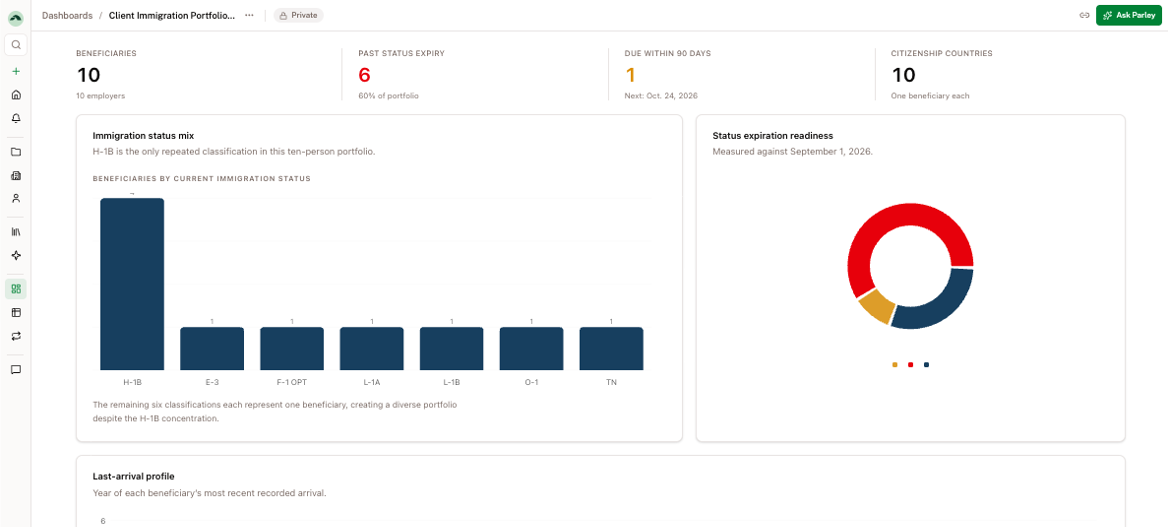
Get Started: To create your first Dashboard, just ask Parley. You'll find it saved in Dashboards on your left-hand sidebar.
Try it: open Parley and ask,
"Build a dashboard of open Projects by USCIS status, with average days at each stage."
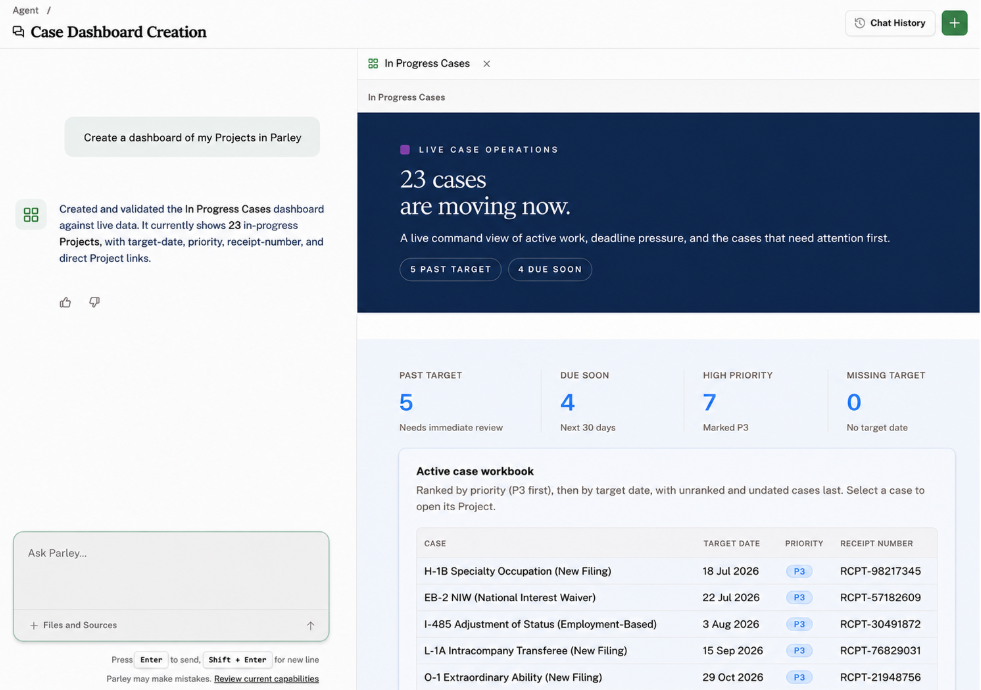
You can drop in a spreadsheet to kick this off, but the best way to keep your Dashboard up-to-date is to create Fields for any data point you want to track (Owners and Admins).
Share it with your team. After creating a Dashboard, click on "Private" in the top row to share it with your team.
Draft client emails with AI without leaving Outlook
The Parley Outlook Add-In is here. Open it beside any email and you get the same Parley chat, with your email, its attachments, and your casework already in context.
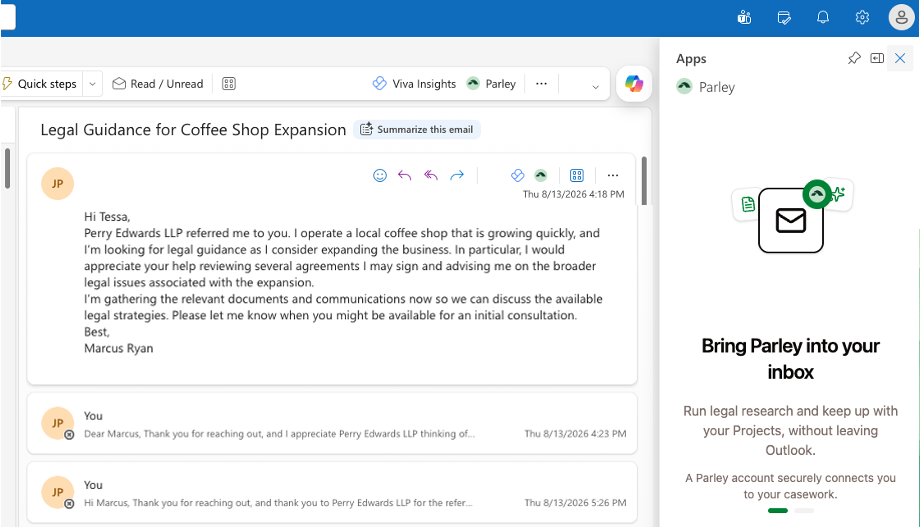
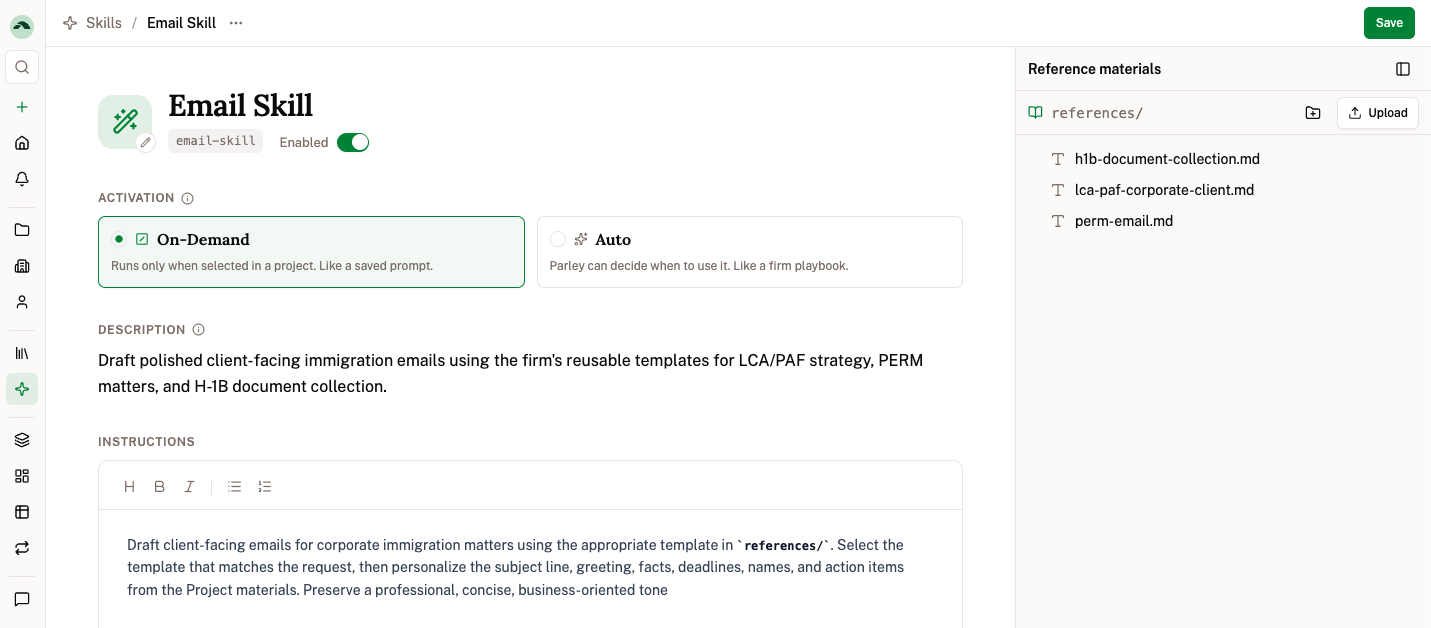
Create a personal Email Skill and the Parley Outlook Add-In will apply it directly to your email responses.
If you have well-researched or templated email responses, upload your examples directly to Parley. Parley's skill-creator skill will create instructions so that every email is written in your voice.
If your team is interested in deploying Parley for Outlook, reach out to [email protected] to enable and learn more.
Parley proactively auto-drafts email responses in your voice.
With auto-drafting, you don't even need to prompt Parley to write a response. Parley drafts responses agentically as soon as you receive a client email.
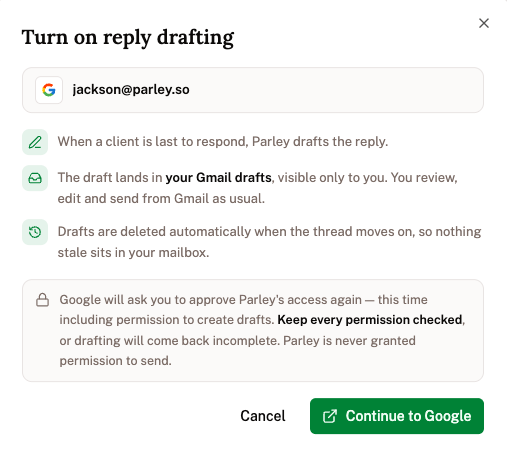
The email shows up as a suggested reply directly in your drafts. You can accept, rewrite, or ignore. Nothing is ever sent for you.
If your team is interested in deploying Automated Email Drafts, reach out to [email protected] to enable and learn more.
Walk into every client meeting already prepped
Each morning, receive a daily digest of your client meetings for the day. This is created directly from your client’s emails, files, notes, and casework in Parley.
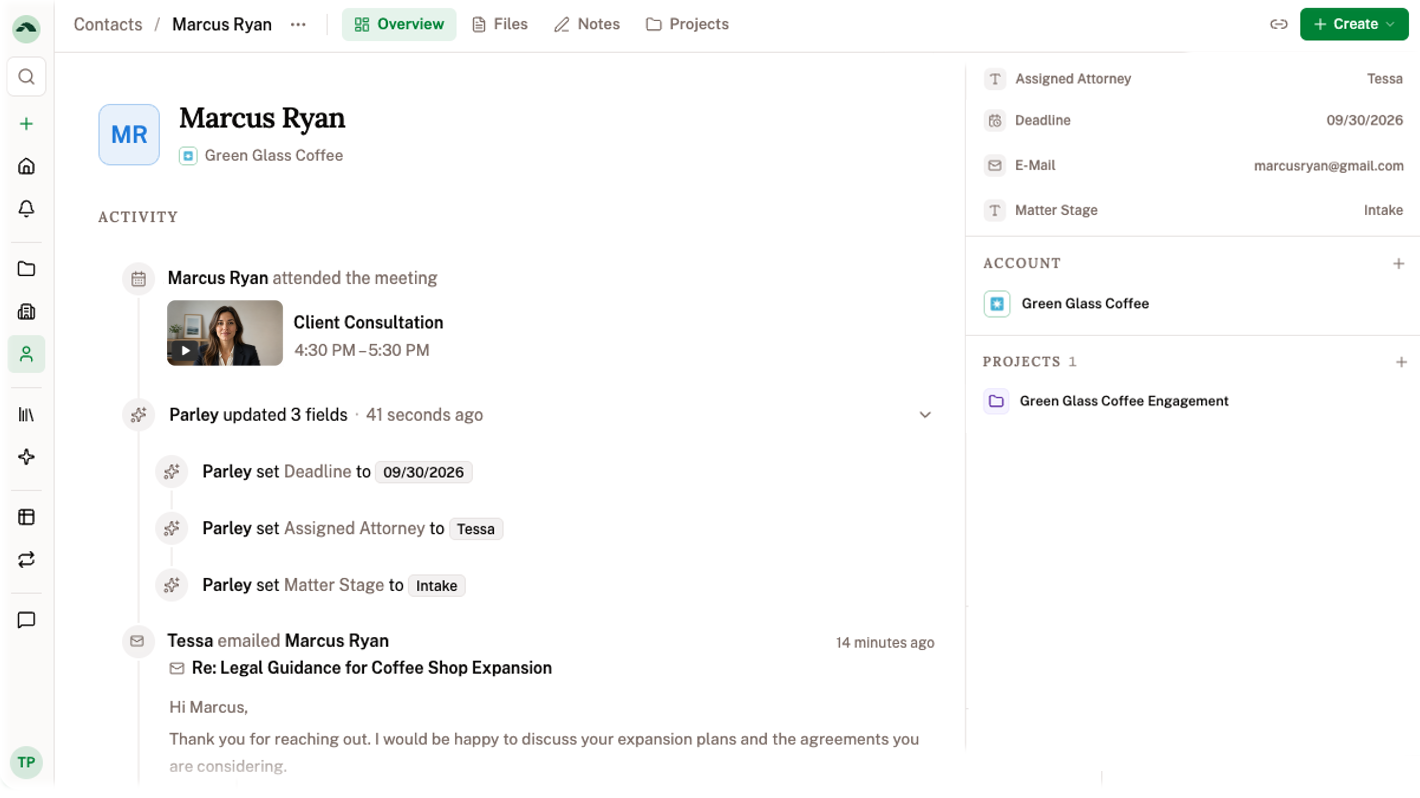
To enable, sync your calendar and email directly from Parley Settings:
https://app.parley.so/settings/email
Migrate your companies, contacts, tasks, matters, and notes to Parley directly through the Agent
Parley has created an import-data skill to handle migrations agentically.
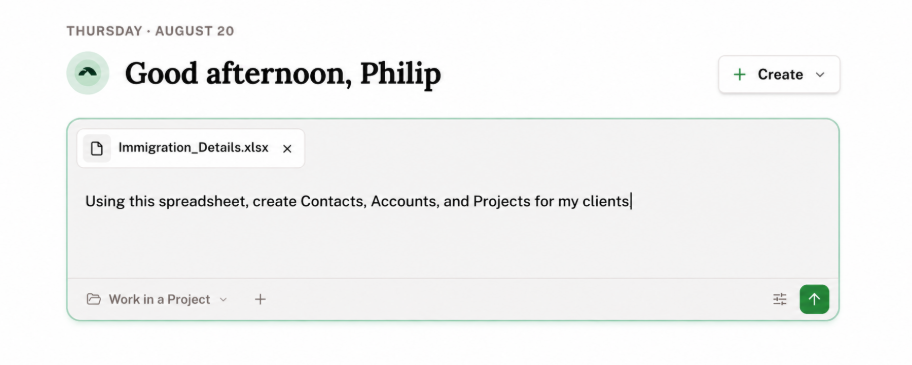
What is immediately unlocked by migrating:
Dashboards report on source of truth data from your practice.
Critical dates and client info that is tracked by hand is kept up-to-date automatically.
Work products improve with past samples and your client’s history.
Search, read, and write to anything in Parley directly through the Agent.
White-glove support: Email us at [email protected] and we’ll work with you to set up the right mapping and custom fields to import, organize, and maintain your firm’s data.
Lots of Improvements!
Every Account and Contact now includes a short summary that Parley keeps current automatically as email, meetings, and files are attached.
Your custom fields now support date-range filters, and you can rename or edit the choices on a single-select field after creating.
Parley is up-to-date with the latest wage data and occupation codes for LCA and PERM work.
Image attachments in Parley’s chat now show a thumbnail on the message and open full-size when selected.
Bookings made through Calendly, Acuity, Cal.com, and SavvyCal create Contacts and pull the client's details into Parley automatically.