AI Knowledge Base | December Changelog
Last updated: January 2, 2026
Highlights from December:
[New Product] AI Knowledge Base. Draft in Parley while directly leveraging your firm's templates, prior filings, and practice advisories.
[New Product] Microsoft Word Add-In. Draft, revise, research, and cite with Parley’s AI directly inside Microsoft Word, without leaving the document you’re working in.
Chat directly with your AI Tables. Ask questions across thousands of documents and instantly pull structured insights from your Tables into your drafting workflow.
EB-5 Drafting. Generate EB-5 I-956F petition drafts and exhibit packets.
Leverage your firm's knowledge base to draft stronger briefs
You can now upload your firm’s knowledge base, templates, prior filings, and legal resources into Parley’s Library and search across all of it using AI.
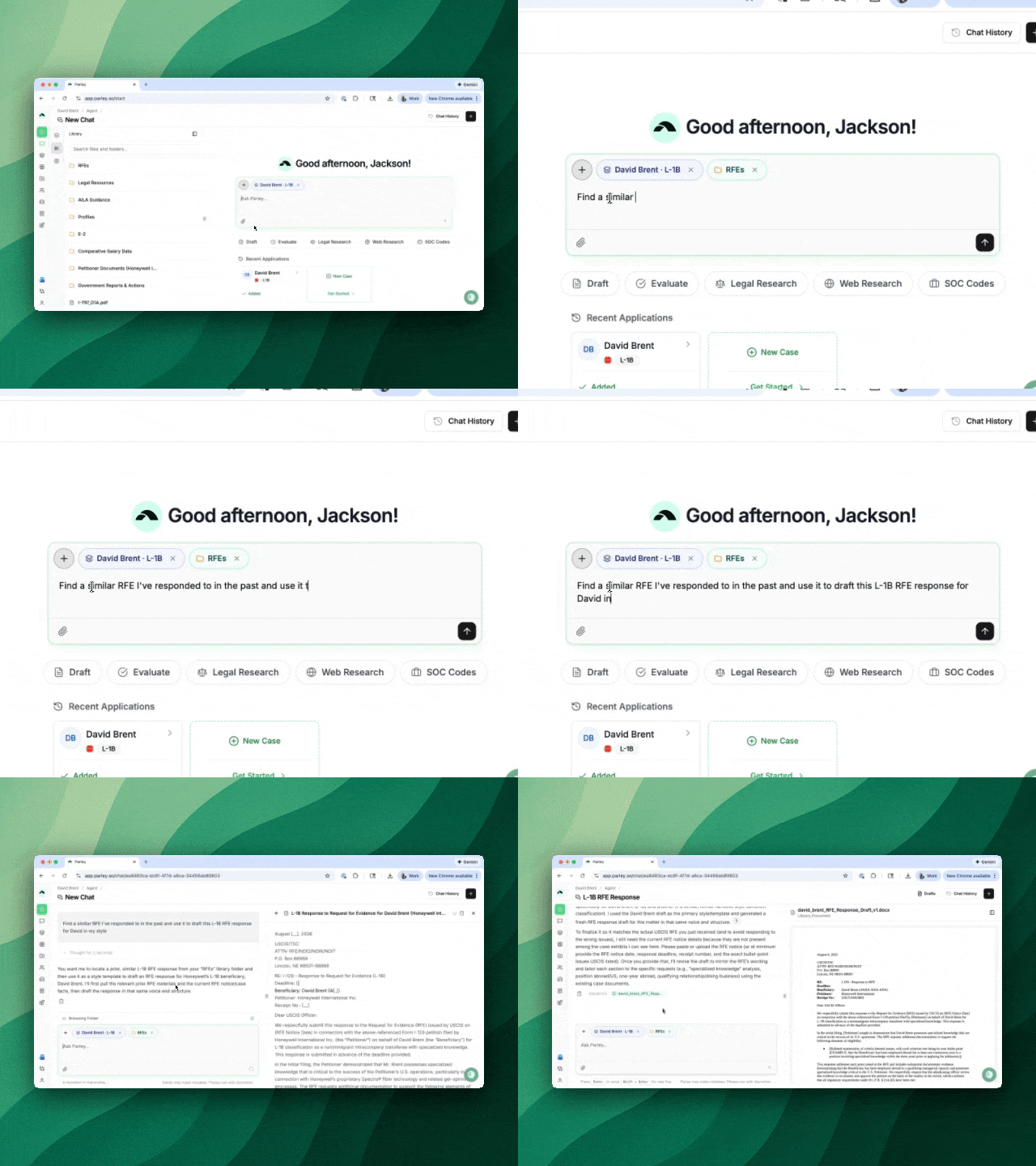
Instead of hunting for similar past cases or trying to fit new information into old templates, just ask the Parley Agent:
Find a similar case I've done in the past - update it with the attached evidence for my new client.
Pull in the petitioner background section I like to use for this L-1 - search the web for the latest 10-K, update important figures, and integrate it with my Parley draft.
Have we received RFEs for similar cases? How have we argued this in the past?
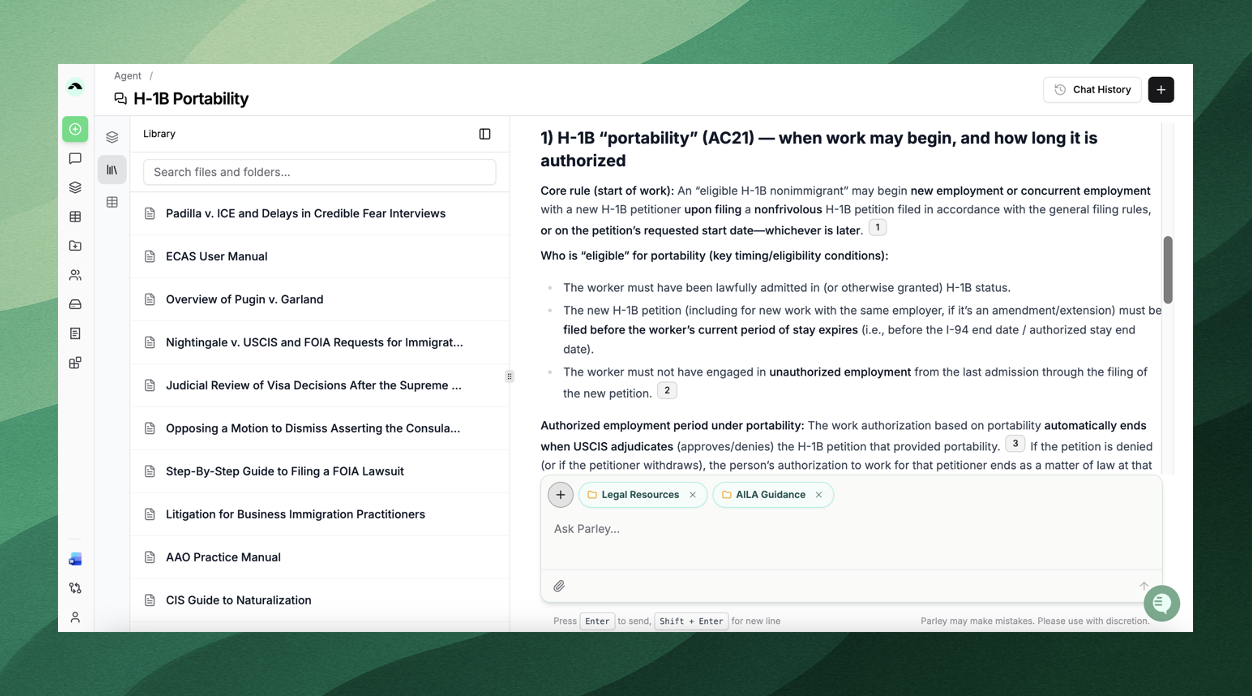
Is there guidance on this issue from AILA?
How to turn your firm's knowledge base into an AI-powered search and drafting tool
On the left-hand tool bar, select Knowledge Base > Library
Upload your previous briefs, templates, RFEs, and practice advisories
Select the [+] in the Parley Agent and then Library
Use the chat and get answers contextualized by your own gold standard sources!
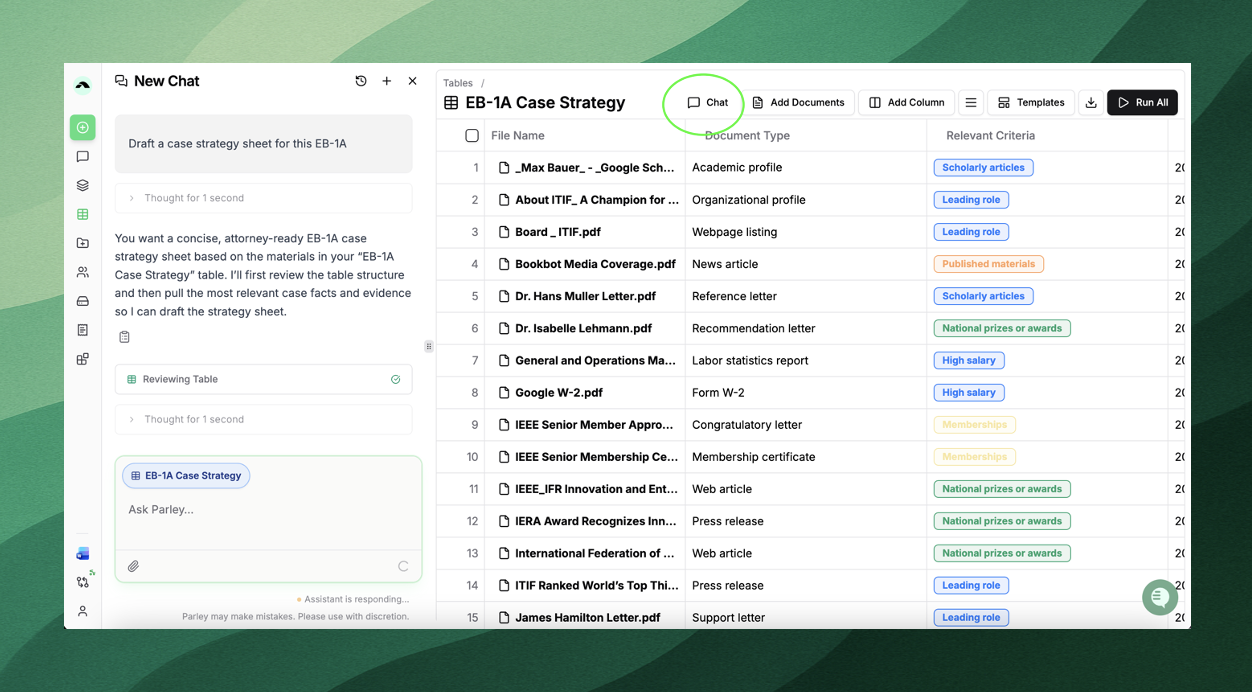
Generate your case strategy before even starting a Parley application
Just received 1,000 documents from your client?
Upload your client's evidence documents to a Table
Add columns to your table (set of questions and prompts)
Use the Table to narrow in on the evidence you actually want to submit
Then just open the chat - "Draft a case strategy for my client's application"
Ensure DOL Compliance across your client's H-1Bs
Do your clients have questions about their H-1B employees and the upcoming lottery?
Upload their past H-1Bs or LCAs to a Table and get the immediate insights you need to guide their strategy.
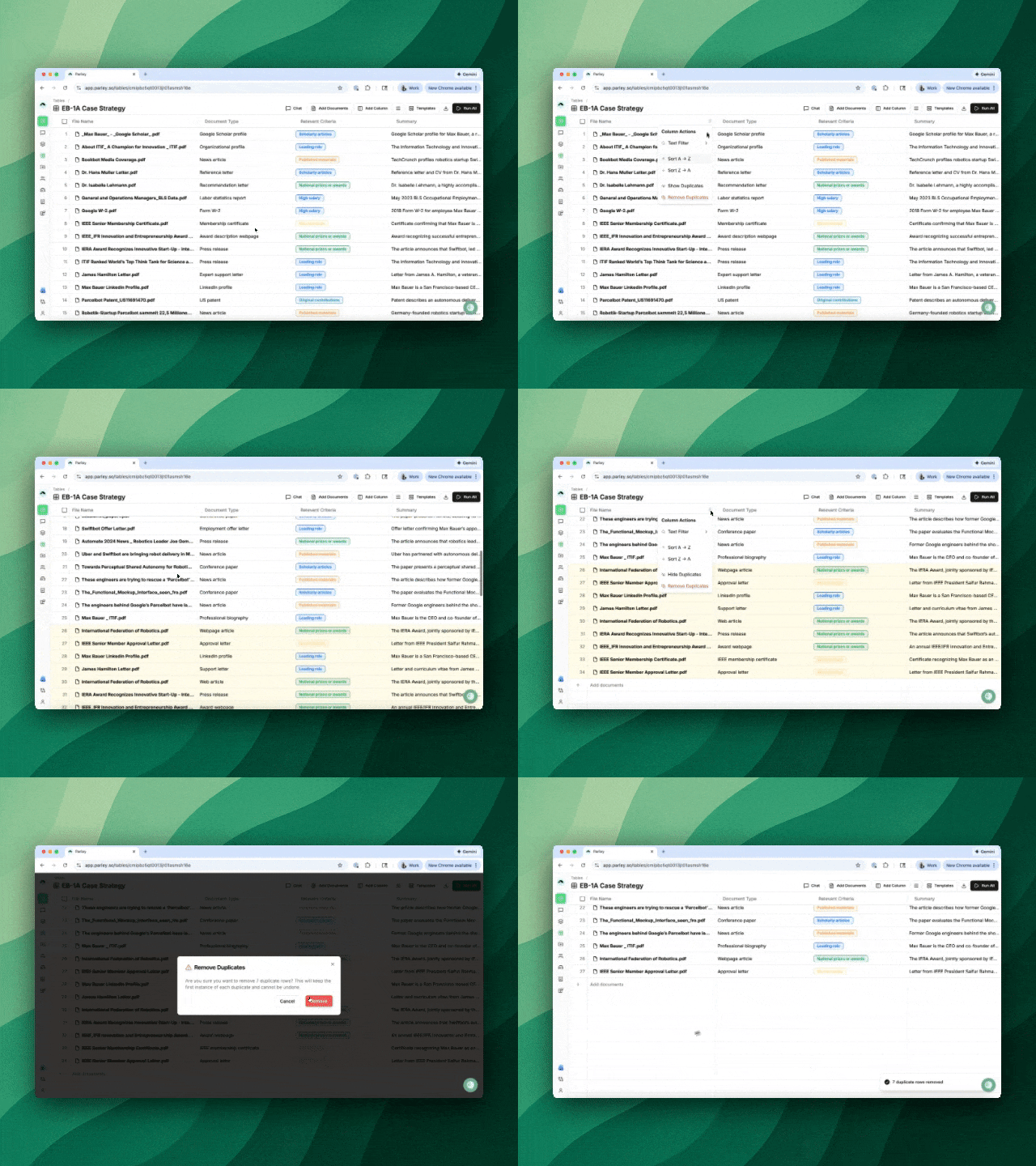
Find and Remove Duplicate Documents Instantly
Just upload your documents to a Table and select the 3 action dots next to File Name.
Select "Show Duplicates" to highlight duplicates and remove them from your document set before starting a case or compiling your exhibit packet.
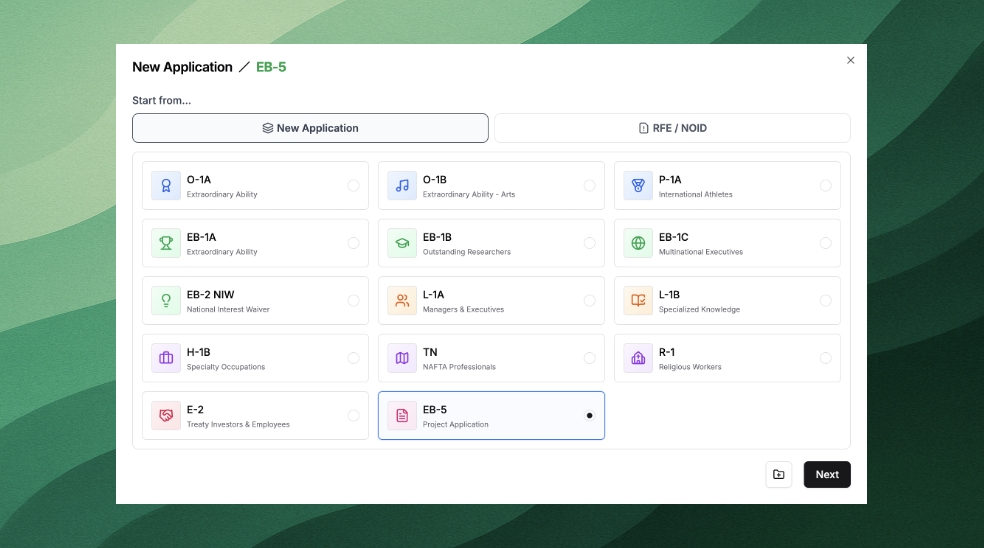
Draft EB-5 petitions in Parley
I-956F EB-5 Project Applications are now available in Parley!
Upload your business plans, regional center operating agreements, incorporation docs, and all other EB-5 filing materials to generate a petition draft and exhibit packet.
Parley for Microsoft Word is Live
The Parley Word Add-In gives you the same Agent capabilities — drafting, revising, researching, and citing — without leaving the document you’re working in.
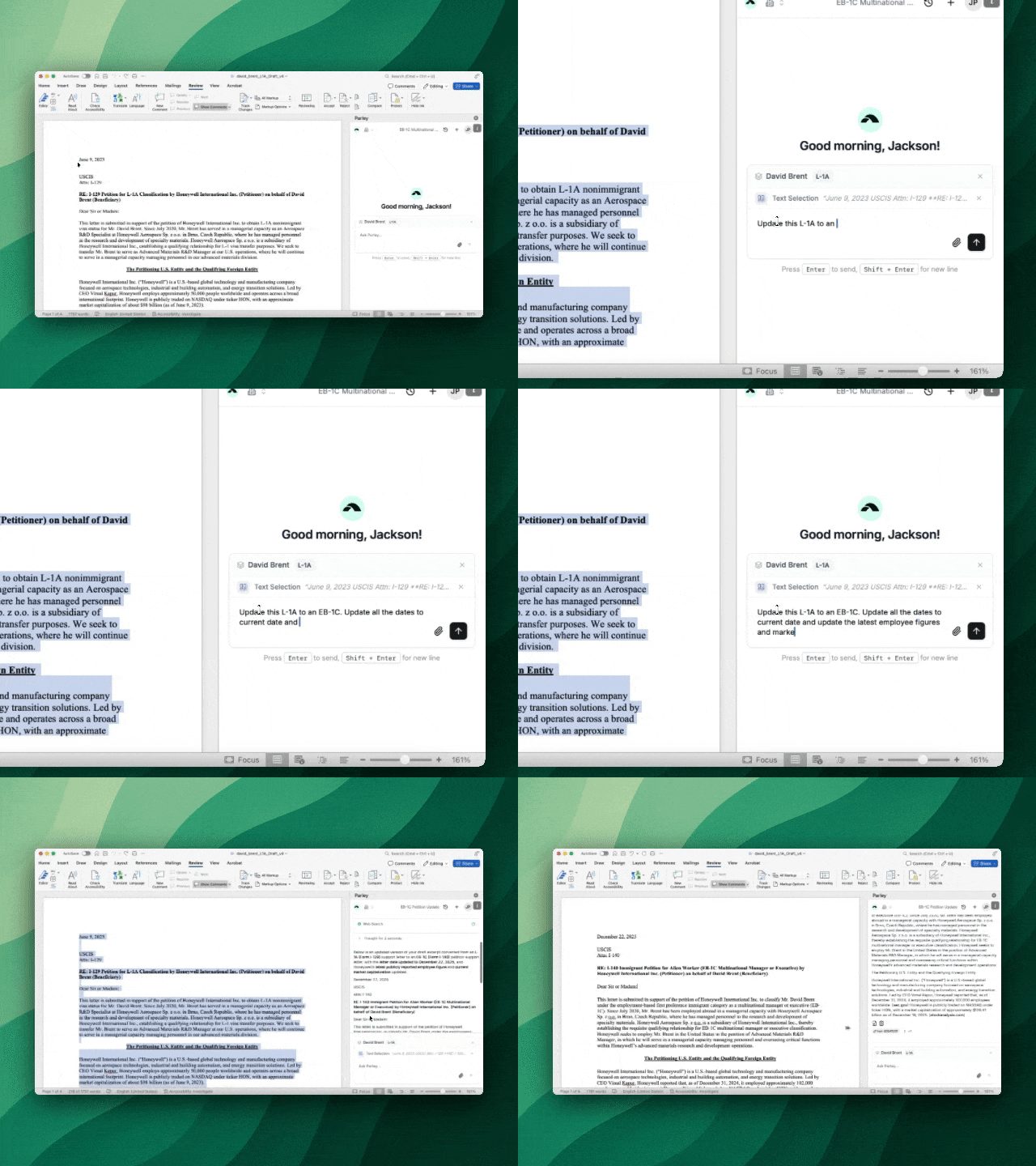
This is the fastest way to turn a draft in Word draft into a finalized filing.
Install directly from the Microsoft AppSource listing:
https://marketplace.microsoft.com/en-us/product/office/wa200007249
Draft, revise, and research with AI – directly in Microsoft Word
Match your preferred drafting style
Revise text to follow your structure, tone, or example drafts for consistency across filings. Drag in a similar brief or template into the Word Add-In and ask it to apply that style to your Parley petition.
Incorporate web research directly into your brief with sources
Highlight text in Word and ask the Add-In to find journal impact factors, organization selectivity, or OFLC wage data and incorporate them directly into your prose.
Revise and improve your brief without copying and pasting
The Word Add-In allows you to leverage all of your case materials uploaded to Parley, so no need to copy and paste back and forth with the Parley Agent when you’re working on a brief.
Add incremental evidence straight into your argument
Receive new evidence from your client? Just drop it into the Word Add-In and pull in the details directly into your working draft.
How to install
Follow this link → Parley for Word or
Open Microsoft Word (desktop or web)
Go to Insert → Get Add-ins
Search for Parley
Click Get it now next to Parley
Sign in with your Parley account
Once installed, the Parley panel appears inside Microsoft Word and is available in any document, even if it’s unrelated to a case in Parley.
Lots of Improvements!
Track your client's priority dates directly in the Applicant Profiles tab. Even if it's not for a case in Parley, you can create a profile, upload an I-797, and track key dates.
Pull in research directly from the Web - just ask the Parley Agent to search the web and PDF the result. You can then add this directly to an application as an exhibit.
Interact with Tables more flexibly using shift-click row selection, file drop into tables, CSV export, and improved headers and toolbars.
Draft faster and more reliably in the Parley Agent with improved token accounting, faster streaming and better context management.
R-1 petitions have been improved to include a beneficiary's qualifications section and a job duties table for the prospective religious position in the U.S.
Headers of background sections that you're not actively drafting will no longer show up in your Parley drafts.
Hope everyone had a happy holiday!
Jackson, on behalf of the Parley team